RGB Keyboard Control for the ASUS ROG Flow Z13 on Linux
- Category
- Tools & Downloads
- Posted
- July 11, 2026
- By
- Jacob Lloyd — written with AI assistance, post-project
- Read time
- 7 min read
In plain terms: Free software I wrote to control the glowing keyboard lights on my ASUS laptop under Linux, where the official app doesn't exist. You can change colors from a command line, a desktop app, or a web page — and the color actually survives sleep, reboot, and unplugging the keyboard. It fills a gap the manufacturer left open.
My ASUS ROG Flow Z13 has two RGB zones — the keyboard and a lightbar around the tablet's edge — and stock Linux support for either is "good luck." Armoury Crate doesn't exist here. So I wrote it myself: a CLI, a GTK4 app, and a browser panel that talk straight to the hardware, plus the part nobody bothers with: making the color survive suspend, reboot, and undocking the keyboard.
tl;dr
- What it is: an Aura HID driver for the Z13's keyboard + lightbar, with a CLI, a GTK4 GUI, a browser panel, an idle daemon, and a new-color-on-every-keypress party mode.
- What it costs: free. The whole zip is ~40 KB — Python stdlib plus zero-dependency Node.
- What you need: a ROG Flow Z13 (the 2025 GZ302) running Linux, and five minutes for the installer.
- What you end up with: a color that's still there after you close the lid, reboot, or rip the keyboard off the tablet and dock it back on.
What you end up with
Here's the browser panel doing its job:
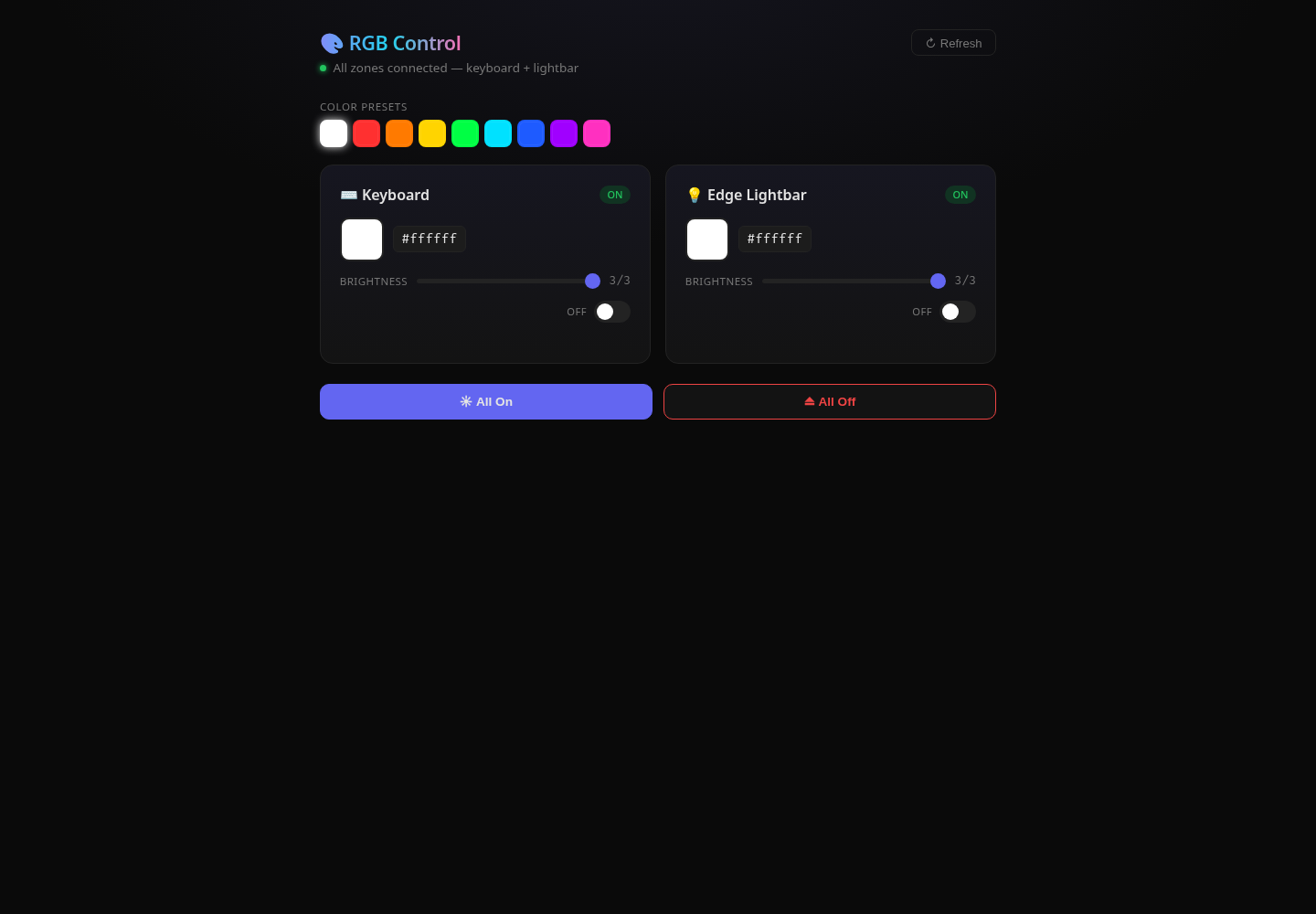
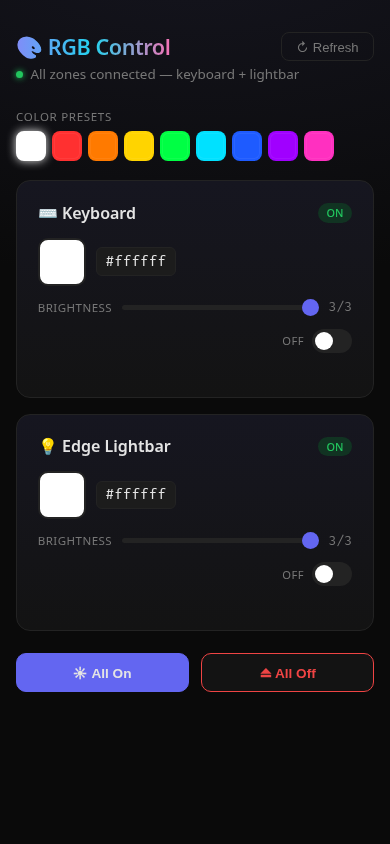
Honest note: both zones show white (#ffffff) up there. Not a bug. I captured these from a sandboxed instance with an empty state file, and the Aura protocol can't be asked what color it's currently showing. Whatever the tool last wrote is the only truth that exists — which is exactly the design problem this whole project is built around. More below.
Four ways to change the color
Same backend, four front doors:
| Interface | Command / access | Best for |
|---|---|---|
| CLI | rgb set all '#00ddcc' | scripts, muscle memory, SSH |
| GTK4 GUI | rgb-gui | a real color picker with sliders, no terminal |
| Web panel | http://127.0.0.1:3003 | phone on the same desk, no app to install |
| Party mode | rgb-reactive.py | a new random color on every keypress, for fun |
# the CLI in one breath
rgb list                       # what zones exist, current known state
rgb set all '#00ddcc'          # set every zone to teal
rgb brightness keyboard 2      # 0-3
rgb on / rgb off               # per-zone or all
rgb restore                    # reapply the last saved color (what the restore service runs)
The GUI wraps the same operations in a color dialog per zone, brightness sliders, nine preset swatches, and a sync switch that applies one change to all zones. The web panel is the same idea in a tab: color picker, hex box, brightness slider, off toggle, preset row, All On / All Off.
The Aura HID protocol
Both zones — keyboard (USB 0b05:1a30) and lightbar (USB 0b05:18c6) — speak the Aura HID protocol that the g-helper and z13ctl projects reverse-engineered first. Nothing official documents it; people figured it out staring at USB captures, and this tool builds on their work rather than redoing it.
The mechanics are almost insultingly simple:
- 64-byte output reports, report ID
0x5D, zero-padded. - SetMode packet:
5d b3 <zone> <mode> <r> <g> <b> <speed>— mode0x00is static color, which is all this tool uses. - Then a Save packet (
5d b5) and an Apply packet (5d b4) to commit. - Zone byte:
0x00keyboard,0x01lightbar. Both hidraw nodes sit behind one USB-multiplexed "N-KEY Device," and each quietly ignores packets addressed to the other zone — so the same three-packet write works on either node.
The fact that drives every design decision here: the protocol is write-only. You can set a color; you can never read one back. So the tool keeps its own memory — every applied color and brightness lands in ~/.local/state/rgb-control/state.json, and that file, not the hardware, is the only record of what your keyboard is supposed to look like. The restore service, the idle daemon, the re-dock handling: all of it exists to push that file back at hardware that keeps forgetting.
Discovery walks /sys/class/hidraw, matches vendor/product ID, then checks that report ID 0x5D actually exists in the node's report descriptor before trusting it. There's also a fallback backend: the kernel's asus-wmi driver exposes a multicolor LED class at /sys/class/leds/asus-*:rgb:*, with multi_intensity and brightness files. Hidraw does the writing when it's available; sysfs supplies initial state, since unlike HID it can be read.
How a click becomes a color
The full path from click to LED:
Surviving suspend and re-dock
Every RGB tool I found on Linux could set a color. None remembered it past the next suspend, reboot, or — the Z13's keyboard being detachable — the next re-dock. Each of those resets the hardware to dark, and a write-only protocol means it has no idea what it was showing. The fix has to live outside the hardware:
The ~6-second retry budget matters: a freshly docked keyboard takes a moment to show up on the bus, and udev fires a burst of events while it enumerates. The restore unit sleeps 1 second to let the burst settle, then retries discovery instead of quitting on the first miss.
There's also an idle daemon, rgb-idled, GNOME/Wayland only because it listens for two specific D-Bus signals: org.gnome.ScreenSaver ActiveChanged (lock the screen → dim to brightness 1) and org.gnome.Mutter.IdleMonitor WatchFired (the same idle clock GNOME uses to blank the display → lights off). Unlock and it restores from state.json. The detail I actually like: dim and off use a persist=False path, so those transient states never overwrite your saved color. Wake up and it's the color you picked, not whatever the daemon last did.
Setup
Quick test, no install:
cd rgb-control
./rgb-cli list
./rgb-cli set all '#00ddcc'
Full install wires up the udev rule, rgb-restore.service, the sleep hook, a tmpfiles rule, a ~/.local/bin/rgb symlink, a desktop entry, and the rgb-idled user service:
cd rgb-control
sudo ./install.sh
Installer paths are templated (__RGB_DIR__, __RGB_STATE__) and filled in at install time, so it works from wherever you unzipped it. The web panel is a separate, optional step:
cd rgb-web
node server.js
# → http://127.0.0.1:3003
# PORT= and RGB_CLI= env vars override the defaults
It also supports systemd socket activation — zero resources until the first request hits it, exits after 10 idle minutes. And party mode, a fresh random color on every keystroke, is one command away: ./rgb-toggle.sh start (it'll ask for sudo).
Gotchas
- Permissions on stricter distros. On Fedora/Bazzite,
/dev/hidraw*is world-writable out of the box, so this just works. Other distros usually need a udevuaccessrule (example in the setup guide). This is the number-one "it does nothing" cause. If your ASUS model uses different vendor/product IDs, handing this repo to an AI assistant to adapt is a faster path than reverse-engineering the HID captures yourself. - The sysfs LED nodes are root-owned. The shipped udev rule
chgrps them towheel. Not in that group? Add yourself or edit the rule. - LED node names carry a machine-specific suffix. Something like
asus-0003:0B05:18C6.0008— that trailing number can differ per machine. Checkls /sys/class/ledsand adjust the config if the fallback backend finds nothing. - rpm-ostree machines (Bazzite, Silverblue) have a read-only
/usr. The installer deliberately targets/etcfor the sleep hook. Don't "fix" it back. - rgb-idled only fires on GNOME. On KDE or bare X11 it starts fine and never does anything. Expected, not broken.
- The web panel has no login, on purpose. It binds
127.0.0.1only, because it shells out to hardware control with no auth in front. The server code says it plainly: don't bind0.0.0.0without adding authentication first. There's a path-traversal guard on static files, but a guard isn't a login. - Re-docking races itself a little. One physical re-dock can fire several udev events; the restore path sleeps briefly to collapse them, so the lights may blink back a beat late. That's the collapse window working, not lag.
Related: the ROG Flow Z13 this runs on, how to have an LLM adapt a project like this to your own hardware, the mini PC that replaced the Z13 as my home lab, and OpenClaw Model Manager, another free GTK4 desktop tool from this site.
Downloads
Free for personal use. If it saves you an afternoon, the coffee button's nearby.