My AI Agent Built a Benchmarking Tool for My AI Agents
- Category
- AI & Local LLM
- Posted
- August 11, 2026
- Updated
- September 16, 2026
- By
- Jacob Lloyd — written with AI assistance, post-project
- Read time
- 13 min read
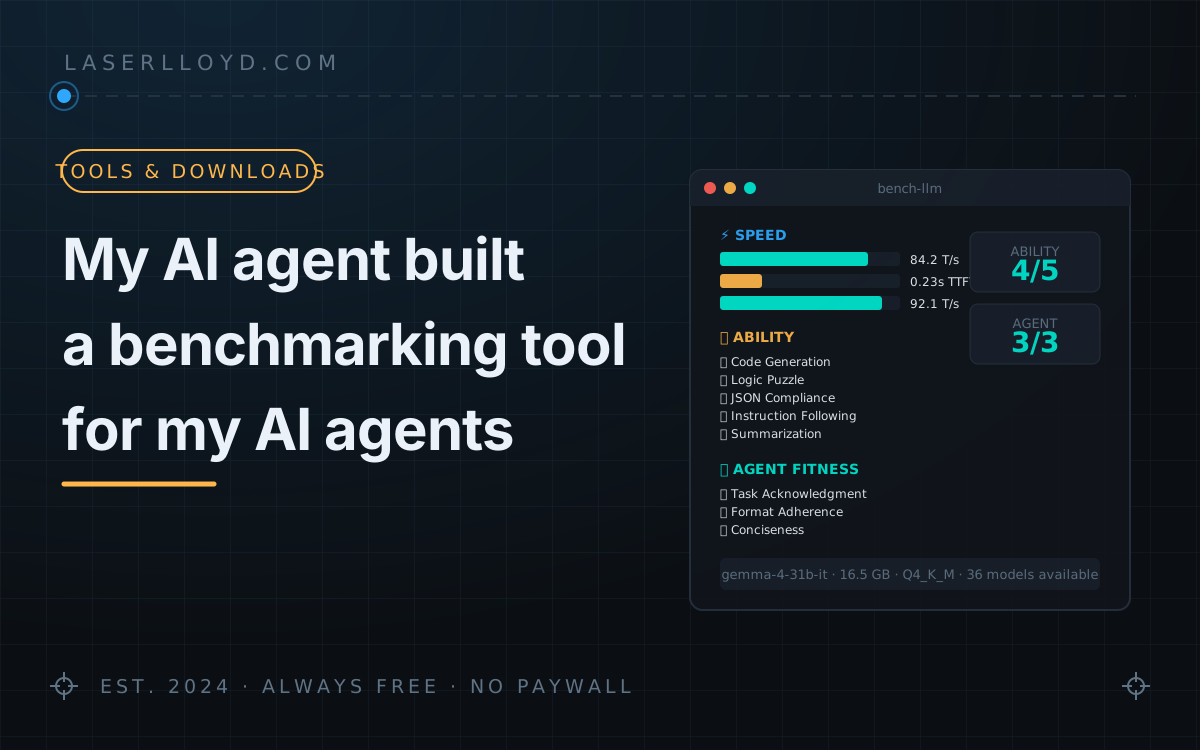
In plain terms: My AI coding agent wrote bench-llm, a single Python file that tests how fast a local model is and whether it can do simple jobs. It still works and is free to download. It got too easy within two weeks, so I replaced it with CrucibleForge, a bigger free tool that asks 251 questions and runs the code the model writes to check it.
On 2026-08-11 I asked my coding agent for a tool that benchmarks the local models in my agent stack. It came back with bench-llm: 1,660 lines of Python that measure speed in LM Studio, run the code a model writes, and check whether the model can handle a small agent task. Within two weeks every model I cared about was scoring 5/5 on it, so I rebuilt it as CrucibleForge: 251 cases, 158 of them hard, now open source on GitHub. This page covers both. Use bench-llm to get a first number out of a model in five minutes. Use CrucibleForge when you need to rank models that all pass the easy tests.
tl;dr
- bench-llm: one Python file, free download. It tests Speed (time to first token, tokens/sec), Ability (5 tests: code, logic, JSON, instructions, summarization) and Agent Fitness (3 checks on one syslog task). Needs Python 3.8+,
pip install openai requestsand LM Studio. - Why it was retired: 5 ability tests and 3 agent checks stop telling models apart once good models pass them all.
- CrucibleForge: 251 cases, 158 hard. Code runs in a sandbox and is graded on the result. It works with any OpenAI-compatible endpoint, and a web GUI is included. MIT licence, github.com/LaserLloyd/CrucibleForge.
- What the hard tier showed: DeepSeek V4 Pro passed 93% of the objective hard cases. The best local 27B models on my own GPUs passed 88%.
Changelog: 2026-08-26, bench-llm retired and results moved to the successor suites. 2026-09-16, CrucibleForge section rewritten, leaderboard rebuilt from the saved run files, cover redrawn.
What you end up with
One command against one model prints this (sample run, trimmed):
$ bench-llm gemma-4-31b-it

  bench-llm — Benchmarking: gemma-4-31b-it
  GGUF Size:     16.5 GB     Quant: Q4_K_M

  ⚡ SPEED BENCHMARKS
    short_50    TPS: mean=84.2   TTFT: mean=0.231s
    medium_200  TPS: mean=85.7   TTFT: mean=0.312s
    long_800    TPS: mean=82.1   TTFT: mean=0.541s
  🔍 Validating speed plausibility...  Confidence: HIGH

  🧠 ABILITY TESTS
    Code Generation (median_of_list)... PASS
    Logic Puzzle (Pet Ownership)....... PASS
    JSON Compliance.................... PASS
    Instruction Following.............. PASS
    Summarization (Key Facts).......... FAIL
    Ability Score: 4/5

  🤖 AGENT FITNESS TESTS
    Task Acknowledgment / Format Adherence / Conciseness: PASS
    Agent Fitness Score: 3/3

  📄 Results saved: ~/benchmarks/gemma-4-31b-it-2026-08-11.json
The JSON file holds every raw timing, every model response and a summary. You can hand it back to your agent and ask "which of my models should do bulk JSON work?"
What bench-llm tests
Speed
It sends three prompt lengths (about 50, 200 and 800 characters), does warm-up runs, then measures three things. TTFT (time to first token) is how long you wait before text appears; over 500 ms feels sluggish in chat. Throughput (tokens/sec) is how fast it writes once started. Prefill T/s is how fast it reads your prompt.
It also runs a plausibility check against known hardware limits. If a 30 GB model claims 200 T/s on a 7900 XTX, bench-llm flags the number, because speculative decoding or a warm cache has probably skewed it.
Ability
- Code Generation: write
median_of_list(numbers)with the edge cases handled. bench-llm executes the function against six test cases instead of reading the text. - Logic Puzzle: a four-person pet-ownership puzzle. The checker pulls all four assignments out of the reply.
- JSON Compliance: return an object with exact keys. This is the minimum a model needs for tool calling.
- Instruction Following: list 1–10, mark the evens, sum them. The maths is trivial; the format is the test.
- Summarization: compress a dense paragraph and keep six named facts. Most models drop at least one.
Agent Fitness
The model gets one realistic agent task: search syslog for ERROR lines, group them by service, return a JSON report. Three checks score that one reply:
- Task Acknowledgment: does it outline an approach and name what it cannot do? A model that invents syslog lines fails.
- Format Adherence: is there a
servicesarray, atotal_errorsinteger and ascan_periodstring? - Conciseness: the output-to-input ratio. A 20,000-character answer to a 1,300-character prompt is flagged VERBOSE, because an agent that rambles fills its context window on every turn.
How it was built
My spec to the coding agent was one sentence: "I need a tool that benchmarks local models in LM Studio, tests speed and smarts, outputs JSON and a table." It built the tool in four passes over one afternoon: speed tests over LM Studio's OpenAI-compatible streaming API, then the ability tests, then the agent task, then polish (finding the GGUF file on disk, the plausibility check, --quick, --list, --check). The agent wrote every line. My part was running it on real models and pushing back. The plausibility check exists because I told the agent one throughput number was impossible for a 123B model.
Design choices worth copying into your own tools:
- Stream, don't poll. Per-token timing is the only way to get an honest TTFT.
- Run the code. Confident-looking code that doesn't run is a fail, not a pass.
- Extract the answer before checking it. The checkers strip "Sure! Here's your answer:" wrappers. That way the test scores the content, not the preamble.
- Start every run from an empty GPU. The previous model's cache otherwise skews TTFT. How bench-llm does this is the first gotcha below.
Setup
# 1. Install both dependencies (requests reads LM Studio's model metadata;
#    without it every model shows as "not found")
pip install openai requests

# 2. Start LM Studio with at least one model; it listens on localhost:1234

# 3. Run it
./bench-llm --list                         # what's available
./bench-llm gemma-4-31b-it --quick         # smoke test
./bench-llm gemma-4-31b-it                 # full benchmark
There are no config files and no database. LM Studio accepts any string as an API key. Results land in ~/benchmarks/. Copy the script into a folder on your PATH if you want to run it from anywhere.
Gotchas
- It kills llama-server. To start each run clean it calls
pkill -f llama-serverand waits for LM Studio to report zero loaded models. Any other llama-server on the machine dies too. Don't run it on a box that serves anything else, or remove that step. - The coding test runs model output with
exec(). It uses a fresh namespace, which is not a sandbox. Run it as a user with nothing to lose, or skip the ability tests with--speed-only. - Reasoning models look slow. TTFT counts the first token of any kind, thinking included. The JSON splits it into
ttft_reasoning_sandttft_content_s. - A 4/5 with only Summarization failing is a strong result. Nearly every model misses at least one fact.
- A full run takes 2–5 minutes per model. Use
--quickto compare many, and run the full suite on the finalists. - LM Studio must already be running. bench-llm connects to localhost:1234 and does not start anything.
Results: base models on my rig and mini PC
These numbers come from the intermediate suite that followed bench-llm (same speed method, more tests, report of 2026-08-18). "Rig" is a headless GPU box with 2× RTX 5090 and 2× RTX 3090. "APU" is the mini PC's integrated GPU (when it still ran a local model server). Compare speeds only within one device. Code, Tools, Instruct and Reason are pass rates.
| Model | Device | Gen tok/s | TTFT | Code | Tools | Instruct | Reason |
|---|---|---|---|---|---|---|---|
| Gemma 4 26B-A4B (QAT, Q4) | rig | 229.0 | 110 ms | 88% | 100% | 50% | 95% |
| Nemotron 3 Nano 4B (Q8) | APU | 18.5 | 175 ms | 92% | 70% | 94% | 95% |
| Gemma 4 12B | APU | 10.1 | 633 ms | — | — | — | — |
The Gemma 4 26B mixture-of-experts model (4B active) is the everyday workhorse on the rig: 229 T/s, 110 ms to first token and perfect tool calling. Its weak column is instruction following, which is what an unsupervised agent loop depends on most. The 4B Nemotron on the mini PC follows instructions better (94% vs 50%). It is about twelve times slower (18.5 vs 229 T/s), and on a different device. Pick by the column your workload stresses, not by the fastest number.
What replaced it: CrucibleForge
bench-llm died of success. Five ability tests make a good smoke alarm and a poor ranking: once every model scores 5/5 and 3/3, the tool has nothing left to say. CrucibleForge is the rewrite. It is about 9,400 lines of Python, and its rule is that a hard question should still be trivial to mark.
- 158 hard cases. Competition maths with integer answers, logic grids with unique solutions, and coding problems whose tests enforce the right complexity (an O(n²) inversion count times out). Also tool-use traps with decoy tools and prompt injection, 12k–24k-token long-context retrieval, and multi-constraint instructions.
- Code is graded by running it in a
bwrapsandbox with no network, a read-only system and a 15-second limit. A pass needs a sentinel string on stdout, so a program cannot fake success by exiting zero. Withoutbwrap(always the case on macOS and Windows) it refuses to run model code unless you pass--allow-unsandboxed. - Prose answers get a gold answer. The judge model sees the correct answer and only decides whether the reply means the same thing. Any competent instruct model can do that, so the judge stops being the weak point.
- Any OpenAI-compatible endpoint. LM Studio, Ollama, llama.cpp, vLLM, DeepSeek, OpenRouter and others. Hosted models run cases concurrently and report token cost. API keys come from environment variables only.
- It recovers answers that thinking models lose. A reasoning model that spends its whole budget thinking returns an empty answer. The run notices, asks again with thinking off, and counts how often that happened.
recoverre-runs just those rows from an old run. - It shares GPUs politely. On my StudioForge rig a run takes a lease on the cards it needs and gives back whatever it displaced when it ends. bench-llm's
pkillsolved the same problem by killing everyone's models. - A web GUI on
127.0.0.1:8777lets you pick models and categories, watch the log and open any failed row: prompt, reply, reasoning and the judge's note. It needs a token before it will listen on anything but loopback.
Try it
git clone https://github.com/LaserLloyd/CrucibleForge.git crucibleforge
cd crucibleforge
uv sync
uv run crucibleforge config --init      # writes models.yaml; add your provider and model
uv run crucibleforge status             # is the provider up? how many cases?
uv run crucibleforge all --profile standard --models my-model --yes
uv run crucibleforge gui                # http://127.0.0.1:8777
The standard profile is a fixed 56-case selection sized to finish in under an hour on a 27B model at about 70 tok/s, judging included. That is a run you can afford to repeat. It also comes split in two: coding needs no judge, and chat holds the judged half. The other verbs are run, judge, recover, report, pairwise, models, import-openclaw and cases.
The command I trust most is the one that checks the questions themselves. It runs every reference solution in the sandbox, re-derives every maths answer by brute force and rebuilds every long-context haystack. This is its output on 2026-09-16:
$ uv run crucibleforge cases verify
251 cases checked, 0 with problems (36 reference solutions executed, 35 answers re-derived)
The test suite (335 tests) runs the same check, so a broken question can't quietly fail every model and pass for a hard tier doing its job.
What a report looks like
report writes a Markdown and a JSON file. Each model gets a summary row and a per-category row with raw counts. Here is DeepSeek V4 Pro's per-category row:
| Model        | Coding      | Math        | Tool use    | Instruction  | Reasoning    | Long-context |
| deepseek-pro | 89% (54/61) | 95% (21/22) | 94% (31/33) | 100% (31/31) | 100% (37/37) | 97% (29/30)  |
Every failure is listed with its reason. All seven of its coding failures look like the first line below. The second line is one of its two tool-use misses:
- deepseek-pro [coding] CZ01-prime-census: TRUNCATED at 32768 tokens (32768 reasoning tokens); no code in response
- deepseek-pro [tooluse] TZ06-three-parallel-one-turn: 1 calls, expected 3
That is the useful part. The model didn't write bad code; it thought until the 32,768-token budget ran out and never wrote any. A bigger budget or a lower reasoning effort would change that score. A pass rate on its own would not tell you that.
Hard-tier results
These are the full-suite runs: all 251 cases, or nearly all. Hard % is the pass rate over the objective hard cases (154 of the 158; the other four are judged). Code, Math and Tools are pass rates over every case in that category. I left out rows from the 56-case profile runs because they answer only 38 hard cases and are not comparable. I also dropped the role-play and adult-content scores the full report carries, because they don't matter for agent work.
| Model | Where | Hard % | Code | Math | Tools | Gen tok/s | Cost $ |
|---|---|---|---|---|---|---|---|
| DeepSeek V4 Pro | API | 93% (143/154) | 89% | 95% | 94% | 61.6 | 1.10 |
| DeepSeek V4 Flash ¹ | API | 90% (138/154) | 87% | 91% | 91% | 82.2 | 0.331 |
| Qwen3.8 27B (Q5_K_S) ¹ | rig | 88% (135/154) | 85% | 91% | 88% | 143.5 | — |
| dark-scarlett-27b-v2 | rig | 88% (135/154) | 80% | 86% | 91% | 65.7 | — |
| dark-scarlett-31b | rig | 86% (133/154) | 90% | 86% | 91% | 43.1 | — |
| MiniMax M3 ² | API | 85% (130/153) | 82% | 77% | 85% | 212.1 | 1.07 |
| qwen3.8-27b-abliterated | rig | 79% (122/154) | 62% | 77% | 91% | 97.0 | — |
| joyfox-35b-rp | rig | 75% (116/154) | 72% | 77% | 76% | 319.1 | — |
| gemma-e4b-uncensored ³ | rig | 69% (97/140) | 61% | 64% | 88% | 221.6 | — |
| muse-glimmer-30b | rig | 57% (88/154) | 57% | 64% | 76% | 71.9 | — |
| Qwen2.5 1.5B ¹ | rig | 29% (45/154) | 28% | 5% | 58% | 624.1 | — |
| Qwen2.5-VL 7B | mini PC | 18% (28/154) | 15% | 0% | 12% | 18.8 | — |
| SmolVLM 256M ³ | rig | 3% (4/140) | 0% | 0% | 6% | 959.2 | — |
Lower-case names are community fine-tunes and modified builds, listed under their registry labels. Unmarked rows were re-rendered on 2026-09-16 from the saved run files. The runs span several revisions of the case set, so treat gaps of a point or two as noise. ¹ From the report of 2026-08-25. Later 56-case runs replaced these models' full-suite results. An earlier version of this page listed V4 Flash at 272/308: two full runs had been counted under one label, and the $0.331 above is the single run. ² MiniMax M3 is MiniMax's hosted model. One case was not scored, and the cost is notional: I'm on a flat-rate plan, and the figure uses the placeholder rate in my registry file ($0.255/$1.02 per million input/output tokens). At MiniMax's list price of $0.60/$2.40 it would be about 2.4× that; at the current half-price promotion, about 1.2×. ³ These models ran 140 of the 154 hard cases. The rest needed more context than they were loaded with.
What I take from it:
- The hosted leader costs about a dollar a run. V4 Pro passed 143 of 154 hard cases for $1.10. That is cheap enough to re-run whenever local numbers look too good.
- A 27B on your own cards gets close. Qwen3.8 27B passed 135, two points behind V4 Flash and 1.7× faster at generating.
- Speed doesn't predict ability. MiniMax M3 is the fastest hosted row at 212 tok/s but scores 85%, with maths its weakest column (77%). joyfox-35b-rp runs at 319 tok/s and scores 75%.
- Modifying a model can cost you coding. The abliterated Qwen3.8 27B dropped to 62% on code, against 85% for the base model's run.
- Long-context retrieval says little on its own. The 1.5B, 7B and 256M models still find most needles (83%, 80% and 56%) after their coding and maths have collapsed.
Download
The download is bench-llm, the retired original, not CrucibleForge (that lives on GitHub). The zip holds two files: bench-llm, the 1,660-line script, and README.md with condensed setup notes. There's nothing to build or install beyond the two packages: unzip and run. The agent wrote both files, and they are MIT-licensed. The dependencies are openai and requests. Read the gotchas before you run it on a machine that serves anything else.
Related: StudioForge (the GPU server these runs lease cards from), What my AI agents actually cost (why local speed matters), DeepSeek Harness (a coding agent these models back), and the local agent stack they run in.
Downloads
Free for personal use. If it saves you an afternoon, the coffee button's nearby.