DeepSeek Harness (dsh): Install, Headless Runs, 3-Model Benchmark
- Category
- AI & Local LLM
- Posted
- August 18, 2026
- Updated
- September 16, 2026
- By
- Jacob Lloyd — written with AI assistance, post-project
- Read time
- 14 min read
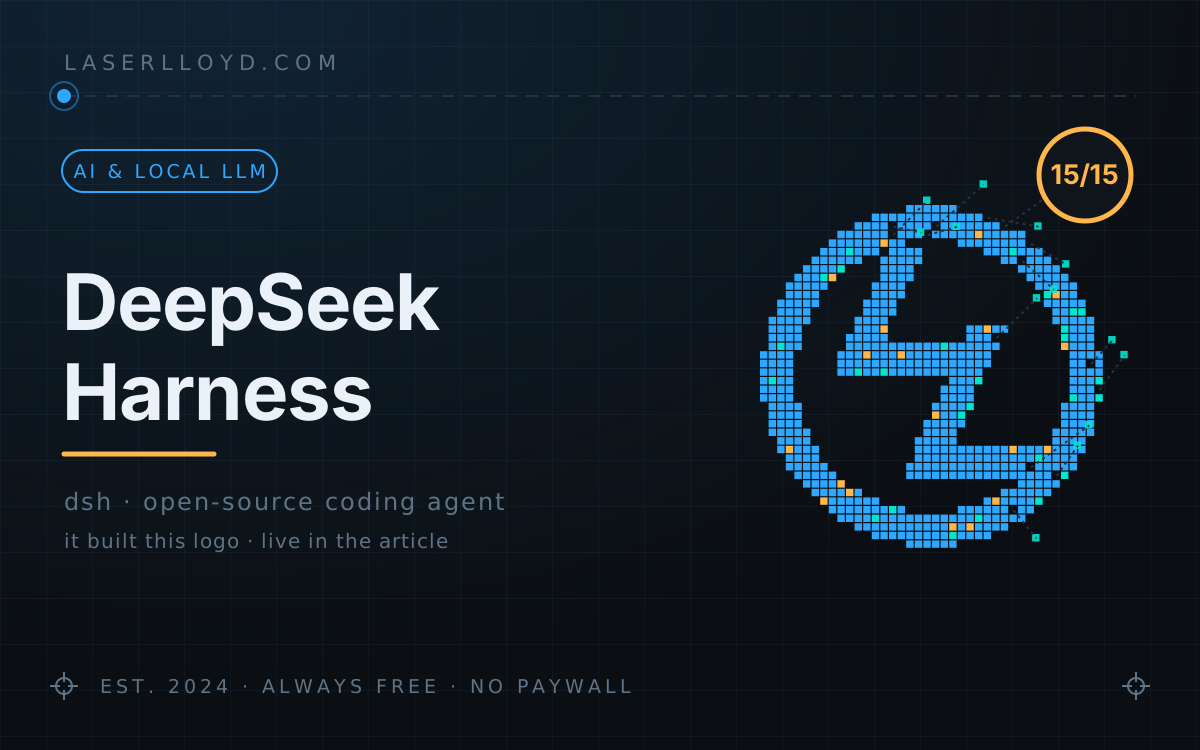
In plain terms: DeepSeek released a free, open-source 'coding agent': a program that reads your project, edits files and runs commands for you, like Claude Code. This article shows how I installed it on my Linux PC, made it start automatically, pointed it at both DeepSeek's cloud models and a model on my own hardware, and tested it on 5 small real coding jobs. All 15 runs passed, the cloud runs cost a few cents, and there are a few sharp edges.
Six seconds, file created, program run, answer printed, exit code 0. That is what DeepSeek Harness (dsh) did with the first task I gave it. DeepSeek released it on August 13, 2026 as an MIT-licensed coding agent built on one idea: everything is a plugin, including the model adapter, the tools, the sandbox and the agent loop itself. I installed it the same week, pointed it at DeepSeek's cloud models and at a model on my own GPU rig, and ran it through a small task suite. Here is what that took, what it cost, and where it bit.
tl;dr
- What it is: a Claude-Code-class agent (reads and edits files, runs shell commands, keeps a plan, spawns subagents) shipped as an npm package. It has a web UI on
127.0.0.1:3080and a headless mode that prints one answer and exits, which is the part built for scripts. - What it costs: the software is free. My 5-task benchmark cost about 3¢ on V4-Flash and about 7¢ on V4-Pro at peak rates, and nothing on the local model.
- The result: 15/15 passes across V4-Flash, V4-Pro and a local Gemma-4-26B on version 0.1.0-rc.7, 43 to 56 s for the whole suite. On a real chore (build and link-check a 290-page website) it also spotted, unasked, that my runbook was out of date.
- What you need: Node.js, plus a DeepSeek API key or any OpenAI-compatible server. I used both.
- The catch: it is a developer preview. The README warns that things will break between versions, so pin the version and re-test after upgrades.
Update 2026-09-16: the tests here ran on 0.1.0-rc.7 in August. My install has since moved to 0.1.5-rc.1, whose README also lists SDK and ACP profiles. I also retired Reasonix, the other coding agent this article used to compare against, from my setup on 2026-09-09; that comparison now survives only as a short historical note near the end.
The route, basic to advanced
Steps 1 to 3 give you a working agent in about ten minutes. Steps 4 and 5 make it something other software can call.
What you end up with
The part I actually use is headless mode. From inside a project folder:
$ cd ~/scratch/dsh-demo
$ dsh --profile headless "Create fizz.py that prints FizzBuzz for 1..15 and run it; reply with the program output only."

1
2
Fizz
4
Buzz
…
FizzBuzz


$ echo $?
0
The triple backticks are dsh's own: it wrapped its reply in a Markdown code fence. It writes nothing outside the folder you started it in (the default permission mode, workspace-write). It prints only the final message on stdout, and it saves every run so you can open it later in the web UI and see each tool call and token count.
The best proof was a real chore rather than a toy. I pointed it at this website's source folder and asked it to read the project runbook, run the build and link check, and report, with no edits and no publishing. In 53 seconds it read the runbook, ran the right command, and reported the checker's own lines: 290 pages, 1,752 images, no broken links, plus the build time. Then, without being asked, it noted that the runbook still said "288 pages" and flagged the drift. That is the kind of low-stakes job I now hand off without thinking.
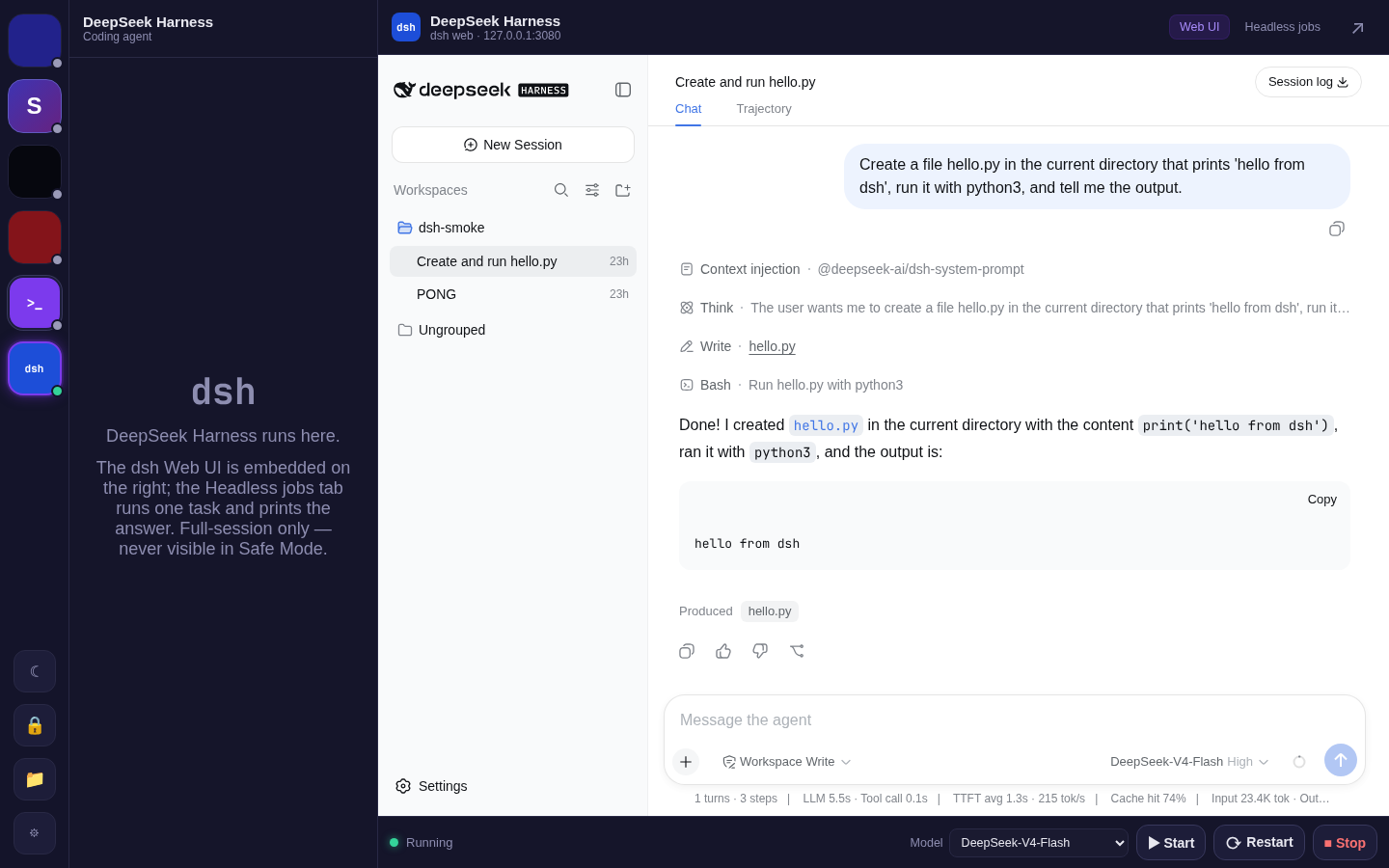
The browser UI has the usual 2026 layout: sessions on the left, chat in the middle, a settings page for models. One good habit: you paste the API key into that settings page, not into a config file.
Step 1: install (two minutes)
It is one npm package. I keep a private Node prefix for agent tooling so nothing lands in the system tree, which on an immutable Fedora desktop like mine is the only sensible place for it. A plain global install is the same command:
npm install -g @deepseek-ai/dsh
dsh --version          # 0.1.0-rc.7 when I benchmarked it
dsh web                # starts the UI, prints http://127.0.0.1:3080
Open the URL, go to Settings → Models, paste your DeepSeek key and save. That writes ~/.dsh/.credentials.yaml (mode 0600), and the model works at once, with no restart. If you want to script it, the file is a plain YAML mapping (DEEPSEEK_API_KEY: sk-…). I wrote mine from the env file my other services already read, so the key never shows up in shell history or a unit file.
Two things to know before you go further:
- Telemetry is off by default. With
DSH_TELEMETRY_MODEunset it is disabled. I checked the shipped config, not the marketing copy: the OTLP exporter exists but is not switched on. - The sandbox is real but narrow. The default mode confines writes to the folder you launched from. Reads are not confined, and the docs say so plainly. Don't launch it from your home folder for a real task, and don't point it at folders that hold secrets.
Step 2: run it as a service
The web UI is a long-running Node process. I wanted it up at login, with no terminal and bound to loopback only. A systemd --user unit does that:
# ~/.config/systemd/user/dsh-web.service
[Unit]
Description=DeepSeek Harness web UI (dsh web) on 127.0.0.1:3080
After=network.target

[Service]
WorkingDirectory=%h
Environment=DSH_HOME=%h/.dsh
# Use the path from `which dsh`. systemd does not allow comments at the end of a line.
ExecStart=/usr/local/bin/dsh web --host 127.0.0.1 --port 3080
Restart=on-failure
RestartSec=3

[Install]
WantedBy=default.target
systemctl --user daemon-reload
systemctl --user enable --now dsh-web.service
curl -s -o /dev/null -w "%{http_code}\n" http://127.0.0.1:3080/ # 200WorkingDirectory sets the UI's default workspace root, but the UI still makes you pick a workspace before you can type. That is a good default. The CLI also refuses --host 0.0.0.0; the authors say binding to all interfaces is "intentionally not supported yet". The UI has no login at all, so I agree. If you need it from another machine, put an authenticating reverse proxy in front, or use the host's own browser over remote desktop, which is what I do.
Step 3: models in one YAML file, hot-reloaded
~/.dsh/settings.yaml holds the default model and any extra providers. dsh re-reads it before the next request, so there is no restart and no re-login. Mine looks like this:
agent-default-model:
  provider: deepseek-official
  model: deepseek-v4-flash          # or deepseek-v4-pro

llm-deepseek:
  reasoningEffort: high             # off | low | high | max

# A local OpenAI-compatible server (mine is llama.cpp-based on a GPU rig).
llm-pi-ai:
  providers:
    local-rig:
      displayName: Local GPU rig
      apiKeyEnv: LOCAL_RIG_PLACEHOLDER_KEY    # a reference, not a value
      api: openai-completions
      baseURL: http://my-gpu-rig:1234/v1      # your server's address
      defaultContextWindow: 65536
      models:
        - id: unsloth/gemma-4-26B-A4B-it-qat-GGUF/gemma-4-26B-A4B-it-qat-UD-Q4_K_XL
          name: Gemma 4 26B-A4B (rig)
Two details cost me ten minutes each:
apiKeyEnvis a reference, never a literal. dsh resolves it from.credentials.yamlor the environment. A keyless local server still needs some credential referenced, because the OpenAI-compatible client insists on a bearer token. Put any placeholder value under that name in.credentials.yaml.- The provider ID (
local-rigabove) is permanent once sessions reference it. To rename, add a new provider.
Because the file is the whole interface, "switch dsh to the local model" is a two-line edit that any script or other agent can make. I use that to send chores to a free local model and hard problems to V4-Pro without touching anything else.
Step 4: call it from your own software
The official package has no terminal UI (TUI). There were third-party TUI plugins on npm, but in August they were four days old with broken workspace:* dependencies, and I won't run an unreviewed package with shell access on a family server. So when I wired dsh into my own chat app, I used what the official package does give you:
- Run headless jobs with a fixed argument list. My server starts
dsh --profile headless "…"with the task as a single argv element and no shell, so a task containing; rm -rf /is just text. It runs one job at a time and keeps a short history of final answers. - Switch models by rewriting
agent-default-modelinsettings.yaml. No restart needed. - Embed the web UI in an iframe if you want it; it sends no frame-blocking headers.
The one rule worth copying: put all of it behind your app's admin login. A headless job is arbitrary code execution, so treat "run a task" exactly the way you treat a shell.
The benchmark: 5 tasks, 3 models, 15/15
This is not scientific: five small tasks I would really hand a coding agent, each in a fresh scratch folder and checked by a script: does the file exist and run, do the tests pass without the test file being touched, and did the rename leave zero references to the old name. Wall time covers the whole process, including a system prompt of about 7,500 tokens. Token counts come from dsh's own session log.
| Task | V4-Flash | V4-Pro | Gemma-4-26B (local, rig) |
|---|---|---|---|
| Reply "PONG" (boot + one call) | ✅ 2.1 s | ✅ 2.8 s | ✅ 13.2 s* |
| Write + run FizzBuzz | ✅ 5.3 s · 2 tools | ✅ 8.4 s · 2 tools | ✅ 4.9 s · 2 tools |
| Fix 2 bugs so unit tests pass (tests untouched) | ✅ 11.7 s · 8 tools | ✅ 15.8 s · 7 tools | ✅ 10.4 s · 8 tools |
| Summarize a 6-module codebase (<150 words) | ✅ 8.9 s · 9 tools | ✅ 10.9 s · 7 tools | ✅ 12.1 s · 7 tools |
| Rename a function across 3 files + tests, prove green | ✅ 15.1 s · 14 tools | ✅ 18.2 s · 12 tools | ✅ 12.2 s · 11 tools |
| Total wall time | 43 s | 56 s | 53 s |
| Tokens (input miss / cache-read / output) | 42.6k / 136k / 4.5k | 41.4k / 107k / 3.2k | 40.5k / 237k / 5.6k |
| Cost at peak rates (off-peak is half) | ≈ $0.027 | ≈ $0.072 | $0 (electricity) |
*First call after the model was cold-loaded on the rig; the later tasks show warm speed. Version 0.1.0-rc.7, 2026-08-18. Prices from DeepSeek's pricing page that day: Flash $0.014 / $0.44 / $1.32 per million tokens (cache hit / miss / output), Pro $0.044 / $1.32 / $3.96. The benchmark script was a throwaway and is gone, so I can't confirm whether the summary check counted words.
What the table says:
- Prompt caching carries the bill. Every task pays about 7.5k tokens of system prompt, but after the first step nearly all of it is cache reads at about 3% of the miss price. Multi-step tasks stay cheap because the harness keeps that prefix stable.
- Pro used fewer tool calls for the same result (12 against 14 on the rename). On this suite Flash was faster and about a third of the price, so it stayed my default.
- The local model held its own. Gemma-4-26B (a mixture-of-experts model with 4B active parameters, Q4 quant, served by llama.cpp on two RTX 5090s) passed everything. It read more cached context (237k tokens against 136k for Flash) but its wall time was competitive. It was the first time a local model was a real option for chores here rather than a novelty. Five small tasks say nothing about a 40-file refactor, though.
Decision rule I ended up with: Flash for chores and anything scripted, Pro when a task needs fewer, better steps, and the local model when the job is cheap to re-run and doesn't need to leave the house.
The fun test: build me a toy
I also wanted to see what it does with an open-ended creative brief: "make an interactive pixel-art version of this site's logo. Vanilla JS, embeddable anywhere, hover does something physical, click does something cool, no dependencies, test it yourself." This is what it built, and it is live (it later went up against two Kimi builds in the pixel-art widget showdown):
prefers-reduced-motion.
How it went:
- Attempt 1 (V4-Flash): a 10-minute loop and no files. The brief allowed a hand-drawn or a procedural bitmap. It chose to hand-draw a 40×40 bitmap inside its reasoning and fell into a loop: the session log is hundreds of lines of
################and....until my timeout killed it. That wasted about 2¢. Lesson: never let a model hand-draw pixels in its head. - Attempt 2 (V4-Flash, brief changed to "rasterise from geometry, no bitmaps"): 25 minutes, everything delivered. It took 100 model steps, 201 tool calls, 172k output tokens (123k of them reasoning) and 16.3M cache-read tokens, about 49¢ at peak rates. It wrote a 399-line
ll-pixel-logo.jswith a one-global API anddata-options, a demo page, a README, a Node unit test for the rasteriser, and, unasked, a Playwright script that screenshots the demo at three sizes. It hit my 25-minute cap while polishing the README, so the exit code said timeout even though the work was done. Exit codes can be wrong in both directions. - The art: the ring and two slanted Ls read as the logo at a glance, but they are chunkier and more Z-like than the real mark. I'd spend ten minutes tuning its shear constants before real use. I didn't; what you see is untouched.
- Embedding it here took one line, because the site's CSP is
script-src 'self'and the widget makes no network requests. The brief asked for that, and it complied. - One follow-up cost: dsh wrote its output files with mode 0600. My deploy copied that permission to the web host and the script returned 403 on the live site until I ran
chmod 644. Fix the mode of anything you copy out of a dsh workspace.
Gotchas
- It is a developer preview, and the README says so. I installed
0.1.0-rc.7, three days after rc.6. Profiles, config keys and the plugin layout can change. Pin the version in anything you automate and re-run a smoke test after every upgrade. - Headless mode is silent until it finishes. Nothing streams to stdout, so a long task looks hung. Read the session log (
~/.dsh/sessions/…/session.jsonl.zstd, zstd-compressed JSONL) or watch it in the web UI. Exit code 0 means "the turn completed", not "the task succeeded", so check the work. - There is no
--modelflag in headless mode. The default model comes fromsettings.yaml; change it there (it hot-reloads) or in the UI. - Keyless local servers need a placeholder credential, and provider IDs are permanent. See Step 3.
- The web UI uses absolute paths (
/assets/…,/api), so you can't mount it under a sub-path behind your own reverse proxy without rewriting. Embed it or give it its own hostname. - The UI locale follows your browser. The shipped index.html says
lang="zh-CN", and the first thing you see is an "Internal Testing Notice" dialog. Click Continue; everything after that was English for me. - The install runs postinstall scripts (node-pty, koffi, protobufjs), and npm warns about it. I saw nothing malicious, but it is native code compiling in your prefix. That is another reason to use a private prefix rather than the system one.
- Node version: rc.7 needed Node 22.19+ or 24, and older LTS releases refused to run it. Check the README of the version you install.
Historical note: dsh next to Reasonix
In August I ran dsh beside Reasonix, a third-party terminal agent. The split was simple: Reasonix was a TUI I opened when I wanted to sit with the agent, and dsh was what my other software called. I retired Reasonix from my setup on 2026-09-09, and dsh is now my main coding agent. If you are choosing between them, the lasting difference is that dsh has a one-command, one-answer, one-exit-code headless mode that is easy to script, while a TUI assumes a human at the keyboard.
Where this leaves me
Headless mode is the right shape for a coding agent that other software calls: one command, one answer, one exit code, and a log you can audit. Model-by-YAML means the calling script decides which model fits the job. If you already run a local model server, try the same five tasks. Ten cents of API credit and a scratch folder is the whole commitment.
Related: DeepSeek Everywhere (wiring DeepSeek into Claude Code and an agent stack), Kimi K3 as a coding agent (the same five tasks, re-run against dsh in September), bench-llm and its successor CrucibleForge (benchmarking local models more seriously than I did here), and Reasonix (the terminal agent I used before dsh, now retired).