Kimi K3 in OpenClaw vs dsh: 5/5 Tasks, 9× Slower, 48× the Cost
- Category
- AI & Local LLM
- Posted
- September 12, 2026
- Updated
- September 16, 2026
- By
- Jacob Lloyd — written with AI assistance, post-project
- Read time
- 19 min read
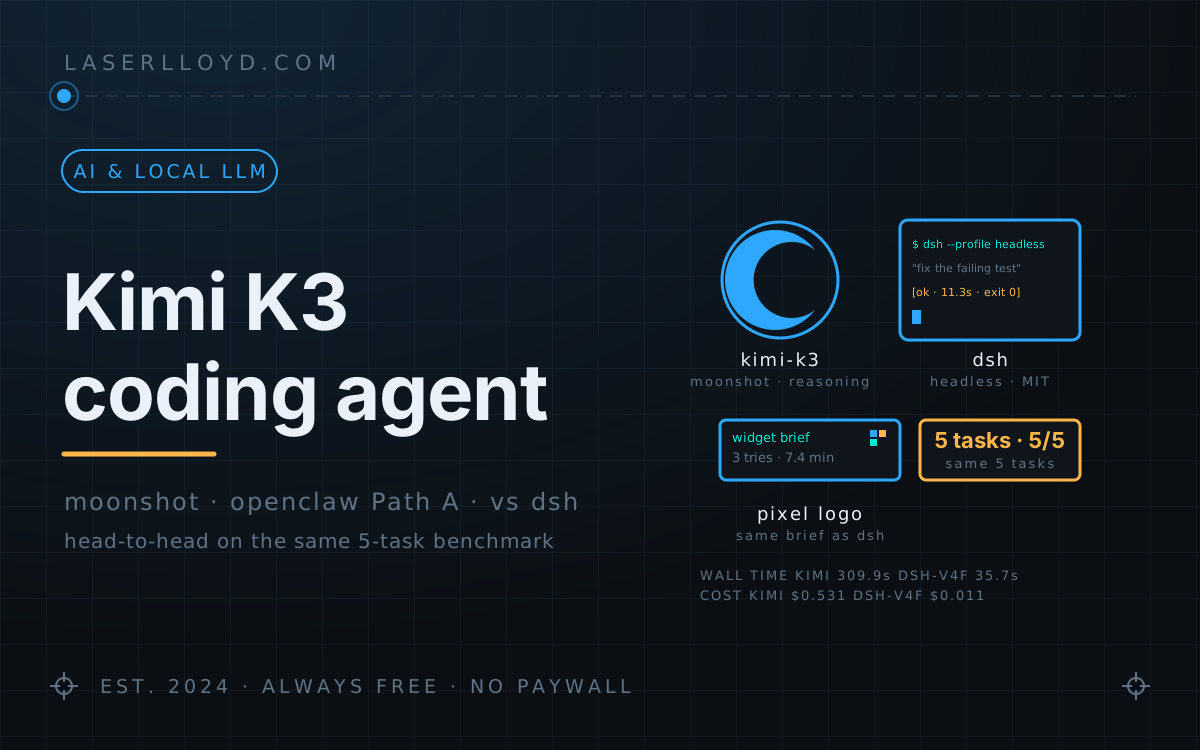
In plain terms: I plugged Moonshot's Kimi K3 reasoning model into the agent software I run at home, gave it the same five small coding jobs I used in August to test DeepSeek's coding assistant (dsh), and asked it to build a pixel-art version of this site's logo from the same written brief. It passed all five jobs, but took about nine times longer and cost about 48 times more than dsh on DeepSeek's fast model, measured against dsh's second run of the day. The logo widget took three tries. The first thought for about nine minutes and produced no widget. The second did build a working widget, but put it in the wrong folder and ran out of time before telling me, so I only found it later. The third worked after I shortened the brief and told it to skip planning.
I pointed my OpenClaw worker agent at Kimi K3, Moonshot's flagship reasoning model, and ran it through the same five small coding jobs I used in August to benchmark DeepSeek Harness (dsh). Kimi passed all five. I re-ran dsh on DeepSeek V4-Flash the same day, twice. Against its second (warm-cache) pass, Kimi took about 9 times longer (309.9 s vs 35.7 s) and cost about 48 times more ($0.531 vs $0.011). Against dsh's cold first pass (44.8 s, $0.024) the gap is about 7× in time and 22× in cost.
Then I handed Kimi the pixel-art logo brief dsh had built its widget from. It needed three attempts. The first produced no widget. The second wrote a complete widget into the wrong folder and was cut off by my timeout before it said so, so at first I missed it. The third worked after I shortened the brief and told it to skip planning. The widget below is that third attempt, and the config trap in Step 2 is the part most worth stealing.
prefers-reduced-motion.tl;dr
- What it is: Kimi K3 through Moonshot's OpenAI-compatible API, driving OpenClaw's own agent loop. It does not run through the Codex harness, which only accepts OpenAI routes (details near the end).
- The setup: the Moonshot provider plugin (
@openclaw/moonshot-provider2026.9.2) andMOONSHOT_API_KEYin the gateway's environment. If you write acompatblock for the model, write all of it: it replaces the plugin's, and a partial one silently drops reasoning-effort support. - The benchmark: five tasks, fresh folders. Kimi K3: 5/5, 309.9 s, $0.531. dsh on V4-Flash: 5/5, 35.7 s, $0.011 on the warm second pass (44.8 s, $0.024 cold).
- The widget: three attempts. Attempt 1 was stopped after 8.8 minutes with no widget code. Attempt 2 wrote a complete 323-line widget, but into the wrong folder, and hit my 15-minute limit before replying. Attempt 3, with a shortened brief and a "no planning" directive, finished in 7.4 minutes for $0.47.
- Cost and cache: 80% of Kimi's prompt tokens came from the cache. Without it the same run would have cost about $1.49 instead of $0.53.
- Where Kimi sits now: I moved my worker to MiniMax-M3 after this benchmark. Kimi K3 still backs my review agent.
Setup: what I ran it on
These are the commands I ran on my box on 2026-09-11, with their real output:
$ node -v
v24.18.0
$ openclaw --version
OpenClaw 2026.9.2 (3928bad)
$ dsh --version
0.1.1-rc.2
$ openclaw plugins list --json | jq -c '.plugins[] | select(.id=="moonshot") | {id, enabled, version}'
{"id":"moonshot","enabled":true,"version":"2026.9.2"}
$ openclaw config get models.providers.moonshot.models.0.compat
{
  "supportsReasoningEffort": true,
  "supportsTemperature": false,
  "supportedReasoningEfforts": [
    "low",
    "high",
    "max"
  ]
}
$ openclaw config get models.providers.moonshot.models.0.contextTokens
262144
Two things worth knowing before you run anything:
- K3 always reasons. The plugin sends
reasoning_effort: "max"by default and acceptslow,highandmax; I ran the benchmark with--thinking max. It also strips sampling overrides (temperature,top_pand friends) because K3 fixes them, and my model entry says the same thing withsupportsTemperature: false. Even "Reply with exactly: PONG." spent 53 reasoning tokens, so budget for it. - The 1M context is advertised; I cap it. OpenClaw's Moonshot catalog lists K3 at 1,048,576 tokens of context. I set
contextTokens: 262144on the model entry so sessions compact at the same point as my other models. With that cap, expect 256k in practice, not 1M. If you raise it, cache-read spend and per-turn latency grow with the session.
The route, basic to advanced
Steps 1 to 3 get you a working model. Steps 4 and 5 are what I did next.
Step 1: install the plugin and give it the key
These are the steps from OpenClaw's own Moonshot docs. On my box the plugin and key were already in place, so I only ran the check on the last line (its output is in the setup block above):
openclaw plugins install @openclaw/moonshot-provider
openclaw gateway restart
openclaw plugins list --json | jq -c '.plugins[] | select(.id=="moonshot") | {id, enabled, version}'
The plugin reads the key from MOONSHOT_API_KEY. I keep it in the environment file my gateway service loads, and my openclaw.json has no key in it. The docs also offer openclaw onboard --auth-choice moonshot-api-key if you'd rather be walked through it. The default endpoint is https://api.moonshot.ai/v1, and the China region uses https://api.moonshot.cn/v1 (auth choice moonshot-api-key-cn).
The plugin's catalog includes K3, K2.7 Code and K2.7 Code HighSpeed. It handles the Kimi quirks for you: K2.7 needs both thinking and reasoning_effort left out of the request, which the plugin does. Watch the env var name. MOONSHOT_API_KEY is the Moonshot Open Platform. KIMI_API_KEY belongs to the separate Kimi Code subscription route (kimi/kimi-for-coding).
Step 2: point your worker agent at K3
The relevant parts of my openclaw.json during the benchmark, with my worker agent renamed to worker:
{
  agents: {
    entries: {
      worker: {
        model: {
          primary: "moonshot/kimi-k3",
          fallbacks: ["deepseek/deepseek-v4-flash", "deepseek/deepseek-v4-pro"],
        },
      },
    },
  },
  models: {
    providers: {
      moonshot: {
        baseUrl: "https://api.moonshot.ai/v1",
        api: "openai-completions",
        timeoutSeconds: 1200,
        models: [
          {
            id: "kimi-k3",
            name: "Kimi K3",
            reasoning: true,
            input: ["text", "image"],
            cost: { input: 3, output: 15, cacheRead: 0.3, cacheWrite: 0 },
            contextWindow: 1048576,
            maxTokens: 131072,
            contextTokens: 262144,
            compat: {
              supportsTemperature: false,
              supportsReasoningEffort: true,
              supportedReasoningEfforts: ["low", "high", "max"],
            },
          },
        ],
      },
    },
  },
}
One trap cost me a quiet regression: on OpenClaw 2026.9.2 a compat block in your model entry replaces the plugin's own compat object. It does not merge. An earlier version of my entry named only supportsTemperature: false, and that silently dropped the plugin's reasoning-effort support. If you write compat at all, write the whole object, as above.
Step 3: the smoke test, and the JSON it gives you
Each benchmark task was one call like this, with a fresh session key every time:
openclaw agent --agent <your-agent-id> --model moonshot/kimi-k3 --thinking max \
  --session-key "<fresh-key>" --message-file prompt.txt --json > out.json
Here are the fields that matter, pulled from the saved envelope of the PONG task:
$ jq '.result | {harness: .meta.agentMeta.agentHarnessId, model: .meta.executionTrace.winnerModel, usage: .meta.agentMeta.usage}' out.json
{
  "harness": "openclaw",
  "model": "kimi-k3",
  "usage": {
    "input": 15068,
    "output": 70,
    "reasoningTokens": 53,
    "total": 15138,
    "cost": {
      "total": 0.046254
    }
  }
}
harness: "openclaw" means the turn ran in OpenClaw's own loop; a turn running through the Codex app-server would say "codex". winnerModel: "kimi-k3" tells you the turn really ran on K3 and didn't fall back to something cheaper. reasoningTokens is counted inside output (the total is input plus output), so the 53 reasoning tokens are part of the 70.
The benchmark: the same 5 tasks
These are the same five tasks the dsh article ran, each in a fresh scratch folder, with a fresh session per Kimi task. I re-ran dsh on V4-Flash the same day, pinned to deepseek-v4-flash in a scratch settings file. Its first pass took 44.8 s and $0.024 with a cold cache; the column below is the second, warm pass, which is the fastest and cheapest dsh result I have and the one every ratio in this article uses unless it says otherwise. The prompt wording wasn't identical. dsh runs in the folder you launch it from, so its prompts said "the current directory". Kimi's prompts gave the absolute path of each task folder, and Kimi's bug-fix prompt added "if pytest is not available, install it with 'pip install --user pytest' first" (pytest was already installed, and Kimi never ran the install). The V4-Pro and Gemma-4-26B columns are from the dsh article in August and were not re-run. Wall time covers the whole process. Kimi's tokens and cost come from OpenClaw's JSON envelope, and dsh's from its own session log.
| Task | Kimi K3 | dsh V4-Flash (same day) | dsh V4-Pro (Aug, historical) | Gemma-4-26B (Aug, historical) |
|---|---|---|---|---|
| Reply "PONG" (boot + one call) | ✅ 6.1 s · 0 tools | ✅ 1.7 s · 0 tools | ✅ 2.8 s | ✅ 13.2 s* |
| Write + run FizzBuzz | ✅ 22.8 s · 2 tools (write, exec) | ✅ 5.3 s · 3 tools | ✅ 8.4 s · 2 tools | ✅ 4.9 s · 2 tools |
| Fix 2 bugs so unit tests pass (tests untouched) | ✅ 86.6 s · 6 tools (exec, write, edit) | ✅ 11.3 s · 7 tools | ✅ 15.8 s · 7 tools | ✅ 10.4 s · 8 tools |
| Summarize a 6-module codebase (<150 words) | ✅ 65.5 s · 10 tools (read, exec, write) | ✅ 5.1 s · 7 tools | ✅ 10.9 s · 7 tools | ✅ 12.1 s · 7 tools |
| Rename a function across 3 files + tests, prove green | ✅ 128.9 s · 9 tools (exec, write; one sed across files) | ✅ 12.3 s · 11 tools | ✅ 18.2 s · 12 tools | ✅ 12.2 s · 11 tools |
| Total wall time | 309.9 s | 35.7 s | 56.1 s | 52.8 s |
| Tokens: input miss / cache-read / output (reasoning) | 91,470 / 355,328 / 9,990 (4,053) | 6,141 / 147,328 / 4,697 (1,984) | 41.4k / 107k / 3.2k | 40.5k / 237k / 5.6k |
| Cost | ≈ $0.531 ($3 / $15 / $0.30 per M) | ≈ $0.011 ($0.44 / $1.32 / $0.014 per M) | ≈ $0.072 | $0 (electricity only) |
Tool counts are tool calls. Kimi's come from toolSummary.calls in OpenClaw's JSON envelope, with the tool types in brackets; dsh's come from its session log. *First call after the model was cold-loaded on the rig. Kimi rates are the ones in my OpenClaw catalog entry, which OpenClaw uses to compute each task's cost; check Moonshot's pricing page for current numbers. dsh V4-Flash cost uses the same peak rates as the dsh article (DeepSeek pricing); the V4-Pro and Gemma rows are that article's figures.
What the table says:
- 5/5 in every column. None of these tasks tripped Kimi up. PONG came back as asked. FizzBuzz printed the 15 correct lines. The bug fix was two one-line changes (a missing
returnand an== 1that should have been== 0) with the tests untouched and all three passing. The summary was a single 107-word paragraph that correctly described six identical fetch/transform/validate modules. The rename was onesedacross four files, which also renamed the test method, followed by four passing tests. My prompt asked for an emptygrepof the whole folder, and the folder also held my own copy of the prompt, so Kimi ran the samesedon that file too and said so in its reply. These are small chores; I did not test a multi-file refactor. - Kimi spends more on thinking. K3 used 53, 241, 315, 1,586 and 1,858 reasoning tokens across the five tasks (4,053 total). dsh on V4-Flash also reasons, just less: 0, 52, 834, 5 and 1,093 (1,984 total). Most of Kimi's extra time is thinking and extra steps.
- The cache carries the bill. Every Kimi task starts with about 15k tokens of system prompt and tool definitions. Across the five tasks Kimi sent 91,470 uncached input tokens and read 355,328 from the cache (157,952 on the rename alone), so 80% of its prompt tokens came from the cache at $0.30 per million instead of $3. Billed as uncached input, the run would have cost about $1.49 instead of $0.53, so the cache cut it to about a third. It is still a flagship rate: $0.30 is about 21× dsh V4-Flash's cache-read price of $0.014.
- For small chores, V4-Flash wins. Against the warm pass, dsh was about 9× faster and 48× cheaper for the same result. Against the cold pass, about 7× and 22×. Either way the answer is the same. The rename alone took Kimi 128.9 s and $0.180, and dsh 12.3 s and $0.0043.
Kimi K3 in OpenClaw vs dsh at a glance
Both are agent loops that read files, run shell commands and bill per token. They differ in who makes what and in how you drive them.
| Kimi K3 in OpenClaw | dsh | |
|---|---|---|
| Who makes it | Model: Moonshot AI. Agent loop: OpenClaw | DeepSeek (model and harness), MIT |
| Call it from a script | openclaw agent --agent <id> --model moonshot/kimi-k3 -m "…" --json | dsh --profile headless "…" |
| Switch models | The agent's model.primary in openclaw.json | ~/.dsh/settings.yaml |
| Headless benchmark, 5 small tasks | 309.9 s, ≈ $0.531, 5/5 | 35.7 s, ≈ $0.011, 5/5 (V4-Flash, warm pass; cold pass 44.8 s, ≈ $0.024) |
| Pixel-art widget, same brief | 3 attempts, two of which produced a widget; the one shown here took 7.4 min and ≈ $0.47 | 2 attempts; the one that worked took 25 min and ≈ 49¢ |
| Version tested | OpenClaw 2026.9.2, Moonshot plugin 2026.9.2 | 0.1.1-rc.2 (developer preview) |
Earlier comparisons on this site had a Reasonix column. I retired Reasonix from my machine on 2026-09-09, so it isn't here; its July article stays up as a historical record. I also ran MiniMax M3 through the same suite; MiniMax is a separate company from Moonshot, and that run gets its own write-up.
The fun test: the same widget brief, Kimi vs dsh
The dsh article's "fun test" was a pixel-art widget of this site's logo, built by dsh on V4-Flash from a written brief. I handed Kimi the same brief, unedited, and timed it. In short, it asks for:
- One vanilla-JS file,
ll-pixel-logo.js, with no dependencies or network calls, that mounts a HiDPI canvas in every.ll-pixel-logoelement and exposeswindow.LLPixelLogo.mount(el), plus a demoindex.htmland aREADME.md. - Procedural art, not a hand-drawn bitmap: a 40×40 grid lit by an
isLit(col, row)function for a ring (0.82R to R) and two slanted Ls, each made of two sheared parallelograms. - Interactions: pointer repulsion with spring-back, one strong click effect, a subtle idle animation, reduced-motion support, and a self-test (
node --checkplus a DOM-free count of lit cells).
The pixel-art widget showdown quotes the full brief.
How Kimi handled it:
- Attempt 1 (the brief, unedited): stopped after 8.8 minutes, no widget code, ≈ $0.31. K3 looked at the reference logo, reasoned about geometry and tool plans, and never wrote any of the deliverables. dsh's first attempt failed in a similar way (a 10-minute loop drawing a bitmap in its head), though the brief then still allowed hand-drawn bitmaps.
- Attempt 2 (the brief again, fresh session): a complete widget, in the wrong place, ≈ $0.72. About eight minutes in it wrote a 323-line
ll-pixel-logo.js, then a demo page, a README and two test files, ran its tests and adjusted them until they passed, and wrote a short report. All of it went into the worker agent's own workspace rather than the folder my script was watching, and the session hit the 15-minute limit my launcher script set before it replied. From where I was watching, attempt 2 had produced nothing, and I didn't wait for it: I started attempt 3 about seven minutes in. - Attempt 3 (a shortened brief plus a directive): 7.4 minutes, all three files written, ≈ $0.47. I kept the deliverables, art and interactions, put
TARGETED — write the widget file in one tool call, no exploration, no planning, no verification loop.at the top, and replaced the testing section with a line endingDo NOT do a "node --check" or playwright test — just write the files and print a short report listing what you wrote.The widget has pointer repulsion with spring-back, shatter-and-reassemble on click, an idle shimmer and twinkle, and a reduced-motion mode. My checks are further down.
So the three attempts took 8.8, 15 and 7.4 minutes and cost about $0.31, $0.72 and $0.47: about $1.50 for two widgets. Attempt 3's cost comes from its own JSON receipt. Attempts 1 and 2 ended without one, so their figures are OpenClaw's per-message costs for each session, added up; the same sum for attempt 3 matches its receipt.
Attempt 2's widget turned up again about an hour later, when a MiniMax M3 run on the same worker found the files, ran their tests and reported them as its own work. That story is in the MiniMax M3 write-up, and both of Kimi's widgets sit next to dsh's in the pixel-art widget showdown.
What Kimi produced, first ~30 lines of ll-pixel-logo.js:
/*!
 * ll-pixel-logo.js — interactive pixel-art LaserLloyd logo widget.
 *
 * Self-contained vanilla JS: no dependencies, no build step, no network.
 * Embed on any page with:
 *
 *   <div class="ll-pixel-logo" data-size="320"></div>
 *   <script src="ll-pixel-logo.js"></script>
 *
 * Every .ll-pixel-logo element gets a <canvas> mounted inside it at load.
 * Programmatic API: window.LLPixelLogo.mount(el) -> instance.
 *
 * Art: 40x40 pixel grid, rasterised procedurally from geometry (ring + two
 * interlocking italic Ls). Interactions: pointer repulsion with spring-back,
 * click/tap shatter-and-reassemble, idle shimmer/twinkle, reduced-motion
 * support. Mouse and touch. No scroll hijacking (all listeners passive).
 */
(function () {
  'use strict';

  // -- constants ------------------------------------------------------------
  var VERSION = '1.0.0';
  var GRID = 40;                                // logical grid: GRID x GRID cells
  var BLUE   = [31, 63, 143];                   // #1f3f8f logo blue
  var HILITE = [46, 168, 255];                  // #2ea8ff highlight blue
  var AMBER  = [255, 182, 74];                  // #ffb64a twinkle amber
  var CYAN   = [0, 230, 207];                   // #00e6cf max-displacement glow

  var CENTER = GRID / 2;                        // grid centre coordinate (20)
  var R_OUT = 19;                               // ring outer radius (cells)
  var R_IN = 0.82 * R_OUT;                      // ring inner radius
  var SLANT = Math.tan(20 * Math.PI / 180);     // ~20 deg italic shear
Kimi builds each L from two parallelograms (a sheared stem and a foot) with a small makeL helper, tests points with an inPara helper inside isLit, and keeps every tuning constant (ring radii 0.82R to R, a 20° slant from Math.tan, spring and damping) in one block at the top of the file. The files it wrote (the 397-line ll-pixel-logo.js, a 40-line index.html and a 79-line README.md) are served from /assets/uploads/2026/09/kimi-codex/.
dsh's widget (its source, excerpted in the dsh article) is built the same way: both rasterise a ring and two interlocking italic Ls from geometry, both expose window.LLPixelLogo.mount, and both honour prefers-reduced-motion. The constants differ. dsh uses an outer ring radius of 19.7, an inner ring at 0.80R and a slant of 0.453 (about 24°); Kimi uses 19, 0.82R and 20°. Kimi's strokes are also thinner: its stems and feet are 3 cells thick, where dsh's stems are 4.2 cells wide and its feet 3.8 tall. That's why Kimi's logo lights 510 cells and dsh's 656. Neither matches the reference logo exactly, though both read as the mark at a glance. dsh's second attempt also wrote a Node unit test and, unprompted, a Playwright script. Kimi's third attempt was told to skip testing, and it did.
Verification commands I ran on Kimi's widget
I re-ran these on 2026-09-11 against the copy this page serves, from inside /assets/uploads/2026/09/kimi-codex/:
$ wc -l ll-pixel-logo.js
397 ll-pixel-logo.js
$ node --check ll-pixel-logo.js && echo "node --check passed"
node --check passed
Two more checks were my own private ones, run with two small helper scripts (under 20 lines each) that I haven't published, so here is the method rather than commands you can paste:
- Lit-cell count. I loaded the widget file in Node with a stubbed-out DOM (no-op canvas, window and document objects), captured the file's own
isLit(col, row)function, and called it on every cell of the 40×40 grid, tallying the lit cells by quadrant. It lit 510 cells: 124 upper-left, 103 upper-right, 160 lower-left and 123 lower-right. - Mount check. With the same stubbed DOM, I confirmed that the file defines
window.LLPixelLogoas an object and that callingmount()on a stub element returns an object instead of throwing.
The ring alone (cells whose centres sit between 0.82R and R, with R = 19) accounts for 352 of the 510 cells, which leaves 158 for the two Ls. The helper scripts are mine, not Kimi's, and they're only a smoke test, not a browser run: the page you're reading is the browser run.
Why this doesn't run through Codex
OpenClaw also ships a Codex harness plugin that runs the actual Codex app-server (it manages @openai/codex 0.153.4). Nothing in this article goes through it, because it can't take this model: its route check, configuredModelRouteNeedsCodex, returns false for any provider whose normalized id is not openai. Moonshot's provider id is moonshot, so a moonshot/kimi-k3 route never reaches the Codex runtime. "OpenAI-compatible" does not mean "Codex-harness-compatible".
So Kimi here runs in OpenClaw's own loop, the same shape as any other OpenClaw-native model. You don't get Codex thread resume, Codex's own compaction, the dynamic-tool bridge, or the app-server execution model. If you need those with Kimi, the known workaround is codex-router, a local bridge that points Codex at an endpoint on 127.0.0.1:4202 and forwards to Kimi (per its README). For the harness to see that setup, the plugin's appServer.homeScope has to be "user", which shares your native ~/.codex (or $CODEX_HOME) with the harness instead of isolating Codex state per OpenClaw agent. I haven't decided I'm fine with that, so I haven't built it.
Gotchas (the ones I actually hit)
- Open-ended creative briefs can stall a reasoning model, and a timeout can hide a success. Attempt 1 thought for 8.8 minutes and wrote no widget code; attempt 2 wrote a working widget, then ran out the clock with its files in the wrong folder, so it looked like a second failure. The fix was a shorter brief headed
TARGETED — write the widget file in one tool call, no exploration, no planning, no verification loop., with the target folder spelled out. K3 still reasons with that wording; it just doesn't plan forever. Whatever the exit status says, look at what the session wrote, and look in the agent's own workspace too. - An error exit doesn't mean the task failed. Check the files. The first FizzBuzz call exited with code 1, named no winning model, and ended with "⚠️ API rate limit reached. Please try again later." as its final text. It had already written
fizz.py, and the file ran correctly. A retry replied "Already created and ran." and only that envelope said completed. My script wrote every run's JSON to the same file, so the failed run's envelope was overwritten; its exit code and final text survive in the log of the session that drove the benchmark. The table uses a later, clean run in a fresh session. - Don't copy a scratch folder from another harness's finished run. I set up Kimi's bug-fix folder by copying the files from dsh's finished folder, after dsh had already fixed them, so Kimi's first bug-fix run found the file already fixed and just verified it. Copy fixtures from a pristine source. I reset the folder and re-ran in a fresh session; the table has the second run.
Where this leaves me
On these five tasks Kimi K3 was correct, slow and expensive. For small chores, dsh on V4-Flash did the same work in about a ninth of the time for about a 48th of the price (warm pass). After this benchmark I moved my worker agent off Kimi to MiniMax-M3, and Kimi K3 stayed where it already was: behind my review agent, where a slower, more careful answer is worth paying for.
Related: DeepSeek Harness (dsh) (the harness I compared against, where the benchmark and the brief come from), the pixel-art widget showdown (all three widgets side by side), MiniMax M3 (the same suite on the model my worker runs as of 2026-09-11), and What my AI agents actually cost (the wider pricing comparison).