MiniMax M3: An OpenClaw Coding Agent vs Kimi K3 and dsh
- Category
- AI & Local LLM
- Posted
- September 12, 2026
- Updated
- September 16, 2026
- By
- Jacob Lloyd — written with AI assistance, post-project
- Read time
- 15 min read
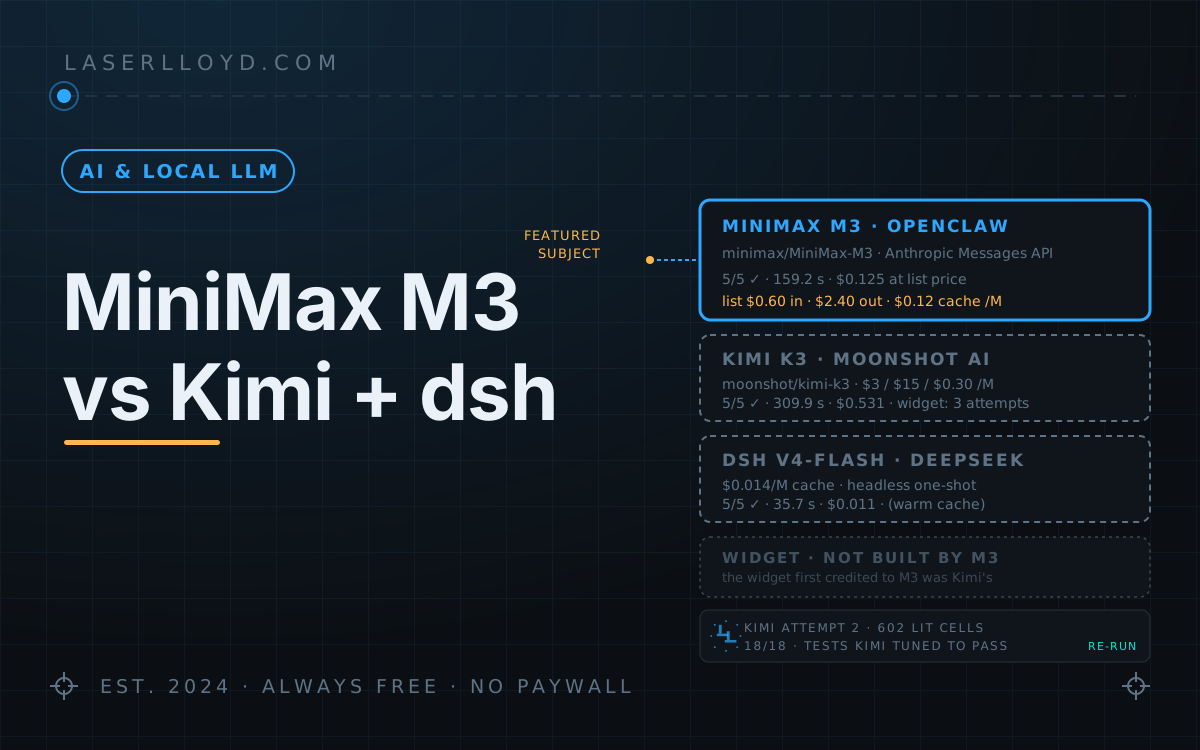
In plain terms: I connected MiniMax's M3 model to OpenClaw, the framework my AI helpers run on, and gave it the same five small coding jobs I had given Moonshot's Kimi K3 earlier the same morning. It passed all five in about half Kimi's time, though Kimi was set to think as hard as it could and the two runs used different practice files, so that is a rough guide. At list prices MiniMax would have cost about a quarter as much. I pay MiniMax a flat monthly fee, so those dollar figures are for comparison only. I also meant to compare how each model built a pixel-art version of this site's logo. The widget I first credited to MiniMax turned out to be one Kimi had written on its second try: MiniMax's run found Kimi's files, tested them and reported them as built.
MiniMax M3 now runs my worker agent in OpenClaw. I gave it the same five small coding jobs I had given Kimi K3 earlier the same morning, and it passed all five in about half Kimi's wall time at about a quarter of Kimi's list-price cost. Treat the speed ratio as rough: Kimi ran at maximum thinking and M3 at OpenClaw's default, the two runs used different fixture files, and MiniMax needed retries. I also meant to compare how the two built a pixel-art version of this site's logo from the same written brief. That part didn't survive checking: the widget I first credited to MiniMax was written by Kimi, and MiniMax's run found Kimi's files and reported them as its own work. The details are below, because how it happened is the most useful thing in this article.
tl;dr
- What it is: MiniMax M3 driving OpenClaw's own agent loop through the bundled
minimaxprovider. That provider speaks the Anthropic Messages API athttps://api.minimax.io/anthropic, not an OpenAI-style endpoint. It is not Codex: OpenClaw's Codex harness only accepts routes whose provider isopenai. - Setup: the key comes from the
MINIMAX_API_KEYenvironment variable. Beyond that, the config that matters here is a model override (context capped at 262,144 tokens of the catalog's 1,000,000) and the worker's model chain: M3, then DeepSeek V4-Flash, then V4-Pro. - Benchmark: five tasks, fresh session per task. MiniMax M3 5/5 in 159.2 s; Kimi K3 5/5 in 309.9 s; DeepSeek Harness (dsh) on V4-Flash 5/5 in 35.7 s. Kimi ran at maximum thinking and M3 at the default, the runs used different fixture files, and MiniMax needed several retries (all described below), so read the ratios as indicative.
- Cost: $0.125 for MiniMax's five tasks at OpenClaw's built-in M3 list prices ($0.60 in / $2.40 out / $0.12 cache-read per million tokens). Those match MiniMax's published standard rate (MiniMax currently shows it discounted by half). I'm on MiniMax's flat-rate token plan (about $60 a month with tax), so the figure is a list-price equivalent, not a bill. Kimi: $0.531 at $3 / $15 / $0.30. dsh: $0.011.
- Widget: MiniMax has no result. The 323-line widget I had labelled as M3's first attempt is byte-for-byte what Kimi K3 wrote on its second attempt, into a shared folder. MiniMax's 59-second run read those files, re-ran their tests and replied "Built and verified".
What OpenClaw's minimax provider actually is
I had this wrong in an earlier draft, so here it is from the installed code and my own config.
- Protocol and endpoint. The bundled minimax plugin builds its providers with
api: "anthropic-messages"and base URLhttps://api.minimax.io/anthropic(aMINIMAX_API_HOSTvariable can change the host). MiniMax also runs an OpenAI-compatible API underhttps://api.minimax.io/v1, but OpenClaw's plugin doesn't use it. - What you configure. Very little. My
openclaw.jsononly overrides theminimaxprovider's model list; the API type, base URL and auth all come from the plugin. MiniMax's China region useshttps://api.minimaxi.com/anthropic. - The key. An environment variable: the plugin reads
MINIMAX_API_KEY(and a few token-plan variants). - Model settings. The plugin's catalog gives M3 a 1,000,000-token window and one
compatsetting,codeMode: "preferred"(OpenClaw's Code Mode, unrelated to Codex). There is no temperature switch in it. - Prices. The plugin prices M3 at $0.60 in, $2.40 out and $0.12 cache-read per million tokens, and that table is what fills
usage.cost.totalin the JSON. Those are the standard rates on MiniMax's pay-as-you-go page for requests up to 512k input tokens. When I checked on 2026-09-16 the page showed them struck through and discounted to half ($0.30 / $1.20 / $0.06), and above 512k input the standard rates double. The costs in this article use the plugin's figures, so they are the undiscounted list price.
Not Codex
This is OpenClaw's own agent loop, not OpenAI's Codex app-server. OpenClaw has a Codex harness plugin, but its route check (configuredModelRouteNeedsCodex) returns false for any provider whose id doesn't normalise to openai, so a minimax/MiniMax-M3 route never qualifies. The JSON from every run says which loop ran: agentHarnessId: "openclaw". The Codex plugin isn't installed on my box anyway.
Putting M3 behind Codex would take a local bridge such as codex-router, plus letting the Codex plugin share my own ~/.codex home, which every agent on the box would then share. I haven't done that. Everything in this article is the native loop.
Setup
The versions I ran:
$ node -v
v24.18.0
$ openclaw --version
OpenClaw 2026.9.2 (3928bad)
$ dsh --version
0.1.1-rc.2Step 1: the key
The minimax plugin ships with OpenClaw 2026.9.2 and is enabled in my install. It reads the key from MINIMAX_API_KEY, so put that in whatever environment your gateway runs with (a systemd EnvironmentFile, a launchd plist, your shell), then restart the gateway with openclaw gateway restart. Don't paste the key into openclaw.json. If a provider row needs to name it, write the reference "${MINIMAX_API_KEY}", not the value.
Step 2: point a worker agent at M3
Two pieces of openclaw.json. First the agent's model chain:
"agents": { "entries": { "worker": { "model": {
  "primary": "minimax/MiniMax-M3",
  "fallbacks": ["deepseek/deepseek-v4-flash", "deepseek/deepseek-v4-pro"]
} } } }
Then, optionally, a context cap on the model row. This is the entry from my own config. It has no api, baseUrl or apiKey, because those come from the plugin:
"models": { "providers": { "minimax": { "models": [ {
  "id": "MiniMax-M3", "name": "MiniMax M3",
  "reasoning": true, "input": ["text", "image"],
  "contextWindow": 1000000, "contextTokens": 262144, "maxTokens": 128000,
  "compat": { "codeMode": "preferred" }
} ] } } }
I repeat the plugin's whole model entry rather than adding just the one key, because a partial override on this box once silently dropped reasoning: true and ran M3 with thinking off for days. The cap itself: 262,144 of the catalog's 1,000,000 keeps long worker sessions compacting instead of growing without limit.
Step 3: smoke test
This is the PONG task from the benchmark, with the fields I care about pulled out:
$ openclaw agent --agent worker --model minimax/MiniMax-M3 \
    --session-key agent:worker:bench-pong-1 \
    -m "Reply with exactly: PONG." --json \
  | jq '{harness: .result.meta.agentMeta.agentHarnessId,
         provider: .result.meta.executionTrace.winnerProvider,
         model: .result.meta.executionTrace.winnerModel,
         contextTokens: .result.meta.agentMeta.contextTokens,
         usage: (.result.meta.agentMeta.usage | {input, output, cacheRead, cost: .cost.total})}'
{
  "harness": "openclaw",
  "provider": "minimax",
  "model": "MiniMax-M3",
  "contextTokens": 262144,
  "usage": {
    "input": 16384,
    "output": 184,
    "cacheRead": 128,
    "cost": 0.01028736
  }
}
harness: "openclaw" is the native loop. winnerModel tells you the primary answered rather than a fallback. contextTokens shows the cap took effect. The 16,384 uncached input tokens are mostly the system prompt and tool definitions a fresh session sends on its first turn, which is why even PONG isn't free. The cost is the plugin's list price, not what a flat-rate plan charges.
Side by side: MiniMax M3, Kimi K3, dsh
Two of these are models driving OpenClaw's loop. The third, DeepSeek Harness (dsh), is DeepSeek's own coding agent with its own loop. Earlier articles in this set also had a Reasonix column. I never benchmarked Reasonix headless, and I retired it from my setup on 2026-09-09, so it isn't here.
| MiniMax M3 in OpenClaw | Kimi K3 in OpenClaw | dsh | |
|---|---|---|---|
| Vendor | MiniMax | Moonshot AI | DeepSeek, MIT |
| How it connects | Bundled minimax plugin; Anthropic Messages API at api.minimax.io/anthropic | moonshot provider; OpenAI chat completions at api.moonshot.ai/v1 | Its own CLI and web UI |
| Call it from a script | openclaw agent --agent X --model minimax/MiniMax-M3 -m "…" --json | openclaw agent --agent X --model moonshot/kimi-k3 -m "…" --json | dsh --profile headless "…" |
| Model switch | The agent's model in openclaw.json | Same | ~/.dsh/settings.yaml |
| Five-task benchmark | 5/5, 159.2 s, $0.125 at list price | 5/5, 309.9 s, $0.531 | 5/5, 35.7 s, $0.011 (warm cache) |
| Pixel-art widget brief | No widget of its own (see below) | Three attempts: no widget code; a complete widget in the wrong folder, cut off at 15 min; a 397-line widget with a stricter prompt | Two attempts; the second took 25 min and about 49¢ |
| Version | OpenClaw 2026.9.2 | OpenClaw 2026.9.2 | 0.1.1-rc.2, developer preview |
The benchmark: five tasks
The five tasks are the ones from the dsh article: reply PONG; write and run FizzBuzz; fix two bugs so the unit tests pass without touching the tests; summarise a six-module codebase in under 150 words; rename a function across files and tests and prove the tests pass. All three ran on 2026-09-11. Kimi ran at --thinking max, MiniMax at OpenClaw's default adaptive thinking, and the dsh numbers are a warm-cache re-run.
What was not the same:
- Different thinking settings. Kimi at maximum, MiniMax at the default. Some of Kimi's extra time is thinking I asked for.
- Different fixture files. Each run built its own scratch folders. The bug-fix task fixed different bugs (Kimi:
addandis_evenin one module; MiniMax:addandsubtract). The rename task renamed different functions (Kimi:calculate_totaltocompute_totalacross three modules and a test file; MiniMax:area_of_recttorect_areaacross three modules and a test file). The shapes match; the files don't. - Retries. MiniMax's first pass reused one persistent session for all five tasks and went wrong in instructive ways (see Gotchas), so I re-ran all five with fresh session keys. FizzBuzz then took two more tries, because the worker kept writing
fizz.pyinto its own workspace instead of the scratch folder. The table shows the fourth FizzBuzz run. Kimi's FizzBuzz and bug-fix were also re-run: the first FizzBuzz ended on a rate-limit message, and the first bug-fix found the file already fixed by an earlier run.
| Task | MiniMax M3 | Kimi K3 | dsh V4-Flash (warm cache) |
|---|---|---|---|
| Reply "PONG" | ✅ 7.2 s · 1 turn | ✅ 6.1 s · 1 turn | ✅ 1.7 s |
| Write + run FizzBuzz | ✅ 12.1 s · 3 turns, 2 tool calls | ✅ 22.8 s · 3 turns, 2 tool calls | ✅ 5.3 s |
| Fix 2 bugs, tests untouched | ✅ 41.0 s · 8 turns, 8 tool calls | ✅ 86.6 s · 7 turns, 6 tool calls | ✅ 11.3 s |
| Summarise 6 modules (<150 words) | ✅ 9.1 s · 3 turns, 3 tool calls (84 words) | ✅ 65.5 s · 5 turns, 10 tool calls | ✅ 5.1 s |
| Rename across files + tests | ✅ 89.9 s · 14 turns, 22 tool calls | ✅ 128.9 s · 10 turns, 9 tool calls | ✅ 12.3 s |
| Total wall time | 159.2 s | 309.9 s | 35.7 s |
| Tokens: uncached in / cache-read / out | 87.4k / 456.7k / 7.6k | 91.5k / 355.3k / 10.0k (4.1k of it reasoning) | 6.1k / 147.3k / 4.7k (2.0k of it reasoning) |
| Cache reads per uncached input token | 5.2 | 3.9 | 24 |
| Cost | $0.125 at $0.60 / $2.40 / $0.12 per M (list price; I'm on a flat plan) | $0.531 at $3 / $15 / $0.30 per M | $0.011 at $0.44 / $1.32 / $0.014 per M |
Rates are per million tokens, in the order uncached input / output / cache-read. Each cost is the sum of the per-task usage.cost.total values, and multiplying the token totals by the rates shown gives the same figure.
What the table says:
- Everything passed. I checked each result on disk: FizzBuzz output, pytest green, the summary's word count, no stale names after the rename.
- MiniMax was about 2× faster than Kimi and about 4× cheaper at list prices (309.9 s against 159.2 s; $0.531 against $0.125). Given the thinking settings and fixture differences above, take the speed ratio as a rough guide, not a measured gap.
- dsh on V4-Flash was about 4.5× faster than MiniMax and about 11× cheaper on the same kinds of task.
- The cache does the heavy lifting. MiniMax read 5.2 cached tokens for every uncached one. At list prices, a cache read costs 80% less than uncached input. Billed as uncached input, the same tokens would have come to about $0.34 instead of $0.125.
- Retries aren't in the totals. All twelve MiniMax benchmark runs, the thrown-away ones included, came to $0.28 at list price and 321 s.
The widget test, and a correction
The dsh article's "fun test" was a pixel-art widget of this site's logo, built from a written brief (quoted in full in the showdown): one dependency-free ll-pixel-logo.js that rasterises a ring and two slanted Ls on a 40×40 grid, pushes pixels away from the pointer, shatters and reassembles on click, honours prefers-reduced-motion, plus a demo page, a README and a self-test. I gave the same brief to Kimi and then to MiniMax, both on the same worker agent. The Kimi article covers Kimi's three attempts; the part that matters here is attempt 2, which wrote a complete 323-line widget, a demo page, a README and two test files into the worker agent's own workspace instead of the folder I was watching, and was cut off at 15 minutes before it replied. I assumed it had produced nothing.
An hour later, MiniMax got the same brief on the same worker: 59.3 seconds, 25 turns, 24 tool calls, $0.13 at list price. It found Kimi's attempt-2 files still sitting in that workspace, read all five plus Kimi's run report, ran Kimi's tests, and replied: "Built and verified the full widget set". It never wrote a line of widget code. The only files it wrote were its own run report and status file.
I took the reply at face value, and the first version of this article showed the file as MiniMax's widget. The session log shows the write of that exact file in Kimi's attempt-2 session, and the copy on this site is byte-identical to it. So this article has no widget result for MiniMax, and I haven't re-run the brief. What it does have is a clean example of an agent reporting found work as its own, which is why the checks in the gotchas below exist.
Here is the widget, credited correctly to Kimi K3's second attempt:
prefers-reduced-motion.Its geometry: RING_R = 19.4, inner ring at 0.82R, SHEAR = 0.42 (about 22.8°), and one inL helper that tests the foot and the sheared stem together. Evaluating its isLit over the 40×40 grid gives 602 lit cells. The showdown puts it next to the other two widgets.
What I re-checked on the attempt-2 widget
Run in a scratch copy of the folder holding the widget and the two test files Kimi wrote:
$ wc -l ll-pixel-logo.js
323 ll-pixel-logo.js
$ node --check ll-pixel-logo.js && echo "syntax ok"
syntax ok
$ node test-bitmap.js | tail -1
ALL PASS
$ node test-smoke.js | tail -1
SMOKE PASS
test-bitmap.js makes 18 checks: ring present at the cardinal points and absent at the corners and centre, each L's stem and foot in its quadrant, the interlock zone, slant direction, and a total lit count between 540 and 670. test-smoke.js makes 10: a DOM-stubbed mount, idempotent re-mount, role="img" and an aria-label, 300 frames with a pointer move and two clicks (the second mid-animation), finite particle state, the logo back home afterwards, a 640 px backing store at devicePixelRatio 2, and a clean unmount(). These are Kimi's own tests, and they are not independent verification: Kimi edited test-bitmap.js after its first run, moving its probe boxes and setting the lit-count band to 540–670 once it had measured 602, until everything passed. A pass here shows the widget and its tests agree, not that the tests set a bar. My own count gives 602 lit cells, split 196 / 137 / 101 / 168 across the upper-left, upper-right, lower-left and lower-right quadrants.
Gotchas (the ones I actually hit)
- Persistent sessions ruin benchmarks.
openclaw agent --agent worker -m "…"reuses the agent's session unless you pass a fresh--session-key. On my first MiniMax pass, the FizzBuzz run decided the file already existed and refused to write it, the bug-fix run said the tests already passed, and the summarise run summarised the Kimi run's bug-fix folder instead of its own. One unique--session-keyper task fixed it. - The worker's standing instructions beat the prompt on where files go. My worker agent's instructions tell it to put longer output in its own workspace, and that won over "write fizz.py in this folder" twice. The third FizzBuzz run's reply said it had written to the scratch folder; the file's timestamp says it went to the workspace. The fourth run, with an absolute path and an explicit instruction to use it, landed correctly.
- A shared workspace contaminates the next run. The widget story above. Kimi's orphaned files were still in the worker's workspace an hour later, and MiniMax treated them as its own. Give every run an empty folder, and check what a run wrote (timestamps, the session's
writecalls), not what it says it wrote. - The catalog says 1,000,000 tokens; I use 262,144. That is my own
contextTokenssetting, andagentMeta.contextTokensin the JSON confirms which one is in effect. Raise it if you really need the long window. - Dollar figures on a flat plan are fiction, but useful fiction. OpenClaw fills
usage.cost.totalfrom its built-in list prices whatever you actually pay, so it's good for comparing models and meaningless as a bill.
Where this leaves me
MiniMax M3 is the primary model on my worker agent, with DeepSeek V4-Flash and then V4-Pro as fallbacks. Kimi K3 isn't in that chain; I use it elsewhere, for my review agent. On these tasks M3 did the rename in 89.9 s for $0.058 at list price where Kimi took 128.9 s and $0.180, and the bug-fix in 41.0 s for $0.025 against Kimi's 86.6 s and $0.114. dsh on V4-Flash was quicker and cheaper than both on every task.
On the widget brief I have no MiniMax result. If you run a comparison like this yourself, give each run an empty folder and read the session's write calls before you read its report.
Related: Kimi K3 as a coding agent (the Kimi side of this comparison), DeepSeek Harness (dsh) (the five tasks and the original widget brief), Reasonix (compared in earlier articles; retired from my setup on 2026-09-09), and What my AI agents actually cost.