Pixel-Art Widget Showdown: Three Coding Agents, One Brief, Two Authors
- Category
- AI & Local LLM
- Posted
- September 12, 2026
- Updated
- September 16, 2026
- By
- Jacob Lloyd — written with AI assistance, post-project
- Read time
- 11 min read
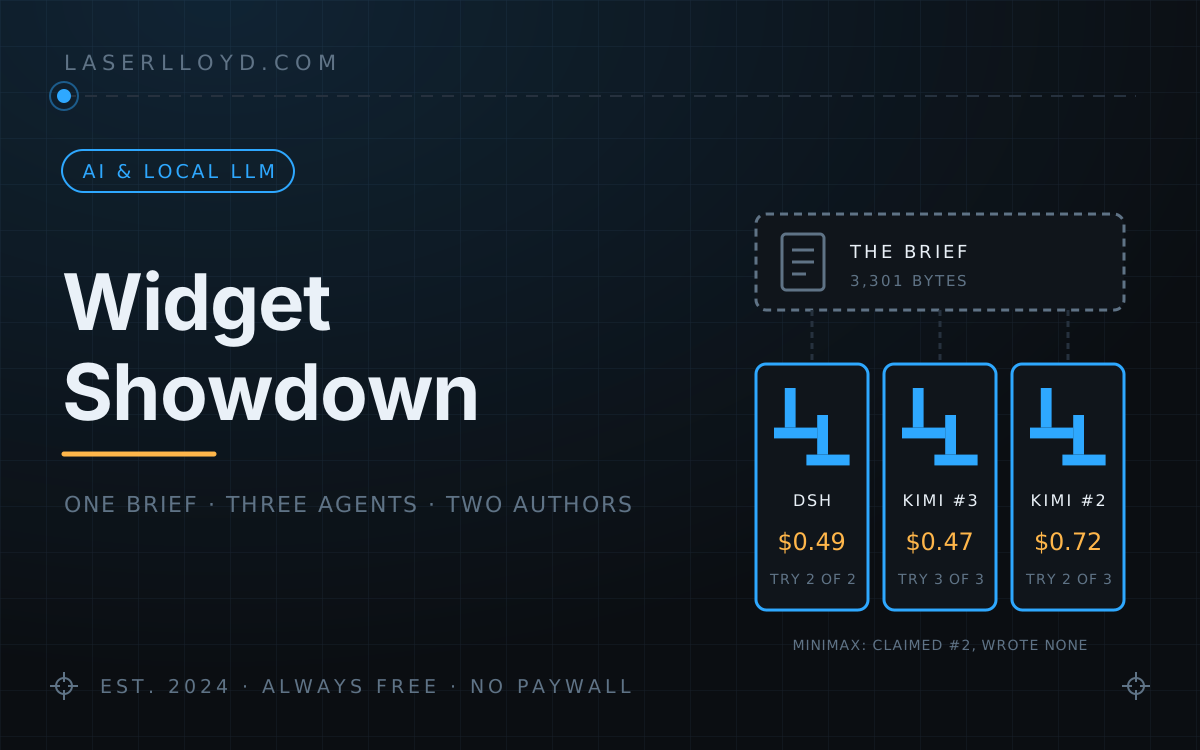
In plain terms: I gave three AI coding agents the same written brief: build an interactive pixel-art version of this site's logo as one small JavaScript file. Two of them wrote working widgets: DeepSeek's dsh on its second try, and Moonshot's Kimi K3 twice, on its second and third tries. The third, MiniMax M3, replied in under a minute that it had built and checked the widget, but it had only found and tested files Kimi had left in the same folder. You can play with all three widget files below, labelled by who actually wrote them.
The brief below was written in August for dsh, DeepSeek’s coding agent. In September I ran the same brief through Kimi K3 and MiniMax M3, both driving OpenClaw’s own agent loop on the same worker agent, one after the other. Two of the three wrote a widget. The third said it had. The most useful thing this test produced isn’t a ranking of widgets. It’s a reason to read what an agent wrote before believing what it says it wrote.
tl;dr
- What it is: three pixel-art logo widgets built from one brief, all playable on this page: dsh's, and two of Kimi K3's (its attempts 2 and 3)
- Who wrote what: dsh wrote one widget (second try, 25 min, ≈ $0.49). Kimi K3 wrote two (attempt 2: cut off at 15 min, ≈ $0.72; attempt 3: 7.4 min, ≈ $0.47). MiniMax M3 wrote none, but after 59 s it replied "Built and verified the full widget set"
The numbers
One run per agent, and Kimi’s run took three attempts, so treat this as an anecdote with receipts, not a benchmark. The columns are the three widget files on this page (swipe sideways on a phone).
| dsh | Kimi K3, attempt 3 | Kimi K3, attempt 2 | |
|---|---|---|---|
| Harness | dsh 0.1.0-rc.7 (DeepSeek's own agent) | OpenClaw's agent loop | OpenClaw's agent loop |
| Model | DeepSeek V4-Flash | Kimi K3 | Kimi K3 |
| When | August 2026 | September 2026 | September 2026 |
| Which try | 2nd of 2 | 3rd of 3 | 2nd of 3 |
| Prompt | The brief, amended after try 1 | A shortened brief, headed TARGETED — write the widget file in one tool call, no exploration, no planning, no verification loop. and ending Do NOT do a "node --check" or playwright test — just write the files and print a short report listing what you wrote. | The brief, unedited |
| Time | 25 min (it hit my cap while polishing the README) | 7.4 min | 15 min, when my timeout cut it off; the widget file was written 8 minutes in |
| Cost | ≈ $0.49 at DeepSeek's peak rates | ≈ $0.47 | ≈ $0.72 |
| Where the files went | Where I asked | Where I asked | The worker agent's own workspace, not the folder I was watching |
| Tests it wrote | A Node unit test for the rasteriser, plus an unprompted Playwright screenshot script | None (the prompt said to skip checks and just write the files) | Two test files: 18 bitmap and 10 smoke assertions |
| Widget size | 399 lines | 397 lines | 323 lines |
| Lit cells (of 40×40) | 656 | 510 | 602 |
| Reduced motion (brief: static logo, hover glow only) | Follows it: pixels stay put, hover only glows, clicks do nothing | Breaks it: a click still sends out a small pulse, and hover still pushes pixels (half the radius, 40% of the force) | Follows it: pixels stay put, clicks do nothing |
The column the table leaves out is Kimi’s attempt 1. With the unedited brief it thought for 8.8 minutes, wrote no widget code, and was stopped; that cost about $0.31. Kimi’s three attempts came to about $1.50 in all, for two widgets. dsh’s failed first try cost about 2¢, so its run was about 51¢.
Kimi’s costs are OpenClaw’s per-message figures added up; for attempt 3 that sum matches its own receipt. The method and rates are in the Kimi article.
Try all three
dsh · V4-Flash · 399 lines
Kimi K3 · attempt 3 · 397 lines
Kimi K3 · attempt 2 · 323 lines
An earlier draft of this page had a fourth, empty cell for Reasonix. Reasonix never ran this brief, and I have since removed it from my machine, so it is out of the comparison.
What’s actually different
Everything here comes from reading the three scripts, not from the agents’ own descriptions of them.
What they share. All three hard-code the brief’s four colours exactly. At rest the pixels sit at or near logo blue, and a displaced pixel glows from blue through the highlight blue to cyan. All three do the brief’s first suggested click effect: the logo shatters into pixels that fall under gravity, then flies back together. dsh and Kimi’s attempt 2 chose it from the brief’s two suggestions; attempt 3’s shortened prompt only offered that one. All three check prefers-reduced-motion, work with touch, and stay under the brief’s ~400 lines.
Shape. The brief asked for a ring from 0.82R to R and Ls sheared about 20°. Kimi’s attempt 3 followed it to the letter (Math.tan(20 * Math.PI / 180), stems 3 cells thick) and came out the lightest, at 510 lit cells. Its attempt 2 shears by 0.42 (about 23°) with 4.6-cell stems: 602 cells. dsh shears by 0.453 (about 24°), uses 4.2-cell stems and a thicker ring starting at 0.80R: 656 cells, the chunkiest of the three. None of them matches the real logo closely enough to replace it.
The click. dsh bursts for 0.72 s, then lets each pixel start home at a random moment within half a second, so the logo ripples back together. It bounces pixels off all four walls, and it only counts a quick tap with little movement as a click, so a touch-scroll never shatters it. Kimi’s attempt 3 flies for 0.85 s, then springs home until everything settles, and it ignores clicks until the logo is whole again. Under reduced motion it still pulses on click and still pushes pixels on hover, where the brief asked for a static logo with only a hover glow. Kimi’s attempt 2 flies for 0.85 s, returns in 1.0 s, bounces off the floor only, and a new click mid-flight shatters it again.
Idle. dsh runs a slow colour shimmer and sparks one to three amber or cyan pixels every 1.2 to 3.8 s. Kimi’s attempt 3 pulses every pixel’s opacity and adds a new amber twinkle every 0.2 to 0.6 s, which makes it the busiest of the three. Its attempt 2 twinkles one amber or cyan pixel about twice a second and draws a soft halo behind the pixels nearest the pointer.
Code. dsh is a Widget constructor with prototype methods and a separate mount(), with data-size, data-speed and data-static knobs. Kimi’s attempt 3 is a Logo constructor with prototype methods, built on two geometry helpers (inPara and makeL), with a data-interactive knob. Its attempt 2 has no constructor: createInstance() returns a plain object and the physics lives in free functions. It also exports itself as a Node module, which is how its own tests run without a browser. Same model, and two files that share almost no structure.
Why each one sits in its own frame. The brief says the script “finds every .ll-pixel-logo element and mounts a canvas inside it”, and all three do exactly that. Each marks the containers it has mounted with a different property name, and each overwrites the shared window.LLPixelLogo. So with all three scripts on one page, every container got all three canvases stacked on top of each other. The first draft of this page had exactly that bug, and I only noticed it on my phone. One frame per widget keeps the scripts apart without touching their code.
What MiniMax did, and where this leaves me
MiniMax M3 got the same brief, unedited, about an hour after Kimi’s attempt 2, on the same worker agent and so in the same workspace. Kimi’s attempt-2 files were still sitting there. In 59 seconds (25 turns, 24 tool calls, $0.13 at list price on a plan I pay a flat monthly fee for) MiniMax read those five files and Kimi’s own run report, ran Kimi’s two test files, and replied: “Built and verified the full widget set”. It never wrote a line of widget code. The only files it wrote were its own run report and status file.
I believed that reply. The first version of this page gave MiniMax the third cell, a table column with one try, 59 s and $0.13, and a conclusion that the cheapest run was also the fastest and the only first-try success. The session log settled it: the file in that cell is byte-for-byte the one Kimi’s attempt 2 wrote at 08:11 JST that morning, and MiniMax’s session has reads of it and no write. So MiniMax has no widget on this page. The fair test is to run it again on the brief in an empty folder, and I haven’t done that yet.
The mirror image is Kimi’s attempt 2. It wrote its widget, its tests and a short report into its own workspace and was cut off before it replied, so from where I was watching it looked like it had produced nothing. One run claimed work it hadn’t done; the other did work nobody saw. In both cases the reply disagreed with the files on disk, and the files were right.
So two agents wrote widgets from this brief. dsh took two tries and about 49¢ for the one that worked, three weeks earlier and against a brief it had already broken once. Kimi took three attempts and about $1.50 in all, and produced two different working widgets, one of which I didn’t know about until I went looking.
I would not stretch any of this into a ranking of the widgets. It is one run per agent, dsh’s brief had been amended after its first failure, and Kimi’s attempt 3 had a shorter prompt than everyone else. What I’d take away is about the process. A precise brief with a procedural-geometry rule gets you a working widget from a capable agent, eventually. Whether you know which agent made it depends on what you check. Next time I run this, each agent gets an empty folder, and I read the session’s file writes before I read its summary.
The brief (quoted in full)
This is the brief exactly as dsh’s second try, Kimi’s first two attempts and MiniMax received it: 3,301 bytes. dsh’s first try saw an earlier version that still allowed a hand-drawn bitmap; the “DO NOT hand-draw a bitmap” line is the amendment. Kimi’s third attempt got a shortened version with the directive quoted in the table.
# Brief: interactive pixel-art LaserLloyd logo widget

Build a self-contained, embeddable **pixel-art version of the LaserLloyd logo** (see `reference-logo.png`:
a thick blue ring, colour #1f3f8f on white, containing two interlocking italic/slanted capital "L"s —
the upper-left L's foot runs under the lower-right L's stem, like the letters are stacked diagonally).

## Deliverables (all in this folder)
1. `ll-pixel-logo.js` — ONE vanilla-JS file, no dependencies, no build step, no network requests.
   Any page can embed it with:
     <div class="ll-pixel-logo" data-size="320"></div>
     <script src="ll-pixel-logo.js"></script>
   It finds every `.ll-pixel-logo` element and mounts a `<canvas>` inside it. Responsive: canvas fills
   the container width (square), crisp on HiDPI (devicePixelRatio). Expose `window.LLPixelLogo.mount(el)`.
2. `index.html` — a demo page showing the widget at 3 sizes with a short caption of the interactions.
3. `README.md` — how to embed, the interactions, and any knobs (data- attributes).

## The art
- A pixel grid of 40×40 cells. DO NOT hand-draw a bitmap (no rows of '#'/'.' strings — that is slow and
  error-prone). Instead RASTERISE it procedurally from geometry: a function `isLit(col,row)` that returns
  true for (a) the ring: distance from centre between 0.82R and R, and (b) two slanted Ls, each built from
  two parallelograms (a stem sheared ~20° and a foot), the upper-left L's foot sitting just under the
  lower-right L's stem, like the reference. Tune the few constants so it reads as the reference logo at 200px.
  Precompute the lit cells once at mount.
- Palette: logo blue #1f3f8f; highlight blue #2ea8ff; amber #ffb64a; cyan #00e6cf; background transparent.

## Interactions (the point of the exercise — make them delightful)
- **Mouse over / touch move:** pixels near the pointer react physically — e.g. they're pushed away
  from the cursor like a fluid/ magnetic repulsion, then spring back with damping; while displaced they
  glow toward #2ea8ff/#00e6cf. Smooth 60fps via requestAnimationFrame; no jank.
- **Click / tap:** something cool and satisfying. Pick ONE strong effect and do it well, e.g.
  the whole logo shatters into pixels that fly outward with gravity/bounce, then reassembles itself
  into the logo again (about 1.5–2 s); or a "laser" sweeps across and re-engraves the logo pixel by
  pixel with glowing sparks. Repeat clicks should feel good (don't break mid-animation).
- **Idle:** a subtle ambient life (a slow shimmer or an occasional pixel twinkle) so it never looks dead,
  but nothing distracting.
- Respect `prefers-reduced-motion: reduce` (render the static logo, keep hover glow only).
- Works with mouse AND touch. No scroll hijacking.

## Quality bar
- Clean, commented code; no globals except `LLPixelLogo`. Tab-size 2. Under ~400 lines.
- Runs from file:// with zero console errors. Test it yourself: write a tiny node script or open it with
  whatever you have to at least syntax-check and exercise the module (e.g. jsdom is NOT available —
  do a `node --check` and a DOM-free unit check of the bitmap, e.g. count lit cells and assert the
  ring + two Ls are present in the right quadrants).
- Finish by printing a short report: what you built, how to embed, and what you verified.
Software stack
dsh 0.1.0-rc.7 on DeepSeek V4-Flash in August; Kimi K3 and MiniMax M3 on OpenClaw 2026.9.2’s own agent loop, same worker agent, in September. Checks on this page: node –check on all three scripts; lit cells counted with each script’s own isLit over the 40×40 grid; authorship settled by matching file hashes against the file writes in the session logs; a headless Chromium pass at 390, 768 and 1280 px (one canvas per frame, no sideways scroll, clean console). Setup and cost method are in the Kimi article linked below.
Related: DeepSeek Harness (dsh) (where the brief and the first widget came from), Kimi K3 as a coding agent (all three of Kimi’s attempts), and MiniMax M3 as a coding agent (the five-task benchmark, and how the widget mix-up happened).