The CHUWI AuBox Ai365: My AI Home Lab in a Box
- Category
- AI & Local LLM
- Posted
- August 1, 2026
- Updated
- September 16, 2026
- By
- Jacob Lloyd — written with AI assistance, post-project
- Read time
- 16 min read
In plain terms: This is the small computer that runs my AI helpers, my family chat app and my websites. It has a fast AMD chip, 30 GB of memory and two network ports, and it replaced an expensive tablet that failed. Everything works on Linux without hunting for drivers. The bigger AI models run on a separate graphics machine, and this page explains why, what the small box still does, and what changed after I set it up.
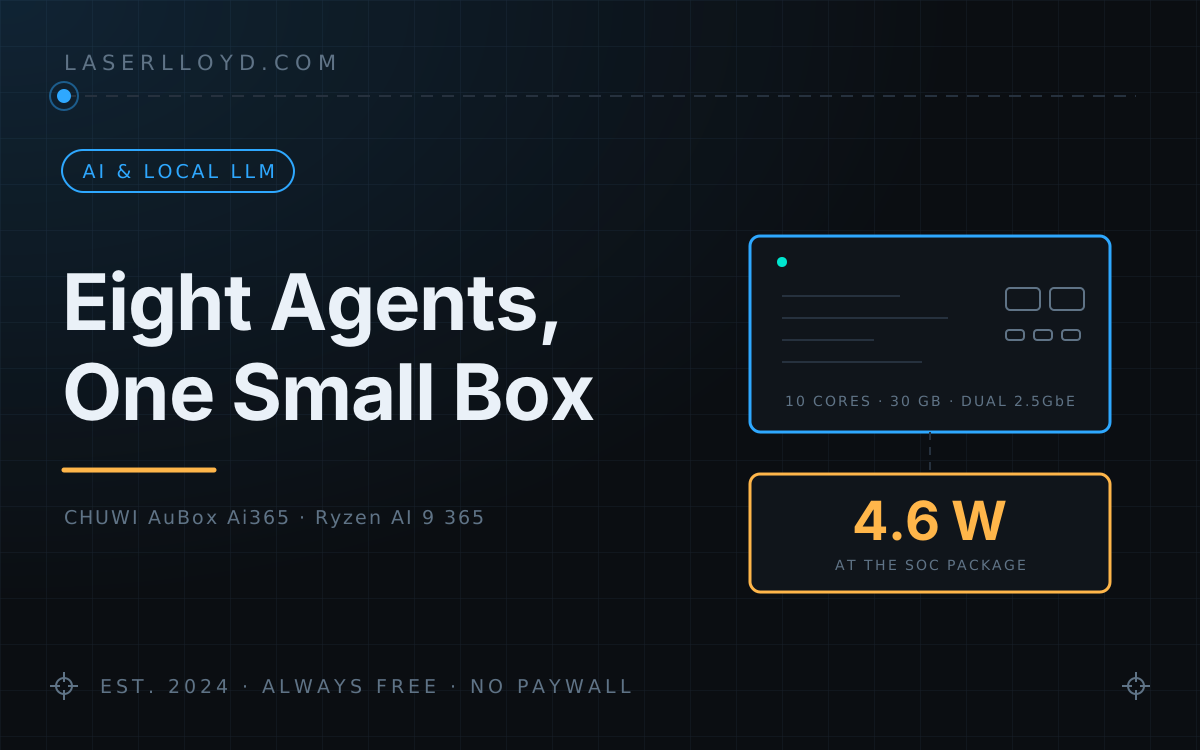
The CHUWI AuBox Ai365 is a mini PC almost nobody has heard of, from a brand best known for cheap tablets, built around a chip, the AMD Ryzen AI 9 365, that normally lives in laptops. It sits behind my monitor, draws 4.6 W at the chip, and hosts my six AI agents, a family chat app, an email triage service and every website I maintain. It has been the most boring piece of hardware I have owned in years, and after the machine it replaced, boring is the entire point. What it does not do is run big models, and the second half of this page is about how I learned that and what I moved off it.
tl;dr
- What it is: a CHUWI AuBox Ai365 with an AMD Ryzen AI 9 365, Radeon 880M, 30 GB usable DDR5, dual 2.5GbE and 2× USB4, running Bluefin, an atomic Fedora desktop.
- What it runs: the gateway for my OpenClaw agent stack (six agents since 6 September 2026), a self-hosted chat app the whole house uses, email triage, an offline Wikipedia server, backups and the build for this site.
- What it doesn't run: any model an agent talks to, or image generation. Both moved to a separate GPU machine in August, because 30 GB and ~90 GB/s of memory bandwidth are not enough.
- Linux support: everything works in-kernel. No third-party drivers, no DKMS, no
HSA_OVERRIDEhacks. The NPU even enumerates. - What it cost: about $900 for the box and a few dollars a month in electricity. The cloud-model bill is separate and is in the costs table.
- What it replaced: a ROG Flow Z13 that developed a power fault. This box has a quarter of that machine's memory, and the old machine's SSD is now bolted inside it, holding the backups.
- Verdict: I'd buy it again as an always-on host. Don't buy it to run large models locally.
Full Specifications
| Component | Spec |
|---|---|
| Model | CHUWI AuBox Ai365 (BIOS AuBox_06) |
| CPU | AMD Ryzen AI 9 365 "Strix Point" — 10 cores / 20 threads (4× Zen 5 + 6× Zen 5c), up to 5.0 GHz, 24 MB L3, 4 nm |
| GPU | AMD Radeon 880M — RDNA 3.5, 12 compute units, up to 2.9 GHz |
| NPU | AMD XDNA 2 — 50 TOPS (73 TOPS platform total) |
| RAM | 2× 16 GB DDR5-5600 SODIMM, dual channel — 30 GB usable, expandable to 96 GB |
| Memory bandwidth | ~90 GB/s over a 128-bit bus |
| Storage | 1 TB PCIe 4.0 NVMe, 2× M.2 2280 slots (both now occupied) |
| Ethernet | 2× Realtek RTL8125 2.5GbE |
| Wireless | Realtek RTL8851BE — Wi-Fi 6 (802.11ax), Bluetooth 5.3 |
| USB | 2× USB4 40 Gbps (DP alt-mode, 100 W PD in), 3× USB 3.2 Gen 2 Type-A |
| Video | HDMI 2.1, DisplayPort 1.4, plus both USB4 — up to 4 displays, 8K60 / 4K144 |
| OS | Bluefin 44 — Fedora Silverblue atomic, GNOME 50.3 on Wayland. Linux 7.0.12 at setup; 7.1.8 as of 15 September 2026 |
| Power | 19 V / 6.32 A 120 W barrel adapter |
| Physical | 140 × 139 × 55 mm, 846 g, all-metal, single fan — VESA-mountable |
| Price | $899 list; I paid about $900 |
Why This Box
My previous home lab was a ROG Flow Z13, a gaming tablet with 128 GB of unified memory. In July 2026 it developed a power fault: it powers on, hangs on the logo, and puts itself to sleep about thirty seconds later, every time. The full post-mortem is here. The short version is that it never reaches a bootloader, so nothing I could do from software was ever going to touch it.
That gave me a fairly specific shopping list. I needed a Linux host with at least 32 GB of RAM, enough GPU for local vision work, wired networking, and, after watching a battery-powered machine fail at power management, no battery and no USB-PD negotiation in the critical path. A barrel connector and a fan.
The unusual thing about this box is that it's a Strix Point desktop. The Ryzen AI 9 365 is a laptop chip; it lives in ThinkPads and OmniBooks. Putting it in a 140 mm metal cube with two 2.5GbE ports and two USB4 ports is the sort of decision that only happens when a smaller OEM builds something a little strange. That strangeness is exactly what a home lab wants: laptop efficiency, desktop power delivery, server networking.
Linux On This Hardware
This is the part I expected to be painful and wasn't. Every device in the box is supported by an in-tree driver on a stock Fedora kernel. There is no third-party repository, no DKMS module, and no GPU environment-variable override anywhere in my configuration.
| Device | Driver | Status on Linux 7.0.12 (re-checked on 7.1.8) |
|---|---|---|
| Radeon 880M (gfx1150) | amdgpu | Works. Reports as strix1, no override needed. |
| 2× RTL8125 2.5GbE | r8169 | Both detected and working, no module parameters. |
| RTL8851BE Wi-Fi | rtw89_8851be | Mainline since 6.5. Works, but see the caveat below. |
| XDNA 2 NPU | amdxdna | In-tree since 6.14. Enumerates as /dev/accel/accel0. |
| USB4 | thunderbolt | Works. |
The Wi-Fi caveat is worth stating plainly, because CHUWI's own marketing is vague about it and one spec sheet I found calls it Wi-Fi 7. It is not. The RTL8851BE is a Wi-Fi 6, single-stream, no-6 GHz part. It identifies as an 802.11ax controller and delivers roughly 300–400 Mbps in practice. It is comfortably the weakest component in the machine. It is also an M.2 2230 A/E-key card, so it can be swapped for a MediaTek MT7925 if you want Wi-Fi 7. I haven't bothered: this box lives on wired 2.5GbE, and the Wi-Fi interface is simply down.
Bluefin, specifically
I chose Bluefin over Bazzite here deliberately. Same ublue foundation (image-based rpm-ostree, Flatpak-first, roll back a bad update with one reboot), but Bluefin tracks the stock Fedora kernel instead of a patched gaming kernel. On a machine whose newest hardware is an NPU with a young driver, tracking upstream is the safer bet. The operating system arrives as one signed image that either boots or rolls back, so there is no half-applied update and no pile of hand-edits nobody remembers making, which is the rot that turns a home server into something you're afraid to reboot. What that costs is in the gotchas.
What It Runs
Everything is a systemd --user service with restart-on-failure. No Docker for the core stack, no supervisor scripts, no manual restarts after a power cut.
| Service | What it does |
|---|---|
| Agent gateway | Routes each message to the right agent, runs its tools, keeps its sessions. Listens on loopback only; the chat app is its only front door. |
| Family chat app | DisPatch, the chat the household uses from phones and tablets. |
| Small local model server | Removed 16 September 2026. Embeddings and the small fallback model now come from the GPU machine too. |
| Email triage | MailForge reads three mailboxes and drafts replies. It never sends one on its own. |
| Nightly backups | A Borg snapshot at 02:00, a copy of the gateway config and agent state, and a dated mirror to the second SSD at 02:30. |
| Rig watchdog | Checks every 15 minutes that the image backend on the GPU machine is up, and posts one alert to the chat if it isn't. |
What moved off the box, and why
When I set this machine up in July it ran a 35B mixture-of-experts model locally for the private agent, and a local image generator as a fallback. Both fought over the same 30 GB. On 15 August every local model the agents use moved to a separate machine with real GPUs, and by 26 August local image generation was removed from this box completely. If the GPU machine is down, there are no images. Nothing pretends otherwise.
The rule I'd give anyone copying this setup: the host box needs to be reliable, not powerful. Interactive agents go to a cloud model because speed matters there. Private or bulk work goes to a local model on hardware with the memory bandwidth to run it. A mini PC like this one is the right place for the gateway, the chat app and the scheduling, and the wrong place for the models.
The agent roles
As of 6 September 2026 the stack has six agents, down from a larger roster that had grown one agent per idea:
- A lead agent takes every request, decides who does the work and reviews the result. It runs on a cloud model.
- One worker with no memory of its own, started fresh for each job with whichever model fits: fast, slower-and-thinking, long-context, or local on the GPU machine. One flexible worker replaced several specialised ones.
- A reviewer on a different cloud model does the final check on finished work and on anything about to leave the house.
- Two persona agents run on the GPU machine's local model, so those conversations normally stay in the house. A cloud model is only their last fallback.
- A family-safe bot is what the family's devices talk to. It can look things up and answer questions. It cannot touch files or run commands.
The chat app enforces the family-safe limit separately from the agent config, so a mistake in one layer doesn't open the other. The reasoning behind the cloud/local split is in the cost breakdown.
How A Message Moves Through The Box
Two details carry most of the reliability. If a model is busy or down, the agent's next model answers instead of the request failing. And every job handed to the worker writes its report to disk, where a small timer picks it up and posts it to the chat every 45 seconds, so a finished result can't get lost when the agent that asked for it has moved on. Neither is clever. Both are the difference between a stack that runs unattended and one that needs babysitting.
Performance On This Silicon
Power. This is the number that surprised me. Measured at the SoC package over a five-second window, with the full stack up and a load average around 2, the chip drew 4.6 W. Add the mainboard, two NVMe drives, RAM, the NIC and the fan and my estimate is somewhere near 10 W at the wall; I haven't put a plug meter on it. A processor sipping under 5 W while hosting the whole agent stack is the clearest illustration of what Zen 5c efficiency cores buy you. Idle temperatures sit around 40 °C on Tctl.
CPU. Four Zen 5 cores that reach 5 GHz plus six Zen 5c efficiency cores is more than this workload needs. Agent routing is invisible in the load average; the machine spends most of its life almost idle and the fan is inaudible from a metre away.
Local inference. This is where the box has real limits, and they're bandwidth limits more than compute limits. The Radeon 880M has 12 compute units and ~90 GB/s of memory bandwidth. For comparison, the Z13 had 40 CUs and 256 GB/s, and the cards in my GPU machine have about 1.8 TB/s (RTX 5090) and 0.9 TB/s (RTX 3090). Token generation speed follows bandwidth, which is why every model the agents talk to moved to that machine on 15 August. This box no longer runs any model; the small ones moved to the GPU machine with everything else on 16 September.
NPU. The XDNA 2 NPU enumerates cleanly at /dev/accel/accel0 and does nothing. The 50 TOPS are real, but the software path from "I have an NPU" to "my agent stack uses it" doesn't exist yet for the models I care about, which need long context windows and strong tool calling. Where it could eventually earn its place is small, fixed jobs: serving an embeddings endpoint for the email search index, or a first-pass classifier that decides which mail is worth waking a real model for. The box runs fine without it.
Networking. Both 2.5GbE ports work with no configuration. One is wired to the network; the second is spare.
What I Gave Up
The real cost of this move is memory, and it is not a small cost. The Z13 had 128 GB of unified LPDDR5X, of which I carved 64 GB as VRAM and ran a 120B-parameter model locally. This box has 30 GB usable, total, shared between the OS and everything else.
So the 120B tier is gone from this box. For its first weeks the local agent ran a 35B mixture-of-experts model here instead, a real model that did real work, but not the same class of thing. Since 15 August the local models run on a separate GPU machine, which is the actual answer to the memory gap. Several older posts on this site describe a local 120B on my home lab; that was true on the Z13 and it is not true now.
What I got in exchange is the entire reason the change happened: no battery to age, no USB-PD negotiation under load, no Modern Standby state machine to crash into. The board can be upgraded to 96 GB across two SODIMM slots, which would bring back some of the ceiling. I'm not doing it: DDR5 SODIMMs cost far more than they did when I bought the box, and adding capacity wouldn't add bandwidth, which is the axis that actually constrains local inference here.
The Z13's SSD Lives Here Now
There's a detail I like more than I should. The one user-serviceable part of the Z13 was its SSD, behind a door in the kickstand. It came out healthy, went through a 2230-to-2280 adapter bracket, and is now installed in this box's second M.2 slot.
It holds the backups. Every night at 02:30, a dated mirror of this machine's state is written to the drive that used to be the machine. The dead computer's last job is making sure its replacement can be restored. It also still carries a full image of the old system taken the day before the failure, which is what made the migration a copy instead of a rebuild.
What It Costs
| Cost | Amount | Notes |
|---|---|---|
| The box | ~$900 once | $899 list, 32 GB + 1 TB configuration |
| Electricity | a few dollars/month | My estimate for 24/7 running at roughly 10 W; not metered |
| Cloud models | about $60/month flat with tax, since 30 August 2026 | A flat-rate plan for the lead agent and the worker, with a little metered use on top. What actually left the account each month (June $242, July $225, August $385, other services included) is in the full cost breakdown. |
| Local models | $0 extra | They run on hardware I already own. The GPU machine's power is not counted here. |
The box itself is the cheap part. The bill that moves is the cloud models, and a flat-rate plan was the fix once metered usage grew with the workload.
Gotchas
Things that actually bit me, in rough order of how much time they cost:
- The 30 GB ceiling is real. 32 GB nominal minus what the firmware and iGPU reserve leaves 30 GB in
free -h. Local image generation and a mid-size local language model could not both stay loaded. Fix: move both to a machine with real GPUs. - A remote backend can fail silently. On 2 September the image backend on the GPU machine was down for about 14 hours and nothing noticed, because nothing on this box was asking. Fix: a 15-minute watchdog that tries one restart and then posts a single alert.
- The local model server crashed under memory pressure. The AppImage's temporary mount gets recycled when memory gets tight, and the process takes a bus error instead of a clean out-of-memory kill. Fix: run an extracted copy under systemd instead of the AppImage.
- Timeouts assume cloud speed. A large local model is slow, not broken, but the gateway's default provider, turn and abort timeouts will kill it mid-answer and report a stall. Fix: raise them as an ordered chain (request, then turn, then abort), or you just move where the failure happens. Reasoning models also have to be flagged as such, or they look stalled while they're thinking and get aborted.
- Agent IDs are lowercased in one code path and not another. Cross-agent messages failed silently until the allowlist had lowercase entries. No error and no log line, just nothing delivered. Fix: keep every agent ID lowercase everywhere.
- Atomic updates reboot the machine. An update is staged as a new deployment and only takes effect after a reboot. If that lands mid-job, the job dies. Fix: updates happen on my schedule, in a quiet window.
- No package manager for the system. Anything that expects to install itself into the base OS needs a container, a Flatpak or a user-level install instead.
- Old configuration follows you. Part of the migration re-injected a stale identity file from the old machine's backup and put the gateway into a crash loop. Restoring a working system is not the same as restoring a correct one. Fix: correct the source file, not just the generated config.
What I'd Change
- Better Wi-Fi, if I used Wi-Fi. The single-stream Wi-Fi 6 card is the one genuinely weak component. It's a swappable M.2 2230 A/E-key part, so it's a fifteen-minute fix. Wired networking means I haven't needed to.
- More memory, maybe. 96 GB across the two SODIMM slots would restore some of what the Z13 had. With the models on another machine, and at current RAM prices, I no longer need it.
- Firmware updates are a mystery. There's no public BIOS download for this model. Getting one means emailing the vendor with the model and serial and hoping. That's the cost of buying something obscure.
- The NPU needs a reason to exist. Fifty TOPS sitting idle is a standing invitation. An embeddings endpoint is the obvious first job.
Verdict
I'd buy it again. Not because it's fast, because it isn't particularly, but because it does exactly what an always-on home lab host needs and nothing it doesn't. It's small, quiet, sips power, has no moving parts to fail beyond one fan, runs mainline Linux without a single out-of-tree driver, and has two Ethernet ports and two USB4 ports on a machine the size of a sandwich.
The lesson from the machine it replaced was that exciting hardware that dies is worth less to infrastructure than boring hardware that stays on. The stack around this box changed a lot between July and September. The box itself has done nothing interesting at all, which is the highest compliment I can pay it.
Change Log
Dated entries, newest last. This is a record of what changed, not a promise of regular updates.
| Date (2026) | What happened |
|---|---|
| 29 July | Gateway self-heal reworked to be event-driven: a rescue unit fires only when the service actually enters a failed state, and gives up after three attempts instead of fighting a deliberate shutdown. An agent had stopped the gateway and left it down for an evening. |
| 30 July | Remote access set up with two deliberately separate doors: one serving the login screen from cold boot, one mirroring the live desktop session. Different credential stores, so a failure in one doesn't lock me out of the other. |
| 31 July | Gateway audit. Agent IDs were normalised to lowercase in one path but not in a directory override, which had silently forked one agent's memory into a second directory. Removed the overrides. |
| 31 July | The old machine's SSD went into the second M.2 slot as the backup target. Nightly dated mirrors run at 02:30, after the Borg snapshot at 02:00. |
| 31 July | Image generation moved to the GPU machine on the network, which freed the memory contention described in the gotchas. |
| 1 August | Measured SoC package power for the first time: 4.6 W with the full stack running, idle Tctl 40 °C. |
| 15 August | All local models the agents use moved to the GPU machine. This box kept embedding models and a small fallback model. |
| 26 August | Local image generation confirmed removed from this box. Images now come only from the GPU machine, with no local fallback. |
| 30 August | The lead agent moved to a flat-rate cloud plan (about $60/month with tax) after metered usage grew. |
| 2 September | The GPU machine's image backend was down for about 14 hours unnoticed. Added a 15-minute watchdog on this box. |
| 6 September | Agent roster rebuilt to six agents with one flexible worker. Finished job reports are now posted by a standing 45-second timer. |
| 9 September | Retired an old terminal coding assistant from the chat app. |
| 15 September | OS image updated to Bluefin 44 (20260915), Linux 7.1.8. Same five in-tree drivers load, NPU still at /dev/accel/accel0. |
| 16 September | Local model server removed from this box. It now runs no models at all; embeddings come from the GPU machine. |
| 16 September | This page revised to match the current setup. |
Related: the ROG Flow Z13 post-mortem (the machine this one replaced), my OpenClaw agent stack, DisPatch (the chat app it hosts), StudioForge (the GPU box the local models moved to), and what the agents actually cost.