The ASUS ROG Flow Z13: My Portable Home Lab That Refused to Stay Portable
- Category
- AI & Local LLM
- Posted
- July 30, 2026
- Updated
- August 1, 2026
- By
- Jacob Lloyd — written with AI assistance, post-project
- Read time
- 11 min read
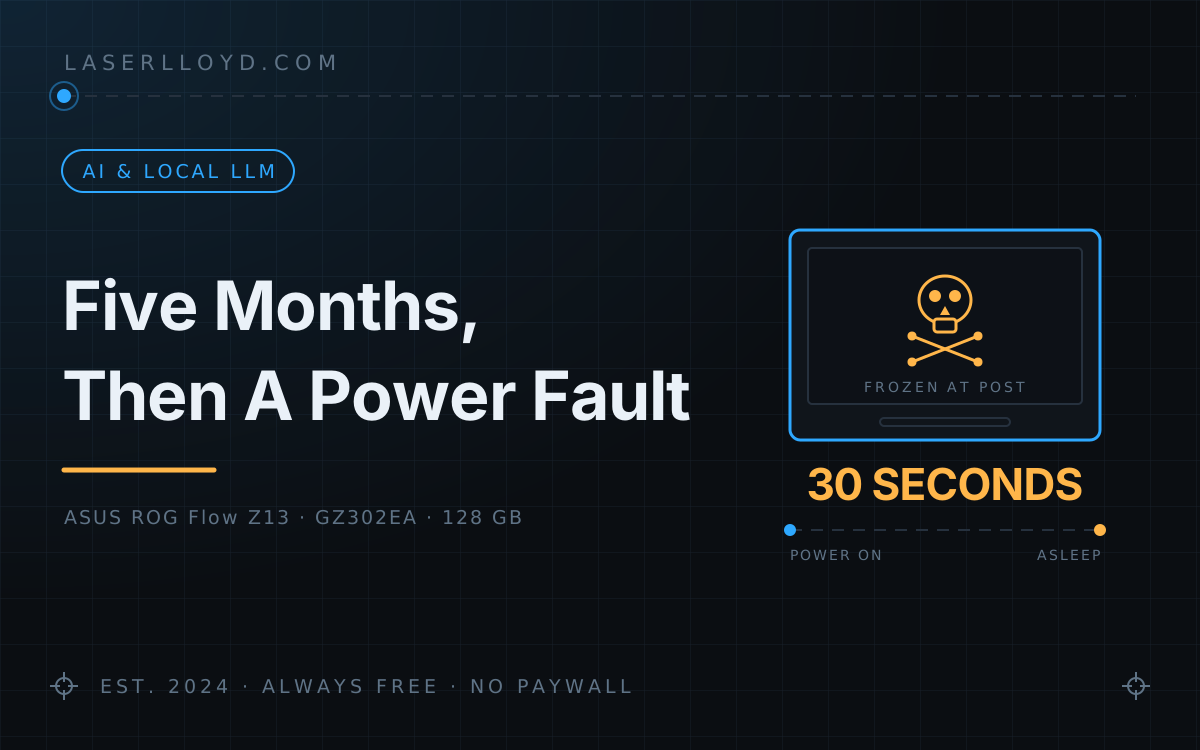
In plain terms: I used an ASUS ROG Flow Z13 gaming tablet as my main computer and home server. It ran AI models, hosted my websites, and held my whole development setup. Then it developed a power fault — it would switch on, freeze on the logo, and put itself to sleep about thirty seconds later, every single time. This is what it did while it worked, exactly how it failed, and how I worked out that the fault was in the hardware rather than anything I could fix.
The ASUS ROG Flow Z13 was never supposed to be a server. It's a gaming tablet with a detachable keyboard, an RGB lightbar, and enough GPU to play AAA titles at respectable settings. I bought one open-box in February 2026 as a portable workstation — something I could toss in a bag, plug into a dock at home, and use as my everything machine. For five months, that's exactly what it did, and it did it better than hardware twice its size.
Then it developed a power fault, and it has not completed a boot since.
tl;dr
- What it was: an ASUS ROG Flow Z13 (2025, GZ302EA) — a 13-inch gaming tablet with 128 GB of unified memory that doubled as my AI server, development machine, and home network hub.
- What it ran: a 120B-parameter model locally, a full eight-agent OpenClaw stack, my self-hosted family chat app, and every website I build.
- What killed it: a power fault. It powers on, hangs on the ROG logo, and the embedded controller drops it into sleep about 30 seconds later — every time, from cold boot and from wake. It never reaches BIOS.
- Why that's terminal: the failure happens before any bootloader runs, so nothing on disk is in the failure path. No OS reinstall can touch it. It's a board-level fault.
- Where it is now: on a shelf, minus its SSD. I didn't chase a warranty claim — I pulled the drive and moved on.
- What replaced it: a CHUWI AuBox Ai365 mini PC — a quarter of the memory, none of the failure modes.
Full Specifications
| Component | Spec |
|---|---|
| Model | ASUS ROG Flow Z13 (2025) — GZ302EA |
| CPU | AMD Ryzen AI Max+ 395 "Strix Halo" — 16 cores / 32 threads, up to 5.1 GHz, 80 MB cache |
| GPU | AMD Radeon 8060S — RDNA 3.5, integrated, 40 compute units |
| NPU | AMD XDNA — up to 50 TOPS |
| RAM | 128 GB LPDDR5X-8000, soldered (unified CPU/GPU memory) |
| Storage | 1 TB PCIe 4.0 NVMe, M.2 2230 |
| Display | 13.4" 2560×1600, 180 Hz, touchscreen |
| Battery | 70 Wh |
| Ports | 2× USB4 Type-C, 1× USB 3.2 Type-A, HDMI 2.1, microSD, 3.5 mm combo jack |
| Wireless | Wi-Fi 7, Bluetooth 5.4 |
| Weight | ~1.2 kg (tablet) / ~1.5 kg (with folio keyboard) |
| OS | Shipped Windows 11; ran Bazzite (Fedora Atomic) for its whole service life |
| Special | Detachable folio keyboard with per-key RGB, edge lightbar, stylus support |
The headline number is the 128 GB. Because it's unified LPDDR5X shared between CPU and GPU, I could carve 64 GB of it out as VRAM and still have 64 GB left for the operating system. In early 2026 there was no other machine you could carry in one hand that would do that.
What It Ran, Day to Day
A 120B model, locally
The memory was the whole point. With 64 GB carved as VRAM and ROCm driving the RDNA 3.5 iGPU, I ran a 120B-parameter model on this tablet — slowly, but genuinely, at usable speed for background work. Smaller models were comfortable: a 30B MoE ran around 70 tokens/second, which is fine for interactive use.
That capability shaped the entire stack I built on top of it. My agent roster had a tier that never touched a cloud API at all: bulk grinding, overnight sweeps, and anything I didn't want leaving the building went to the local model, and it cost nothing but electricity. The eight-agent OpenClaw setup and the cost breakdown both assume that tier exists, because on this machine it did.
Development and hosting
Every site I maintain was written, built, and previewed here before deployment — this one included. The USB4 ports drove a 4K monitor and a dock, so the same tablet was a desktop workstation in about four seconds.
Always-on infrastructure
It ran Tailscale as the backbone of my home network and a stack of systemd services that kept everything talking. It was always on, always plugged in, and always under some amount of load. That last part matters for how this story ends.
What Worked Brilliantly
- 128 GB of unified memory. This spec alone put the Z13 in a class of its own. Running a 120B model on a tablet still feels faintly absurd, and nothing else portable came close at the time.
- Linux compatibility. Once I moved from Windows 11 to Bazzite, everything clicked. The ASUS Aura HID protocol worked over hidraw, ROCm drove the iGPU, and systemd units replaced every Windows background process with something cleaner.
- The form factor. Tablet on the couch, desktop at the dock, headless server behind the monitor — all the same machine, switched in seconds. The folio keyboard was legitimately good: full travel, no flex.
- GPU performance. Forty compute units of RDNA 3.5 handled CAD, local inference, and light gaming. It never behaved like integrated graphics.
What Didn't
- Thermals under sustained load. The thin chassis had exactly one strategy for heat: spin the fans harder. A long inference run turned it into a hairdryer, and the chassis got uncomfortably warm to hold.
- Power delivery under combined load. Charging is USB-PD over the Type-C ports. Under a heavy CPU+GPU run the platform could draw more than the charger was willing to supply, so the battery would trickle down while plugged in — the machine effectively topping itself up from the battery to cover the gap.
- Battery life on Linux. Windows managed six to eight hours with ASUS's firmware tuning. Linux got three to four on a good day, and suspend/resume with a detachable keyboard was a recurring source of udev irritation.
- Not repairable. The RAM is soldered and the chassis is sealed. The M.2 SSD, reachable through a door in the kickstand, is the only user-serviceable part in the machine — which turned out to be the one thing that saved me.
The RGB Keyboard Project
ASUS's Armoury Crate — the only official way to control the keyboard and lightbar RGB — doesn't exist on Linux. So I wrote my own: a Python CLI talking straight to the Aura HID interface, a GTK4 colour picker, and a browser panel on localhost. About 40 KB all in, and it survived suspend, reboot, and undocking the keyboard, which is the trio every other Linux RGB tool forgets.
It became one of the most-read posts on this site. Read the full RGB keyboard article →
How It Ended: A Power Fault
Around 19–20 July 2026 the Z13 stopped completing a boot. I spent two days on it before concluding it was not fixable from my side. The failure is specific enough to be worth writing down properly, because "it won't turn on" is the least useful sentence in computing — and in this case it isn't even accurate. It turns on fine. It just refuses to stay awake.
The symptoms, in order
- Boot halts at a static ROG logo. Not the animated one — a frozen frame. It never reaches a "press F2" prompt, never reaches BIOS, never reaches a bootloader. How far it got varied between attempts: sometimes a dead panel with no backlight, sometimes a lit black screen with fans running, sometimes the frozen logo.
- The folio keyboard is dead at boot. Backlight flashes white on restart, then nothing. F2, Esc and Del never register. This matches a known fault on this model where the keyboard's controller gets stuck in bootloader mode.
- No USB bus power during POST. I plugged in an external RGB keyboard while the logo was on screen: no lights, no power. At that stage of POST the port should be live. It wasn't — which says the embedded controller's power-rail management is wedged, not that the OS is missing.
- A thermal event. I found the machine with the screen off, the fans off, on AC, and the chassis very hot. That combination is the alarming one: the SoC was drawing power in a crashed state with nothing governing the fans. After a forced cooldown, case temperature settled around 96 °F with an external fan on it — confirming the heat was the anomaly and not the baseline.
- The tell: a sleep LED under a frozen frame. After an EC reset the power LED settled into a slow blink — roughly one second on, five seconds off. Per ASUS's own indicator spec, that pattern means the notebook is in sleep mode. A machine cannot be asleep and simultaneously holding a POST logo on its display. That contradiction is the diagnosis.
- It's reproducible. A wake tap brought the LED solid white for about 30 seconds, then it fell back to the sleep blink. Cold boot, wake, cold boot: same 30 seconds, same result, every time.
So the sequence is: firmware hangs early in POST, the embedded controller drops the platform into Modern Standby underneath the hung firmware, and the display controller is left holding the last frame it was given. The frozen logo isn't the machine thinking. It's a still image on a sleeping computer.
What I tried
- Forced restarts and standard resets, repeatedly.
- EC/RTC hard reset both ways — 40-second power-button hold with AC connected, and again with AC disconnected then reconnected. On this platform that's electrically equivalent to pulling the CMOS battery.
- Full peripheral strip: keyboard detached, microSD out, every USB-C and HDMI cable removed, booted as a bare tablet.
- A 45–60 minute untouched wait after the reset, in case 128 GB of memory retraining or a pending firmware capsule needed the time.
- BIOS entry via folio (dead), via external USB keyboard (port unpowered), and via Volume-Down + power.
- A full cooldown, then a retest from cold.
I skipped physically disconnecting the CMOS battery: the 40-second hold already performs that reset electrically, and it doesn't repair a wedged EC or a power-delivery fault. I also skipped everything OS-level, for the reason below.
What I ruled out, and how
| Suspect | Verdict | Why |
|---|---|---|
| Software / OS / kernel args | Exonerated | The hang happens before any bootloader loads. Nothing on disk executes at the failure point, so no configuration on it can be the cause. |
| Boot device / SSD | Exonerated | The dead USB rail and the crash-to-standby signature both sit above the storage layer. The SSD was later pulled and is healthy — it's running in the replacement machine. |
| Thermal lockout | Exonerated | The failure reproduces from cold, at ~96 °F. |
| Flat battery | Exonerated | The blink is the white sleep pulse, not the orange low-battery indicator. |
Not just my unit
This is a documented failure class on this model rather than bad luck with one board. There's an active ROG forum thread describing the same behaviour on the GZ302EA — repeated black-screen and hard-hang crashes tied to Modern Standby — and a separate, well-known report of the folio keyboard's controller getting stuck in bootloader mode on Linux. Both match what I saw exactly.
If you're reading this because your own Z13 is sitting on a frozen logo: time the interval before the power LED starts its slow blink. If it's about 30 seconds, you have this fault, and no amount of reinstalling will help.
What Two Days Of Troubleshooting Actually Bought
Not a fix. What it bought was certainty — the difference between "it's broken, maybe I did something" and knowing exactly which layer failed and that no amount of my time would move it. Five facts carry that:
- A reproducible crash into standby at roughly 30 seconds, from both cold boot and wake.
- A sleep-state LED displayed concurrently with a frozen POST logo — a state a healthy machine cannot be in.
- A thermal event: hot chassis, fans off, on AC, in a crashed state.
- No USB bus power during POST.
- A model-specific defect thread describing identical behaviour on other people's units.
That last one mattered most for how I felt about it. When a machine dies there's a reflex to audit yourself — the kernel argument you set, the update you ran, the thing you left compiling overnight. Finding the same 30-second signature described by strangers on the vendor's own forum settled that question, and made stopping an easy decision instead of a nagging one.
I never filed a warranty claim. The unit was open-box, chasing it would have meant weeks without the machine I actually needed, and I'd already ordered the replacement. So the Z13 is on a shelf, minus its SSD, which came out through the kickstand door and went straight into the box that replaced it. That door is the one piece of design on this machine that paid off at the very end.
What I'd Tell Anyone Running a Tablet as a Server
I'm not angry at the Z13. It did more than any tablet had a right to do, and it did it for five months without complaint. But there's a real lesson in the shape of this failure, and it isn't "consumer hardware is bad."
It's that a machine built around a battery has a power-management state machine designed for a device that charges, discharges, sleeps and wakes. Running it as a server means holding it in one corner of that state machine — plugged in, warm, never sleeping — for months at a time. That's not the workload the firmware was tuned for, and the failure that eventually arrived was a power-management failure, not a broken CPU or a full disk.
The practical version: if a machine is going to be always-on infrastructure, prefer one whose power story is a barrel connector and a fan. And keep your data somewhere the machine's death can't take it with it — the only reason this story has a tidy ending is that the SSD was behind a door instead of behind a soldered joint.
What Replaced It
The successor is a CHUWI AuBox Ai365 — a small AMD mini PC with a Ryzen AI 9 365, dual 2.5 GbE, and a plain barrel connector. It has 30 GB of usable memory against the Z13's 128 GB, which cost me the big local model outright; that tier now runs a 35B MoE instead of a 120B, and the heavy lifting moved to a cheap cloud API. In exchange, it has no battery, no USB-PD negotiation, and no Modern Standby to crash into.