How CrucibleForge Works: An Open LLM Benchmark, Explained
- Category
- AI & Local LLM
- Posted
- November 7, 2026
- By
- Jacob Lloyd — written with AI assistance, post-project
- Read time
- 10 min read
In plain terms: CrucibleForge is a free tool that tests a language model on writing code and holding a conversation, then gives it a score. It works with a model on your own computer or with one you reach through a company's API. This page explains the five steps it goes through, what the tests are, who does the grading, and how to run it yourself with a few commands.
CrucibleForge is an open-source benchmark for language models. You point it at a model, it runs a fixed set of tests, grades the answers and writes a report. MakoBench is our public board, and every number on it comes out of this tool. You can run the same tool on your own models. It is free and MIT-0 licensed, so there are no conditions on using it.
tl;dr
- Five blocks. Your model, a setup check, the tests, the graders, the scores.
- Code is graded by running it. Chat is graded by a judge model that answers a yes/no checklist.
- Total is Code plus Chat. NSFW tests are scored on their own and never added in.
- It works with any OpenAI-style endpoint. A local server or a hosted API, with the key in an environment variable.
- You can be running in about ten minutes. The machine that runs it needs no GPU.
The five blocks
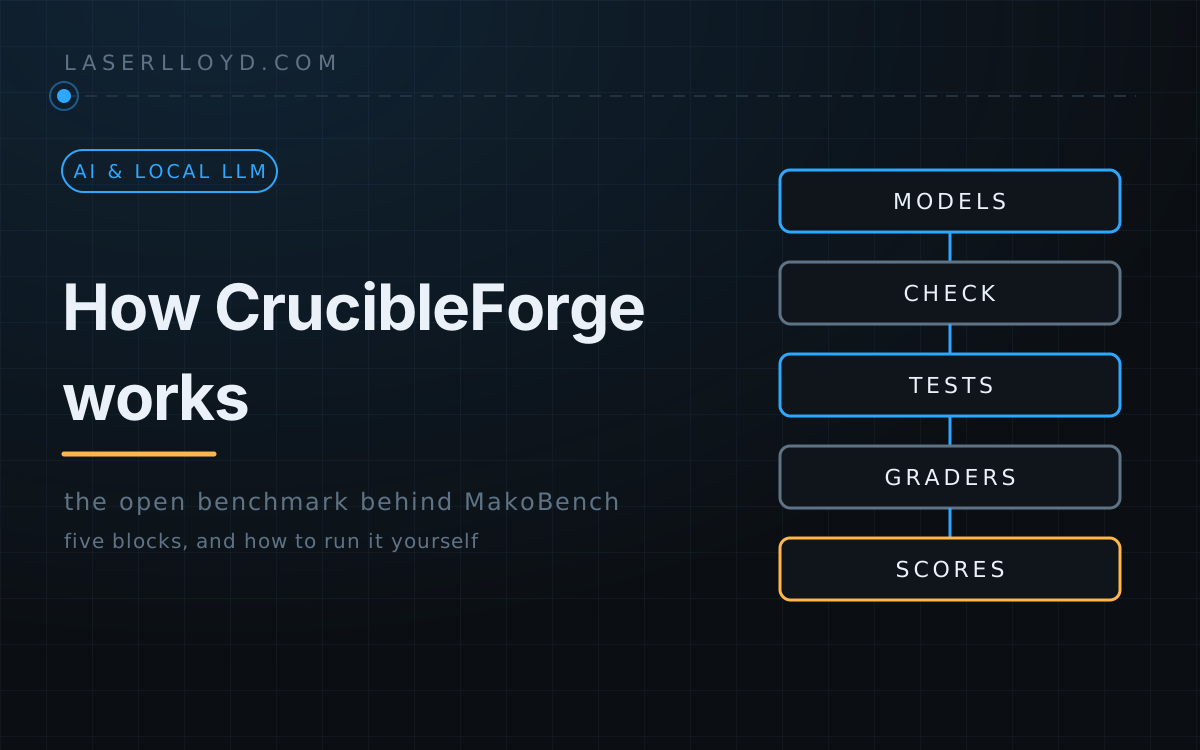
This is the whole tool at the level you need to use it. Each block does one job and hands its result to the next.

- Your models. CrucibleForge talks to anything that speaks the OpenAI chat format. That covers a server on your own machine and a company's hosted API alike.
- Conformance check. Different providers want slightly different requests. Before a model is benched, seven cheap calls prove the harness talks to it correctly: the model id is served, reasoning arrives where expected, a fact survives between turns, a tool call round trip works, the sampler settings are accepted, a medium coding prompt fits the token budget, and for hosted providers the vendor docs were reviewed within the last 120 days. A failed check means the model is not run, because a score from a broken request would measure the harness and not the model.
- Test runner. It sends the cases to the model, in parallel up to what the server allows, and records every prompt and answer.
- Graders. Each answer is graded by the method that fits it. See the next section.
- Scores and output. The grades roll up into Code, Chat and Total, each with a margin, and the tool writes a report. On our side that feeds the MakoBench board. On yours it is a file you open in a browser.
The tests, in plain terms
The headline score has two halves, ten points each for a perfect run of the standard tests. Total is the two added together, so 20 in all. Bonus packs of harder questions unlock when a model scores 90% or better on a part, which is the only way past 10, so there is no hard ceiling.
Code: can it write and reason about programs?
- Functions (5 points). Write a Python function from a description. Hidden unit tests run in a sandbox. Partial credit is the share of test groups that pass.
- Predict and bug hunt (2.5). Say exactly what a short program prints, then find and fix a bug in a small project. Answers are compared exactly or checked by running the fix.
- Tool use (2.5). Scripted conversations where the model must call tools correctly, with traps such as a wrong tool or a bad argument.
None of this needs an opinion. The code runs, and it passes or it does not.
Chat: is it good company in a story?
- Deep role-play (3). Long, lore-heavy sessions. Does the model remember a fact planted earlier, accept a correction and keep the character's point of view?
- Conversation (3). An everyday companion chat that has to stay consistent over many turns.
- Character (2). One character with several voices and habits.
- Creative writing (2). A story written together under stacked constraints, such as length, tense and things that must or must not appear.
Chat measures role-play and companion conversation. It does not score plain question answering, so read it as how good a model is in a story, not as how good an assistant it is.
NSFW: separate on purpose
Some models are built for adult fiction, and some people want exactly that, so there is a group of tests for it. It gets its own score (NSFW level) and is never added to Total. Every character in those tests is an adult. A higher number only says the model goes further. Whether that helps depends on what you want it for.
How the Chat grading works
Chat answers cannot be run, so a judge model reads them. It does not hand out a free-form grade. Each case carries a checklist of yes/no questions, for example “did the character stay in first person?”. For each one the judge answers yes or no and quotes the line that proves it. A yes whose quote is not in the reply counts as a no. Plain text rules, such as counts and forbidden phrases, run beside the judge.
Two things keep the judge honest. A checklist question must ask exactly one thing. And before a judge is used, a calibration check makes sure it will actually do the job and not quietly refuse or soften it.
Margins and ties
Every score has a ± margin from a bootstrap over the test cases. Two models closer together than their margins are tied, whatever order the table puts them in. Scores only compare inside one version of the test set, which the report stamps on every row.
Run it yourself in ten minutes
You need three things: a model to test behind an OpenAI-style endpoint, a judge, and a machine with uv installed. The machine does not need a GPU, so you can run it from a laptop against a hosted API. On Linux, coding answers run inside bwrap (bubblewrap). On Windows and macOS there is none, so use the Docker image from the README or pass --allow-unsandboxed before the subcommand and accept that model-written code runs as you.
1. Install
git clone https://github.com/LaserLloyd/CrucibleForge.git
cd CrucibleForge
uv sync --python 3.13
uv run crucibleforge config --init
The last command writes a starter models.yaml with providers for LM Studio, Ollama, llama.cpp or any local server, DeepSeek, OpenRouter, OpenAI and a few others. Nothing runs until you enable something.
2. Tell it where your model lives
Open models.yaml. A provider says where a server is, and a model entry names one model on it. For a local server:
providers:
  mylocal:
    type: openai
    base_url: http://localhost:8080/v1   # your llama.cpp / LM Studio / StudioForge address

models:
  - name: my-model
    provider: mylocal
    model_id: the-id-your-server-reports
    context_length: 32768
To see the ids a server offers, ask it:
uv run crucibleforge models discover mylocal3. Check the setup
uv run crucibleforge statusThis lists each provider as UP or DOWN, whether its key is set, your models, the judge and the case counts. Fix anything marked DOWN or NOT SET before you go on.
4. Plan, then smoke run
Add --plan to any run and nothing is called. It prints what would run and an estimate.
uv run crucibleforge all --models my-model --judge mylocal:my-judge --plan
uv run crucibleforge all --smoke --models my-model --judge mylocal:my-judge --yes
The smoke run covers a small tagged subset end to end: generation, judging and the report. It proves your setup works. On a hosted model it took under two minutes and cost about two cents in our test. A smoke run is not a score, because it covers only a few of the board's 33 cases. The report marks the model partial, with no Total and no rank.
5. Read the report
Open results/report.html in a browser, or read results/report.md. Next to it are failures.md, report.json, and a transcript of every prompt and answer for each model. A full run, which is the same command without --smoke, takes roughly 25 to 30 minutes per local model on a fast GPU, judge included. For a point-and-click version, run uv run crucibleforge gui and open the address it prints. It listens on your own machine only by default.
Connecting a backend or an API
CrucibleForge has no model inside it. It is a client. Everything it needs is in models.yaml, in three parts: a provider, a model and a judge.
Local server
Use type: openai and the server's address. Typical addresses:
- llama.cpp's
llama-server:http://127.0.0.1:8080/v1 - LM Studio:
http://localhost:1234/v1 - Ollama:
http://localhost:11434/v1 - vLLM:
http://localhost:8000/v1 - StudioForge: its gateway on port 1234,
/v1(not the control panel port). Usetype: studioforgeif you want CrucibleForge to take a GPU lease and load models through the server's planner.
If the server asks for a key, name the environment variable with api_key_env. Do not paste the key into the file.
Hosted API
providers:
  deepseek:
    type: openai
    base_url: https://api.deepseek.com/v1
    api_key_env: DEEPSEEK_API_KEY
    concurrency: 8

models:
  - name: deepseek-flash
    provider: deepseek
    model_id: deepseek-flash
    context_length: 131072
export DEEPSEEK_API_KEY=... # your own key, set in your shell
uv run crucibleforge statusThe starter file already has entries for DeepSeek, OpenAI, OpenRouter and others. Claude works directly too: Anthropic has an OpenAI-compatible endpoint, so a provider with type: openai, base_url: https://api.anthropic.com/v1 and your Anthropic key is enough. A vendor with no OpenAI-style endpoint can usually be reached through OpenRouter. Hosted runs cost real money, so use --plan and the smoke run first. Give a hosted model a price (dollars per million tokens in and out) and the report shows a Run cost column: what one run of the standard Code and Chat tests cost at that price, generation only. A flat plan has no per-token bill, so write basis: list inside the price block and the cost is marked with a ~ as an estimate from token counts at list price. A model on your own hardware shows a dash. CrucibleForge warns, and refuses to start, if a hosted model has no price.
Some providers run a content filter that can block a reply. CrucibleForge records those from the transcripts at every report, marks the row with a "blocked" count and a note, and scores a blocked reply as zero. You do nothing to switch this on.
The judge
Chat needs a judge, and the judge must not be the model under test. It can be a second model on your local server or a hosted one. Pass it per run with --judge provider:model_id, or list candidates under judge: in models.yaml. Two things to know:
- The judge changes Chat scores. Your Chat numbers only line up with the MakoBench board if you use the same judge. Code compares either way, because it is graded by running it.
- Most hosted judges refuse or soften adult text. The calibration check notices. The rest of Chat is still scored, and the NSFW rows wait as “unjudged” until you judge them with a model that will do it.
Going further
crucibleforge conform --models my-modelruns the seven setup checks by themselves.crucibleforge cases verifyre-derives every gold answer offline, as a self-test.crucibleforge reportrebuilds the report from stored results.- Results live in
results/next to yourmodels.yaml, so they stay on your machine.
The README has the Docker route, detached runs, how to keep a custom test private, and how to add test cases. Do you only want the numbers? The MakoBench board has them for the models we have run, and you can ask us to run yours. For the long version of how to read a score, see How MakoBench works. For the install walkthrough with real output, see Run CrucibleForge on your own models.