TransForge: Translate a Static Site With a Local LLM, Only the Pages That Changed
- Category
- AI & Local LLM
- Posted
- October 19, 2026
- Updated
- October 19, 2026
- By
- Jacob Lloyd — written with AI assistance, post-project
- Read time
- 7 min read
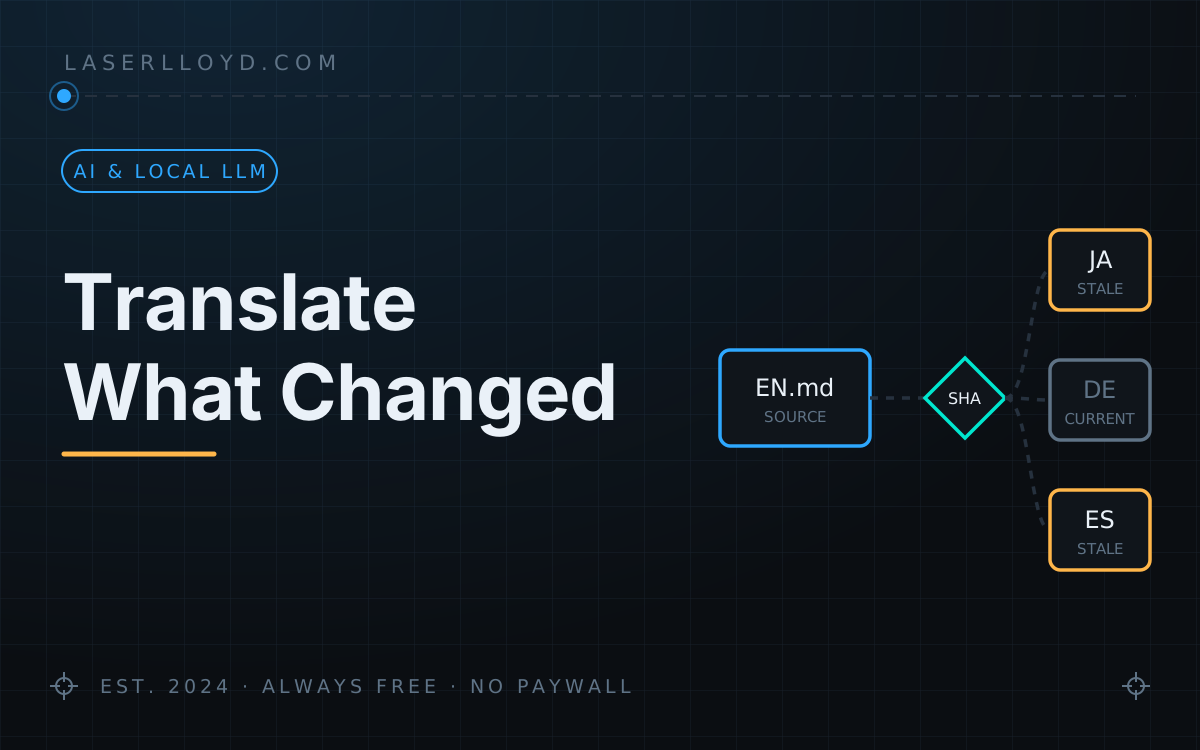
In plain terms: TransForge is a small program that translates the pages of a website into other languages using an AI model running on your own computer, so there is no per-word bill and nothing is sent to a translation company. It remembers a fingerprint of every page it translated, so the next time it runs it only redoes the pages you actually changed, and it never overwrites a translation that a person corrected by hand.
This site is in English plus seven other languages, and I have never translated a page by hand. TransForge does it: a command-line tool that sends each Markdown page to a model on my own GPU server, checks the result, and writes page.ja.md next to page.md. What makes it livable is the bookkeeping. It keeps a fingerprint of every source page and every translation it wrote, so a nightly run translates only what changed, and a translation somebody corrected by hand is never overwritten.
tl;dr
- What it is: a free, MIT-licensed Python CLI, version 0.2.0. Two files, standard library plus PyYAML.
- What it needs: a static site made of Markdown files, and a local model server. It is built for StudioForge; everything goes over its OpenAI-compatible API, so there is no cloud translation service and no per-word cost.
- What it decides for you: for every page and language, whether the translation is missing, stale, hand-edited or current, by content hash, never by file dates.
- What it refuses to do: write a translation that lost a heading, a code block, a link or an image; overwrite a hand edit; or push a benchmark off the GPU.
- Get it:
uv tool install --python 3.13 git+https://github.com/LaserLloyd/TransForge, or the Docker setup in the repo.
What you end up with
One command tells you where every language stands. This is this site on 2026-10-19 (43 English pages, seven languages):
$ transforge status --site laserlloyd
site laserlloyd: 43 source pages x 7 languages | model mradermacher/Hy-MT2-30B-A3B-i1-GGUF/Hy-MT2-30B-A3B.i1-Q4_K_S
  lang     missing     stale    edited untracked     drift   current
  ja             1         0        10         0         0        32
  zh             1         0         8         0         0        34
  ...
  -> 7 sibling(s) need translation
status never contacts the model server; it reads the site and the manifest. transforge run --site laserlloyd then translates the seven missing pages and nothing else. The “edited” column is pages where a translation was changed by hand after TransForge wrote it. Those stay as they are until I say otherwise.
It also translates loose text, which is handy for a one-off check of a model:
$ echo "Only the pages that changed get translated again." | transforge text --to ja
変更されたページのみ、再翻訳されます。
That took 15 seconds with the model already warm on the GPU box.
How it decides what to translate
For every source page and target language TransForge stores a hash of the English source, a hash of the translation it wrote, and a hash of the settings that shape the output (the model, the prompt, the terms to keep, the temperature). Comparing those gives one state per page and language:
| State | Meaning | Does run translate it? |
|---|---|---|
| missing | no translation file yet | yes |
| stale | the English source changed since the translation was written | yes |
| edited | someone changed the translation by hand | no, only with --force and an explicit --files |
| untracked | a translation exists that TransForge did not write | no; accept adopts it |
| drift | source and translation unchanged, but the model or prompt settings changed | no; it only tells you |
| current | nothing to do | no |
Two of those choices matter more than they look. A hand edit beats a source change: if both happened, the page is “edited”, so a correction is never lost to an automatic run. And changing the model does not re-translate the whole site behind your back; you see “drift” and decide which pages are worth redoing.
Before a translation is written it is checked: the same number of headings, code blocks, tables, figures, images and links as the source, the target script actually present (Japanese characters in a Japanese page), no protected brand term invented, and a minimum length. A failure leaves the old translation in place. Internal links are rewritten by TransForge after the model runs, never by the model: /projects/foo/ becomes /ja/projects/foo/ only when the Japanese page exists. Any file it overwrites is copied to a backup folder first.
Install and first run
uv tool install --python 3.13 git+https://github.com/LaserLloyd/TransForge
mkdir -p ~/.config/transforge
cat > ~/.config/transforge/config.toml <<'EOF'
[defaults]
endpoint = "http://localhost:1234"
model = "publisher/repo/file-stem"

[sites.example]
root = "~/sites/example"
content_dirs = ["content/projects", "content/pages"]
languages = ["ja", "de"]
lang_names = { ja = "Japanese", de = "German" }
link_dirs = ["projects"]
no_translate = ["MyProduct"]
translate_fields = ["title", "excerpt"]
EOF
export TRANSFORGE_LLM_API_KEY=...        # only if the server requires a key
transforge config                         # the resolved config; says where the key came from, never prints it
transforge models                         # what the server offers; copy the full model id into the config
transforge run --site example --dry-run   # what would be translated
transforge run --site example --limit 2   # translate two pages, then read them
endpoint is the server root without /v1, and model must be the full id the server lists (StudioForge ids look like publisher/repo/file-stem; an unknown id exits with code 5 and the nearest matches). no_translate holds names that must stay as they are, and translate_fields the frontmatter keys to translate; every other key is copied through. On Debian and Ubuntu, do not pip install . with the system Python: it is refused (PEP 668). uv tool, pipx or a virtual environment all work.
If your site already has translations made some other way, run transforge accept --site example once. It records the existing files as current instead of translating them again.
Exit codes are meant for scripts and cron: 0 done or nothing to do, 1 a page failed (and from status, work is pending), 2 a config error or the server refused the API key, 4 the server is unreachable, 5 the model is not on the server, 6 a benchmark holds the GPU so jobs were deferred.
Docker
The repository also has a Compose setup that runs TransForge as a toolbox against your site folder, with the manifests in a volume and an optional scheduler service:
git clone https://github.com/LaserLloyd/TransForge.git && cd TransForge
cp deploy/compose/.env.example deploy/compose/.env    # set LLM_BASE_URL and TRANSFORGE_LLM_API_KEY
docker compose -f deploy/compose/compose.yml run --rm app status --all
It opens no port. Inside a container localhost is the container, so the model server has to listen on an address the container can reach. I run TransForge natively and have not used the container myself; docs/deploy/docker.md in the repo has the details, including backups.
New in 0.2.0
The 0.2.0 release (October 2026) is mostly about running against a StudioForge 2.0 server, which requires an API key:
- API key support. TransForge sends
Authorization: Beareron every request to the server. It reads the key fromTRANSFORGE_LLM_API_KEY(orSTUDIOFORGE_API_KEY, or a variable you name withapi_key_env); rotating the key does not mark any page stale. Without a key, a server that requires one gets a one-line answer and exit code 2 (shown below the list). - It fails safe around benchmarks. Before translating, TransForge checks whether a benchmark holds the GPU and backs off if one does. A refused lease check used to read as “nothing running” and switched that protection off; now it stops with exit 2.
- Windows works, and manifests use
/on every OS, so a manifest moves between Windows, Linux and the container. Old Windows manifests are re-keyed automatically when read. Do not runaccept --allto “rebuild” one: that would mark stale translations as current. - The old management PIN is deprecated. Model load and unload use the API key; the PIN still works for one more release and prints a warning when it is the only credential.
rig returned HTTP 401 Unauthorized for http://<server>:1234/api/status -- StudioForge requires credentials: set $TRANSFORGE_LLM_API_KEY (or `api_key_env` / `api_key` in the config)
Upgrading: uv tool install --reinstall --python 3.13 git+https://github.com/LaserLloyd/TransForge, then set TRANSFORGE_LLM_API_KEY if your server enforces keys.
Gotchas
- Read the first few translations yourself. The checks catch broken structure, not a wrong word. I use a dedicated translation model, Hy-MT2 30B, with
prompt_template = "hunyuan-mt"(the short prompt pure translation models expect); a general instruct model works with the default template. Either way, anything important deserves a human read. - An edited translation is frozen until you decide. That is the point, but it also means a source fix will not reach that language.
status -vlists them;run --force --files <page>re-translates one on purpose. - Changing the model does not re-translate anything. You get “drift” on every page instead. Redo the pages that matter with
--force --files. - Built for StudioForge. The warmup (loading the model with enough parallel slots) and the benchmark check talk to StudioForge’s own API. The README says a llama.cpp server works for translation; I have only run it against StudioForge.
- Not recursive.
content_dirsare scanned one level deep. List each folder that holds pages. - A page that should stay English sets
en_only: true(ortranslate: false) in its frontmatter and is skipped entirely.
Get it
github.com/LaserLloyd/TransForge, MIT licensed. The README has install blocks for Windows, Linux and macOS, the full config reference and an optional second-pass review stage that can use a hosted model (off unless you ask for it; translation itself is always local).
Related: StudioForge (the GPU server the model runs on), managing my websites with a local AI agent box, and how to have an LLM adapt any project to your system.