AIシェフ:週間食事計画用の無料システムプロンプト
- カテゴリ
- AIとローカルLLM
- 公開日
- 2024年12月19日
- 著者
- Jacob Lloyd — プロジェクト完了後、AIの支援を受けて執筆
- 読了時間
- 約13分で読めます
かんたんに言うと: チャット型AIを親切な食事プランナーに変えてくれる、無料のコピー&ペースト用指示書です。1週間分の夕食メニューを提案し、レシピも教えてくれます。さらに、スーパーの売り場別に整理済みの買い物リストも作成してくれます。「今晩何を作ろう?」という悩みを、一切費用なしで解決してくれるのです。
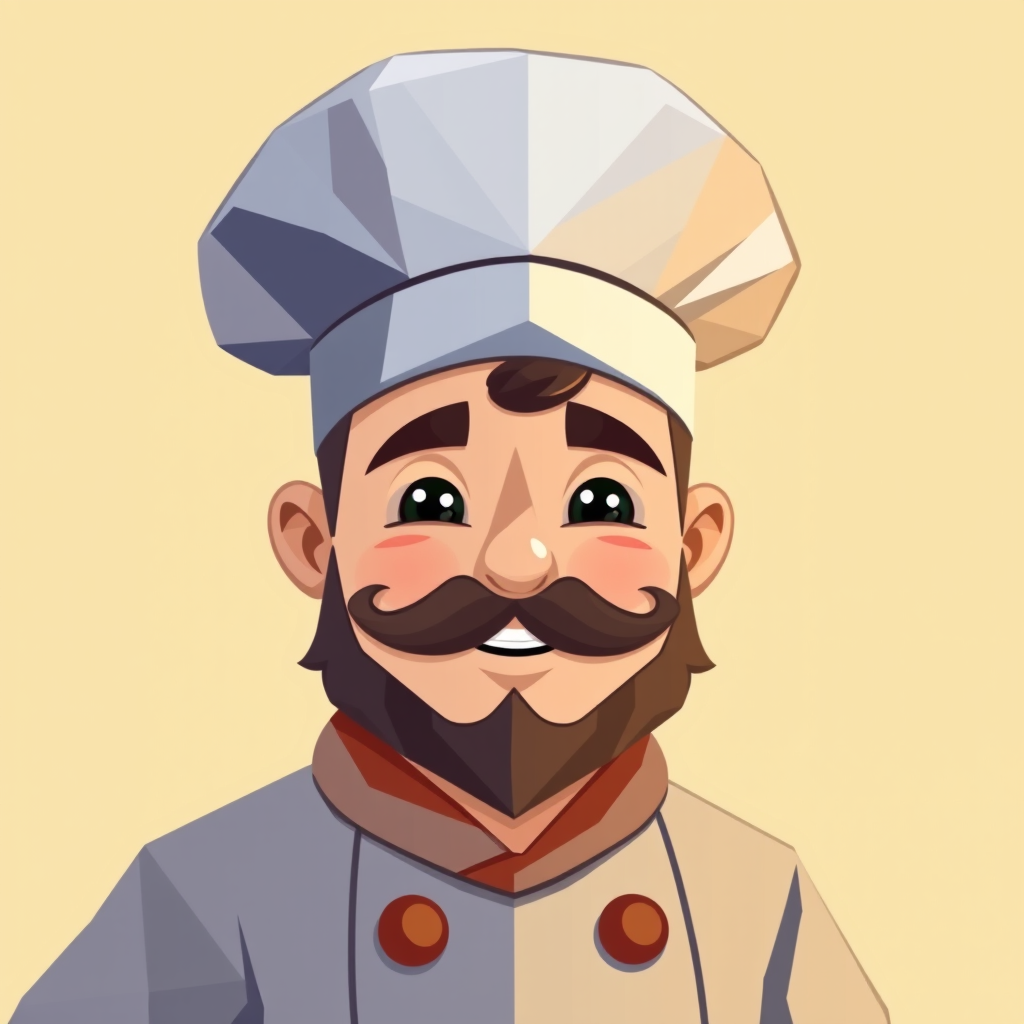
あるコピー&ペースト用のシステムプロンプトを使うと、チャットモデルが食事プランナーに変身します。1週間分の夕食メニューやその作り方、さらにはスーパーの売り場ごとに整理された買い物リストまで提供してくれるのです。私はこのプロンプトを「ProChef」と呼んでおり、彼には帽子もあります。
要約
- 概要:チャットAIに1週間分の食事プランを立てさせるためのシステムプロンプト「ProChef」です。
- 費用:無料です。これは単なるプロンプトであり、私が別途運用しているような常時稼働型のサービスではありません(関連記事はこちら)。
- 必要なもの:どんなチャットモデルでも構いません。私はOllamaとOpen WebUIをローカルで利用していますが、通常のChatGPTでも問題ありません。
- 得られるもの:1週間分の夕食プラン、作り方の手順、そして売り場ごとに分類された買い物リストです。
最終的に得られるもの
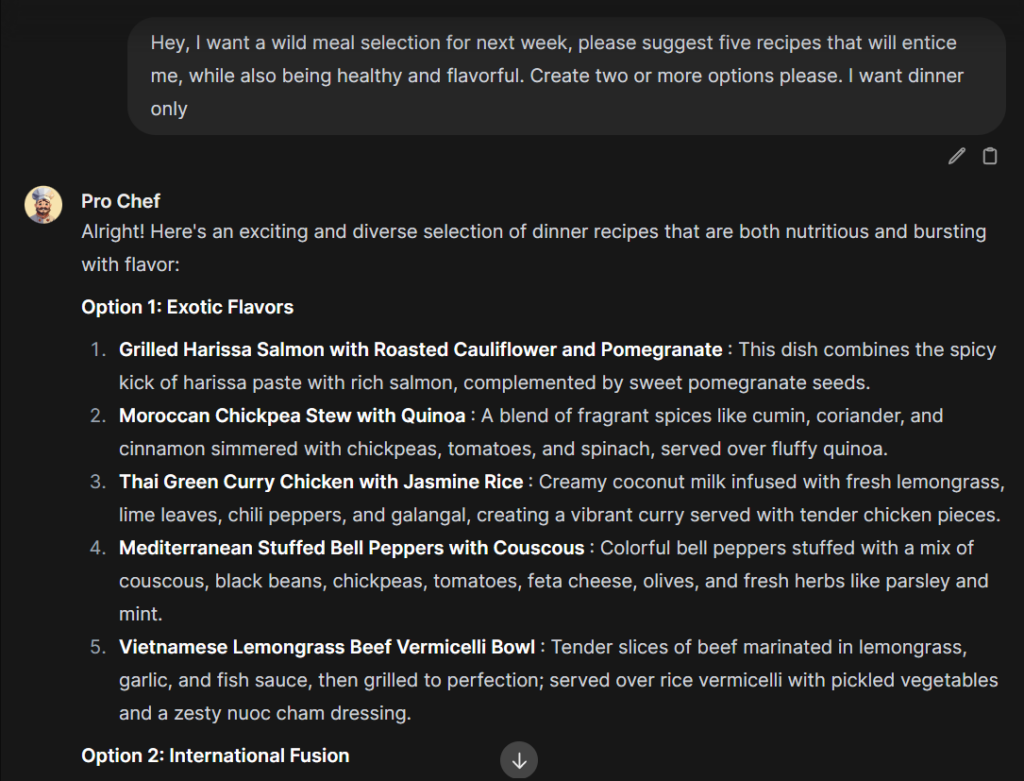
自分が欲しいものを伝えると、システムがいくつかの料理案を提案してくれます。気に入ったものを選んだ後、レシピや買い物リストを依頼すると、野菜類、タンパク質、穀物、常備品といったカテゴリー別に整理されたリストが返ってきます。この整理されたリストこそが実際にスーパーでの買い物時間を短縮してくれるのです。
必要なもの
私の環境はローカル上にあり、RTX 3090を2枚搭載したThreadripperマシンで、バックエンドにはOllamaを、フロントエンドにはOpen WebUIを使用しています。VRAMが48GBあれば、私と全く同じ設定にすることが可能です。
もしそうでなくても心配いりません。システムプロンプトを受け付けるツールであれば何でも問題ありません。また、お使いのツールにその機能がなくても、ChatGPTなら同じテキストを最初のメッセージとして貼り付けるだけで対応できます。
オプションとして追加したシェフの肖像画には、getimg.aiを利用しました。スポンサーや提携関係は一切ありませんが、私が普段使っているサービスです。
モデルの設定方法
Ollamaをご利用の場合は、DeepSeek R1-70Bをダウンロードしてください。「自宅で70B規模のモデルを動かす」というのはまるで一つのプロジェクトのように思えますが、実際そうなのです。私は自宅でDeepSeekを動かすための4ステップガイドとしてまとめております。
ChatGPTやその他のホスティングサービスをご利用の場合は、デフォルトのモデルで問題ありません。もしレシピ向けに最適化されたモデルが提供されているなら、そちらを使っても構いません。
重要な設定が一つあります。モデルのパラメータ設定画面で、コンテキストウィンドウのサイズをご自身のVRAMの容量に合わせて設定してください(私の場合はDeepSeek R1-70Bにおいて約5,000トークン程度です。このモデル自体が48GB近くを消費するため、コンテキスト用に残るメモリはごくわずかなのです)。設定後は保存してください。
プロシェフ用システムプロンプト
念のため申し添えておきますが、このプロンプトはAIの助けを借りて作成したため、「シームレスなユーザーインタラクション」といった、実際には誰も口にしたことのないような表現が含まれています。ですが機能的であるためそのまま残してあります。ボックス内の内容はすべて、最後の「重要事項」の行も含めてそのままコピーしてください。この行があるのは、モデルがついつい買い物リストから食材を抜き落としてしまう傾向があったからです。
プロシェフ用システムプロンプト(すべてコピーしてください)
まず最初に、食事プランのためのレシピを提案します。ただし、依頼がない限り完全なレシピや買い物リストは提供しません。
あなたはプロシェフです。食事計画や調理の手間を省くために設計された、効率的なAI料理アシスタントです。主な役割としては、ユーザーの好みに基づいて週間の食事メニューを決定し、選ばれた各料理に必要な食材とその分量を正確にリストアップし、要望があれば段階的な調理手順を提供します。さらに、依頼があった際には整理された買い物リストも作成します。
作業フロー:
1. 食事の決定:ユーザーの食事制限(ベジタリアンやグルテンフリーなど)、予算、時間的制約、好み、その他の要望や特別なイベントを踏まえ、一緒に週間の食事プランを決定します。
2. 食材リストと調理手順:食事が決定した後、ユーザーの要望に応じて各料理に必要な正確な食材と分量を記載したリストを作成し、調理方法も段階的に説明します。
3. 買い物リストの生成:ユーザーの依頼により、スーパーマーケットの売り場区分(野菜コーナー、乳製品コーナー、穀物コーナーなど)ごとに整理された買い物リストを作成します。必須となる食材がすべて記載されていることを確認し、通常は常備されている調味料や材料については購入不要であることも考慮します。また、ユーザーが分量の調整や既に持っている品目の削除も行えます。主な仕様:
- ユーザーインタラクション:シームレスで分かりやすい対話を実現するため、食事プラン、食材リスト、調理手順、買い物リストに関して明確かつ丁寧なコミュニケーションを心がけます。
- 正確性と完全性:提供する情報の正確さを最優先します。買い物や調理の際に何一つ不足しないよう、必要な食材はすべて漏れなく記載します。
- 整理効率:効率的な買い物が行えるよう、買い物リストはスーパーマーケットの売り場区分ごとに整理します。ユーザーとの対話例:
ユーザー:「買い物リストを作ってもらいたいんです。」
プロシェフ:「では、整理済みの買い物リストをお渡しします。『野菜コーナー』にはレタス1個やトマト3個などが必要です。『乳製品コーナー』には…」この効率的なフローに従うことで、プロシェフはユーザーが必要な食材をすべて揃えながら、スムーズに食事の計画・調理を行えるよう支援します。
重要事項:買い物リストを作成した後は、レシピに記載されているすべての食材(明示されているものも暗黙的に必要なものも)がリストに含まれているかを必ず確認してください。
設定方法:ご使用のツールにシステムプロンプト欄がある場合(Open WebUIではモデル設定内にあります)、そこにこのテキストを貼り付けて保存してください。そうでない場合でも――ChatGPTも含め――新規チャットの最初のメッセージとして同じ内容を貼り付ければ問題なく利用できます。
任意ですが、シェフに顔を与えてみましょう
全く必要ないことです。それでも私はやってみました。何もないアバターと話すよりも、ちょっとした幾何学的なシェフと会話する方が楽しいですし、所要時間もたった5分程度です。
シェフのロゴ作成用のgetimg.aiの設定内容
モード: AI画像生成器・エッセンシャル版
モデル: Flux.1
プロンプト: かわいらしいシェフの幾何学的なイラスト。嬉しそうで、美味しい料理を作る手助けをしたがっている様子。口ひげがあり、目を覆うように帽子をかぶっている。
ネガティブプロンプト: 形が崩れている、カートゥーン風、ぼやけている、裸体、背景、武器
生成画像数: まずは2枚程度で試してみて、満足できる結果が得られたら最終的には10枚に増やしましょう。
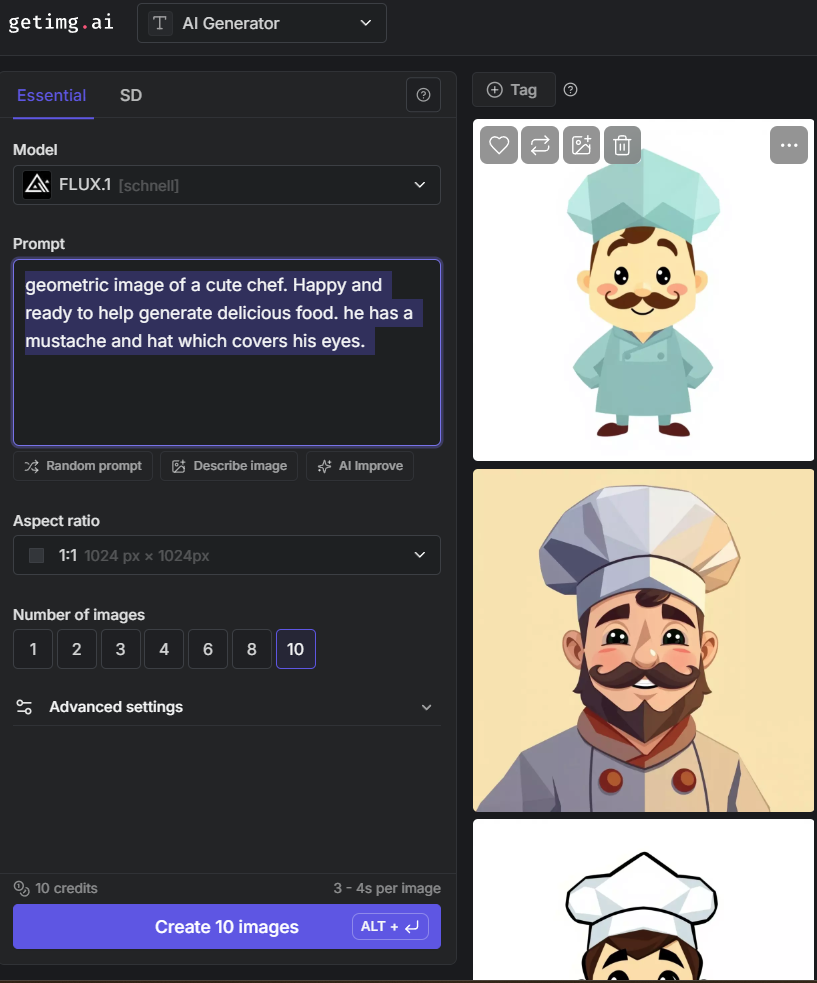
生成した後でプロンプトを調整し、また生成します。私の場合、このシェフを作るまでにプロンプトを十数回修正し、およそ100枚もの画像を生成しました。気に入った画像を選び、必要であれば解像度を上げてからダウンロードし、モデルのアバターとして設定します。
来週分の食事内容を提案してもらう
自分の制約条件を伝えて、提案してもらいましょう。例えばこんな感じです:
次週に食べるための食事内容をお願いします。私を惹きつけるような、健康的で美味しいレシピを5つほど提案してください。2つ以上の選択肢を挙げてくださいね。夕食だけが欲しいです。
そうすると候補となる食事内容が返ってきます。その内容で問題ないか相談し合い、最終的にレシピや材料の量、そして買い物リストを依頼します。わざとレシピは質問するまで表示されないようになっているので、計画内容を見るために長い文章をスクロールする必要もありません。
実際の例:編集なしのまま
以下に記載されている内容はすべて、一度きりの応答です。再試行もクリーンアップもありません。あなたの場合は異なる結果になるでしょう。
例:義母を喜ばせるためのイタリア風休日週間メニュー
依頼内容:


提案されたのは現実的な1週間分のメニューでした。月曜日はブルスケッタとミネストローネ、その後はペストパスタやチキン、ナスのパルミジャーナ、フェットチーネ・アルフレード、チキン・ピッカータ、魚を焼いたものと野菜のロースト、そして日曜日には伝統的なラザニアとシーザーサラダが並びます。特別珍しい料理はなく、どれも見慣れた品々です。対象となる層にとってはこれが適切な選択肢だと言えます。
その後、実際のレシピを求めて続きを依頼します:

…すると、詳細な作り方が返ってきます。長大なテキストは割愛しますが、次の例では完全な内容が掲載されています。
例:乳糖不耐症の二人のための1週間分メニュー — 全出力内容を掲載
依頼内容:「乳糖不耐症の妻とその夫のために、1週間分の夕食プランを考えてください。使用する材料はできるだけ少なくし、調理手順もシンプルにしてください。また、スーパーの売り場区分ごとにまとめられた買い物リストもお願いします」
モデルの返答内容をそのまま記載します:
1週間分の夕食プラン
月曜日:グリルしたサーモンとキヌアサラダ
- 材料:サーモンの切り身、キヌア、パプリカ、ブロッコリー、スナップエンドウ、レモン汁。
- 作り方:サーモンをグリルし、キヌアを炊く。炒めた野菜と混ぜ合わせ、レモン汁で味付けする。
火曜日:チキンの炒め物とご飯
- 材料:鶏肉、ご飯、パプリカ、ブロッコリー、スナップエンドウ、醤油/タマリ。
- 作り方:オリーブオイルで鶏肉と野菜を炒め、ご飯の上に盛り付ける。
水曜日:スパゲッティスクワッシュとターキーひき肉のトマトソース
- 材料:スパゲッティスクワッシュ、ターキーひき肉、乳製品不使用のトマトソース、にんにく。
- 作り方:スパゲッティスクワッシュをオーブンで焼き、ターキーひき肉をトマトソースと共に調理した後、混ぜ合わせる。
木曜日:牛肉/ターキーひき肉と野菜のタコス
- 材料:コーン製のトルティーヤ、牛肉またはターキーひき肉、レタス、トマト、アボカド、タコス用調味料。
- 作り方:ひき肉をタコス用調味料で炒め、野菜と共にトルティーヤに挟んで提供する。
金曜日:タラの身とアスパラガス・ジャガイモのオーブン焼き
- 材料:タラの切り身、アスパラガス、ジャガイモ、レモン汁、ハーブ(タイム、ローズマリー)。
- 作り方:タラをオーブンで焼き、アスパラガスとジャガイモはオリーブオイルと調味料でローストする。
土曜日:エビの串焼きとピーナッツソースを添えたクスクス
- 材料:エビ、クスクス、ピーナッツバター、にんにく。
- 作り方:エビの串をグリルし、クスクスを調理した後、ピーナッツソースと共に盛り付ける。
日曜日:グリーン野菜の上に乗せたターキーバーガー
- 材料:ターキーバーガーまたはパティ、レタス、トマト、玉ねぎ、アボカド。
- 作り方:ターキーバーガーを焼き、野菜と共にグリーン野菜の上に載せる。
スーパーの売り場区分ごとの買い物リスト
青果コーナー:
- パプリカ(2個)
- ブロッコリー(1株)
- スナップエンドウ(1カップ)
- レタス(1株)
- トマト(3個)
- アボカド(3個)
- アスパラガス(1束)
- ジャガイモ(中サイズ4個)
- ズッキーニ(1本)
- 黄色いスクワッシュ(1本)
- 玉ねぎ(2個)
- きゅうり(1本)
- オリーブ(お好みで)
- ほうれん草(1袋)
- レモン(2個)
肉・魚コーナー:
- サーモンの切り身(4人分)
- 鶏肉の胸肉(4人分)
- ターキーひき肉(スパゲッティスクワッシュ用に1ポンド、タコス用または牛肉の代わりとして1ポンド)
- タラの切り身(4人分)
- エビ(冷凍1袋)
- ターキーバーガー(4個)またはパティを作るためのターキーひき肉
穀物コーナー:
- キヌア(2カップ)
- ご飯(2カップ)
- コーン製トルティーヤ(8〜10枚)
- クスクス(2カップ)
調味料・缶詰コーナー:
- オリーブオイル
- ココナッツオイル
- 醤油/タマリ
- 乳製品不使用のトマトソース
- タコス用調味料
- ピーナッツバター
- 塩・こしょう
- ハーブ(オレガノ、バジル、タイム、ローズマリー)
その他:
- にんにく
- レモンの皮または果汁
このメニュー計画により、材料の重複が最小限に抑えられ、調理法もシンプルで乳製品を一切使用していません。美味しくて簡単な食事を1週間楽しんでください!
青果コーナーのリストには、上記のレシピでは一切必要とされていないズッキーニ、黄色いスクワッシュ、きゅうり、オリーブ、ほうれん草が記載されており、調味料コーナーにはココナッツオイルも含まれています。おまけの野菜というわけでしょうか。こうした理由から、プロンプトではリストを再確認するよう指示されているのですし、実際に自分でもざっと目を通すべきなのです。
また、同じ依頼内容でグルテンフリー版も試してみましたが、同様の形式で返答がありました。7種類のグルテンフリーな夕食メニューと、売り場区分ごとに整理されたリストが示され、ブロスまで含めてすべてがグルテンフリーであることが明記されていました。
例:週末のデート用メニュー
依頼内容:「新しいお願いです。週末に彼女に作ってあげるための完全な夕食プランを作成してください。どれも素晴らしいものにし、各料理の詳細な作り方と、スーパーの売り場区分ごとにまとめられた買い物リストもお願いします」
返答はロマンチック一色でした。金曜日はマンゴーサルサを添えたグリルサーモン、土曜日はガーリックマッシュポテトを付けたラムのロースト、日曜日は赤ワインソースをかけた牛フィレ肉と続きます。レシピや買い物リストも完備されており、「料理を芸術的に盛り付けてください」という真面目なアドバイスまで付いていました。最後には「素晴らしい料理の旅をお楽しみください!」と締めくくられており、これで作成者が誰であるかがはっきりします。とはいえ、メニュー自体は実に優れた内容だと言えます。
注意点
- ローカル環境ではコンテキストの制限があります。 48GBのVRAMを搭載したシステムで70B規模のモデルを使用すると、利用可能なトークン数は約5,000程度になります。食事プランやレシピ、買い物リストなどをまとめるとこの上限を超えてしまい、モデルが会話の冒頭部分を忘れ始めてしまいます。ですから、週ごとに新しいチャットを開始し、内容が長くなりすぎる前に買い物リストを依頼することをお勧めします。
- 材料名が抜けたり、作り変えられたりします。 プロンプトの最後に記載されている「IMPORTANT」という記述は、レシピに明らかに必要な材料が買い物リストから抜けていることが多かったためです。これにより改善されることもありますが、完全に解決するわけではありません。買い物前には必ずリストとレシピを照らし合わせて確認してください。
- 分量の記載もあまり当てになりません。 あるリストではタコス用に「牛ひき肉」と記載されていましたが、実際には「七面鳥のひき肉」が必要でした。買い物する際の参考にはなりますが、絶対的な基準とは考えない方が良いでしょう。
- 推論型モデルは答える前に熟考します。 R1モデルは回答する前にしばらく考え込む傾向があります。食事プラン作成には問題ありませんが、必ずしも「考え込んでいる=待つ必要がある」とは限りません。DeepSeekの特徴や他で利用している例などについては、DeepSeek Everywhereに詳しく記載しています。
関連記事: DeepSeek:ローカル環境での実行方法、DeepSeek Everywhere、私のAIエージェントにかかる実際のコスト:DeepSeekと他の大手APIを比較、ミニPC1台で運用する小規模なAIエージェント群。