ChatForge: a Local NPU AI Assistant for the Copilot Key
- Category
- AI & Local LLM
- Posted
- October 2, 2026
- Updated
- October 3, 2026
- By
- Jacob Lloyd — written with AI assistance, post-project
- Read time
- 11 min read
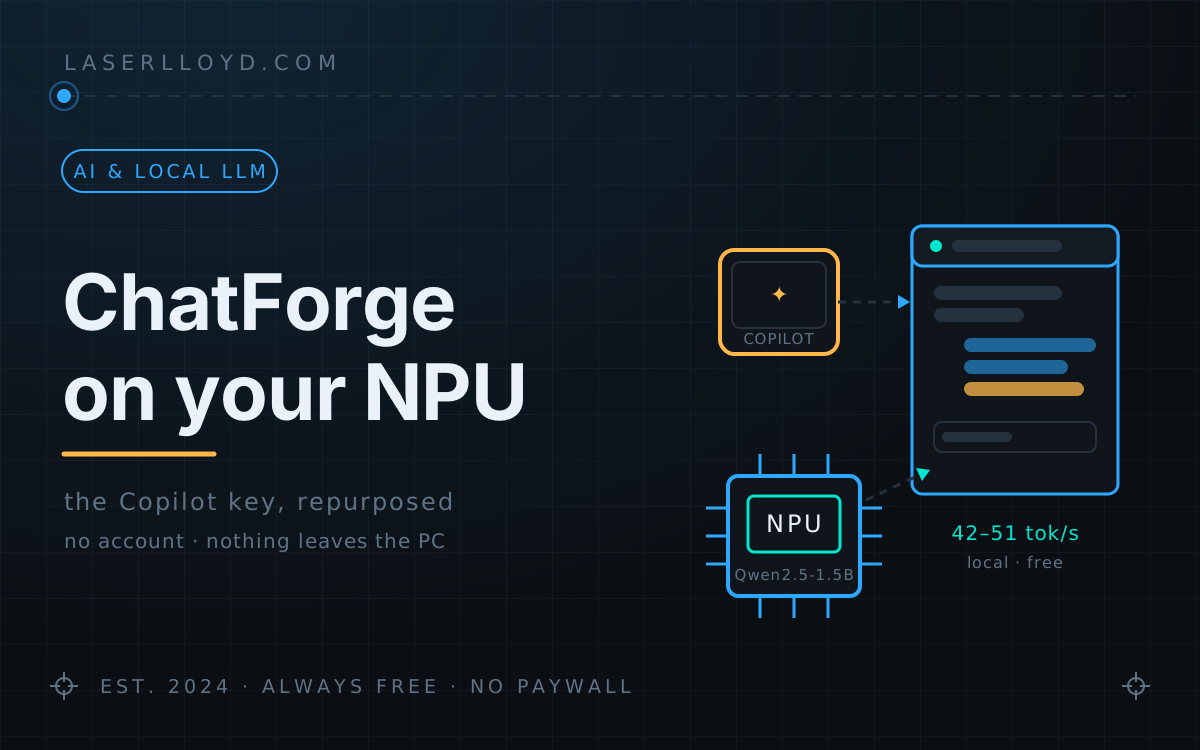
In plain terms: New Intel laptops have a special AI chip (an NPU) that mostly sits unused, and a Copilot key that opens Microsoft's assistant. ChatForge is a free program that gives that key a different job: it opens a small chat window that answers from a model running on your own laptop, with no account and no monthly fee, and can look up live things like weather and news. For harder questions, the same window can ask a bigger AI service instead.
My laptop shipped with a dedicated AI key and a dedicated AI chip, and out of the box they have never met: the key opens Microsoft Copilot in the cloud, and the NPU sits there doing nothing. That bothered me more than it should have. So now the key opens ChatForge, my own assistant. It runs a 1.5B Qwen on the NPU at 42–51 tokens per second. No account, no subscription, no per-token bill, and the conversation never leaves the PC. When a question is too big for a 1.5B brain, my GPU server or a cloud model is one click away in the same little popup.
This article is the tour: what it does, what the NPU is actually like to live with (including the model that compiled perfectly and then spoke in tongues), and the tricks that make a model this small give real answers instead of the classic small-model shrug.
tl;dr
- What it is: a free, MIT-licensed notification-area assistant for Windows 11.
Ctrl+Alt+C(or the Copilot key, remapped with PowerToys) opens a 420 × 620 popup at the lower right; Escape puts it away. Source: github.com/LaserLloyd/ChatForge. - The local model:
Qwen2.5-1.5B-Instruct(INT4, a 0.94 GB download) served by OpenVINO Model Server on the Intel "AI Boost" NPU. First load compiles for the NPU in about 45 s; after that it loads from cache in about 3 s and decodes at 42–51 tok/s. It unloads itself after 10 idle minutes. - Bigger models, same menu: StudioForge (your own GPU server), MiniMax, OpenAI, DeepSeek, or any OpenAI-compatible URL. Keys live in the Windows Credential Manager, never in a config file.
- Nine tools: web and news search, page fetch, weather, Wikipedia, exchange rates, date and time, a calculator — and
create_document, which saves a Word, Excel or PowerPoint file the model wrote. Attach up to 10 files per message and ask about them. - What it is not: an agent. No tool runs a program or changes a setting; the one tool that writes can only add a new file to its own folder.
What you end up with
A question away from any app: press the key, type, read, Escape. Every answer says which model wrote it and how fast, so you always know whether you got the free local one or something with a meter on it. When a question needs live data, a tool chip shows what was looked up; when you ask a bigger model for a report, the reply carries a document card with Open and Show in folder.
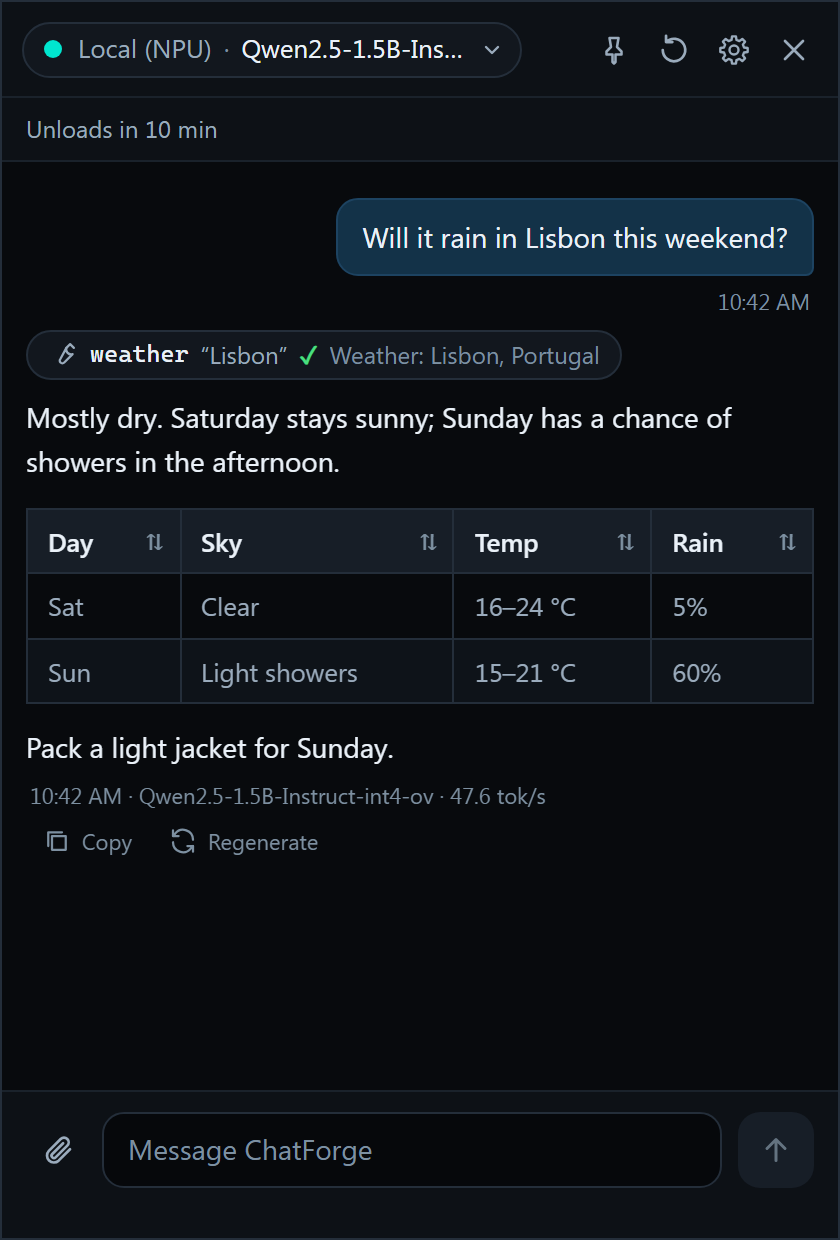
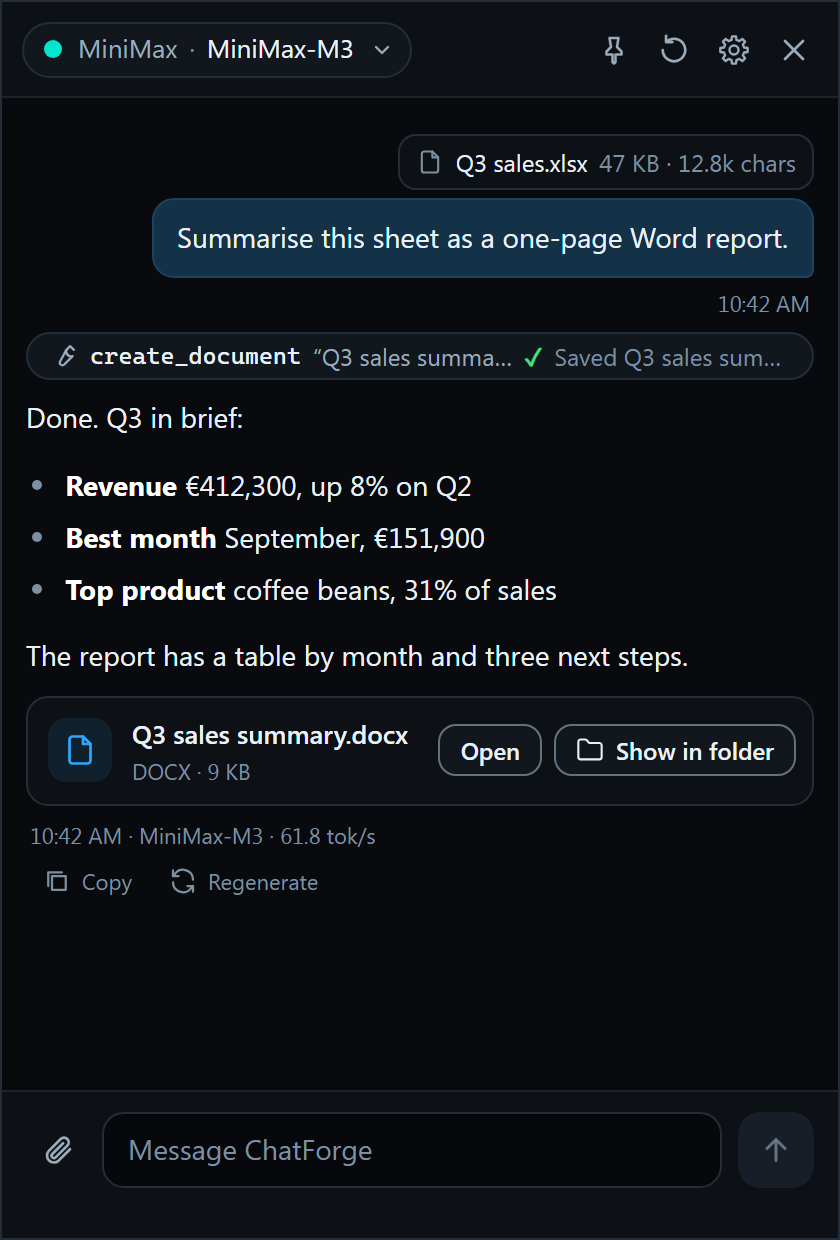
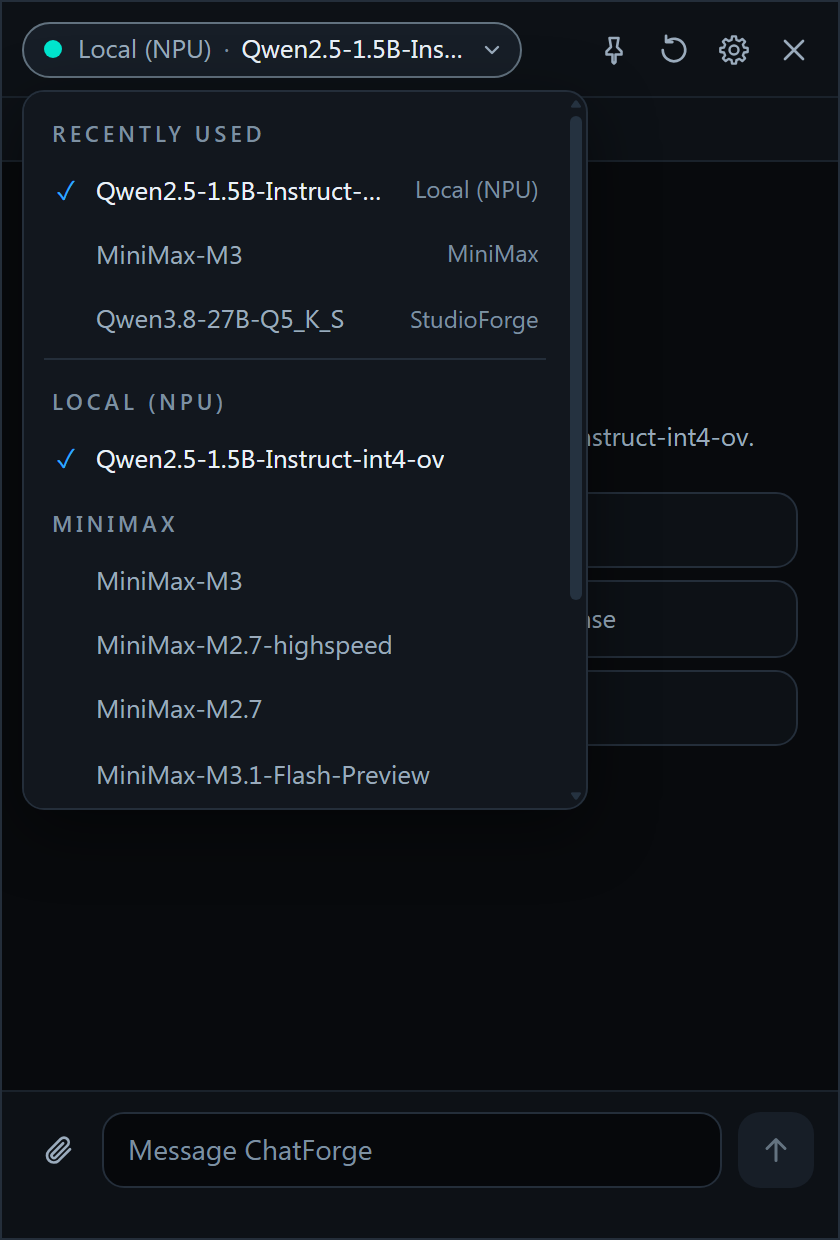
The conversations, figures, location and server name in the screenshots are example data; the UI is the real thing, rendered in Edge (the engine behind WebView2) against the project's development mock.
Where to get it
One MIT-licensed repo: github.com/LaserLloyd/ChatForge, including the runtime notes with every NPU measurement this article quotes. Prefer a zip? The Downloads box at the end of this page has the full source, and it’s on the site’s Downloads page too.
How it fits together
One Python process owns everything: the tray icon, the global hotkey, the popup and Settings windows (pywebview on WebView2), and an asyncio core that streams answers and runs tools. The model server is a child process it fully owns — started when the popup opens with the local model selected, killed with the app by a Windows job object, so a crash can’t leave a model squatting in your RAM.
Very little of it was written from scratch, and I mean that as a boast: the process supervisor, downloader, tray and logging came from StudioForge, the chat UI and Markdown pipeline from DisPatch, and the streaming client from my benchmarking tool. All of them had already survived months of daily use, and every adapted module says so at the top. That reuse is why the first commit and v0.1.0 are two days apart (the evening of 2026-09-30 to 2026-10-02), with an LLM agent doing the assembly against a written plan of about 1,000 lines.
Install
The repo’s docs/SETUP.md is the full walkthrough; the short version is three PowerShell commands and a model download:
git clone https://github.com/LaserLloyd/ChatForge.git
cd ChatForge
py -3.12 -m uv sync --extra dev

py -3.12 -m uv run chatforge runtime install   # OpenVINO Model Server 2026.4.0, a 139 MB download, SHA-256 pinned
py -3.12 -m uv run chatforge doctor            # pass/warn/fail table: Python, WebView2, NPU, OVMS, keyring, disk…
Then start it (launchers\ChatForge.bat), open Settings > Models, search Qwen, and press Download on the row badged Recommended — OpenVINO/Qwen2.5-1.5B-Instruct-int4-ov, 0.94 GB. The first start turns on start-at-login (a per-user Task Scheduler task — nothing here needs admin rights) and registers the hotkey. The first time the model loads, the NPU compiles it: about 45 s, with a countdown in the popup header so it doesn’t feel broken. Every load after that comes from the compile cache in about 3 s.
The Copilot key problem
Here’s the part nobody tells you when you buy the laptop. The Copilot key is not a key you can bind. It sends Win+Shift+F23, Windows registers that combination for itself, and the official Settings picker for it only offers packaged, signed apps. Your own program is not on the guest list for your own keyboard.
The workable route is PowerToys Keyboard Manager: remap the shortcut Win (Left) + Shift (Left) + F23 to Ctrl+Alt+C (ChatForge’s hotkey) and turn on PowerToys’ Run at startup. One remap, and the key Microsoft reserved for Copilot opens your assistant instead. If the key ever opens Windows Search or Copilot again, PowerToys isn’t running — that’s the entire failure mode, and it’s first in the troubleshooting list because it happens.
Making a 1.5B model worth asking
A 1.5B model with a 4096-token window is a goldfish with a library card. The interesting engineering in ChatForge works with that fact rather than pretending it away:
- A short tool list. Nine tools exist, but the local model is only offered five (search, page fetch, weather, date/time, calculator). Small models get confused by long tool menus; cutting the list is what keeps its tool calls clean.
- Look it up first. A question with clear live-data intent (“weather”, “latest”, “price of”) runs the matching tool before the model’s first round, so the model answers from the result instead of guessing. Plain pattern matching, no extra model call.
- Refusal recovery. Small models love to answer “I don’t have access to real-time data” even with a search tool sitting right there. A reply that refuses in the first person, or promises a lookup it never makes (“let me search for that…” and then doesn’t), is dropped; the engine runs the lookup itself and the model answers again. The popup shows “Looking it up…” while this happens, and you never see the first draft’s shrug.
- No summarising. When a chat outgrows the window, the oldest turns are simply left out of the prompt, and a divider in the popup shows exactly where the model’s view starts. Nothing is paraphrased behind your back, fitting costs no extra model call, and the model is told that older messages were cut so it asks rather than invents.
- A loop guard and a budget. A message gets at most 6 rounds of tool calls, and a repeated identical call is refused — a 1.5B model will happily call the weather tool forever if you let it.
- A safety net. If the NPU model fails to load, crashes or times out, the same message can be re-sent to a provider you pick.
None of this needs the NPU — the same engine drives the big models — but it’s what makes the free local model answer “will it rain this weekend” correctly, at full NPU speed, instead of refusing politely.
The model that compiled fine and answered in garbage
The plan was to ship Qwen3-4B as the local model. Bigger model, newer family, obvious choice. The repo’s docs/RUNTIME-NOTES.md records the gate that killed it: Qwen3-4B-int4-ov compiles for the NPU without a single complaint and then produces garbage output with OVMS 2026.4 — while the same model files answer correctly on CPU at 24 tok/s. The fault is NPU-specific, every NPU configuration tried failed, and the alternative quantisations that might have worked can’t do tool calls in OVMS 2026.4. On an NPU, a clean compile proves nothing. Gate the output before you trust it.
What shipped instead, measured on a Core Ultra 5 226V (Lunar Lake):
| Qwen2.5-1.5B-Instruct INT4 on the NPU | Measured |
|---|---|
| First compile (one-off) | 44.5 s |
| Load from compile cache | 2.7–3.2 s |
| Decode | 42–51 tok/s |
| Time to first token (short prompts) | 0.5–0.8 s |
| Compile cache on disk | 306 MiB |
| Prompt window (static) | 4096 tokens |
One tuning note from the same file: OVMS accepts a BEST_PERF compile flag that buys about 10% more decode speed (48.3 tok/s) for a 135 s compile — three times the default. ChatForge leaves it off, and I think that’s right: the one-off 45 s is already at the edge of what a first-run user will sit through before deciding the thing is broken.
Files in, documents out
Attach up to 10 files per message (paperclip, drop, or paste — 20 MB each): code and text, CSV, JSON, HTML, Word, Excel, PowerPoint, OpenDocument, RTF, emails, PDFs, and even old .doc files read directly. Old .xls/.ppt are converted through Microsoft Office when it’s installed. Pictures get checked, turned upright, shrunk to 1568 px and stripped of metadata — camera, GPS and time are gone before anything is stored or sent; models that can’t see images get whatever text Windows OCR finds in them instead.
In the other direction, create_document lets a StudioForge or cloud model save what it wrote: .docx, .xlsx and .pptx are built from the model’s Markdown by ChatForge itself with the Python standard library only, no Office needed. Files land in Documents\ChatForge, a taken name becomes report (2).docx rather than an overwrite, and the reply shows a card with Open and Show in folder. The small local model is not offered this tool; asking a goldfish to write your quarterly report is on you.
What it deliberately is not
ChatForge is not an agent, and the boundary is structural rather than a promise in the prompt. Eight of the nine tools are read-only lookups; the ninth can only add a new file to its own folder and never overwrites anything; no tool runs a program, touches a setting, or reads a file you didn’t attach. fetch_url blocks private and local addresses (DNS rebinding included), the calculator is a whitelisted evaluator with no eval, API keys live in the Windows Credential Manager and are registered with the log redactor, and the model server dies with the app, by construction. It keeps one conversation; there is no archive of everything you’ve ever asked. The worst a confused model can do here is give a wrong answer and leave a new file in a folder — which is exactly as much blast radius as a tray assistant deserves.
Gotchas
- Bare
pythonon stock Windows is the Microsoft Store stub. Usepy -3.12 -m uv run …throughout, or the launchers inlaunchers\. This bites before anything else gets a chance to. - The Copilot key cannot be a hotkey. It’s
Win+Shift+F23and Windows keeps it. PowerToys remap or nothing (above). - Don’t assume a compile means a working model. Qwen3-4B compiles and emits garbage on the NPU; the catalog badges it Avoid, and anything it doesn’t know gets Untested.
- A driver update or sleep/resume can sour the compile cache. Settings > Models > Clear cache, then Load. A fallback provider keeps you answered meanwhile.
- The small model degrades in long chats — stops calling tools, loops, answers badly. That’s a 1.5B model losing a long context, not a bug to chase: press Clear chat, or switch to a bigger model for the hard question.
- Old
.xls/.pptattachments need Office installed (the conversion is hidden, on a temp copy). Without Office, save as.xlsx/.pptxfirst. HEIC photos need the optionalpillow-heif, or export as JPEG. - Licence note if you redistribute: the app is MIT, but
pystray(the tray library) is LGPL-3.0, imported unmodified at runtime. Fine as installed; if you ship a frozen bundle that embeds it, the LGPL relinking obligation is yours.
Where this leaves me
Two days from first commit to a v0.1.0 I actually use says more about reusing proven parts than about speed. The supervisor, the chat UI and the streaming client all came from projects already running in this house. The NPU turned out to be the easy half; the real work was making a 1.5B model useful (tool subset, look-it-up-first, refusal recovery) and refusing scope: no agent powers and no chat archive, and nothing goes to the cloud unless you ask. It’s new and Windows-only, the version number says 0.1.0 and means it, and the test suite is what gives me the nerve to keep moving: 1,520 Python tests and 114 JS tests, green on Windows and Linux in CI.
Versions
From the repo at the tip this article describes (checked 2026-10-02):
$ git log -1 --format='%h %ci'
2edd2d4 2026-10-02 18:04:38 +0900        # ChatForge v0.1.0

$ uv run pytest -q
1520 passed, 6 skipped, 6 deselected in 50.65s   # on Linux, Python 3.13.14

$ npm run -s test:js
tests 114 / pass 114 / fail 0                     # Node v24.18.0
Runtime on the Windows side: OpenVINO Model Server 2026.4.0 (python_on), model OpenVINO/Qwen2.5-1.5B-Instruct-int4-ov, measured on an Intel Core Ultra 5 226V. The NPU figures above are from the repo’s docs/RUNTIME-NOTES.md, which also records the failed Qwen3-4B configurations.
Related: StudioForge: a GPU-only LLM server · DisPatch: self-hosted AI chat · DeepSeek Harness (dsh) first look · Running DeepSeek locally: a 4-step guide · What my AI agents actually cost
Downloads
Free for personal use. If it saves you an afternoon, the coffee button's nearby.